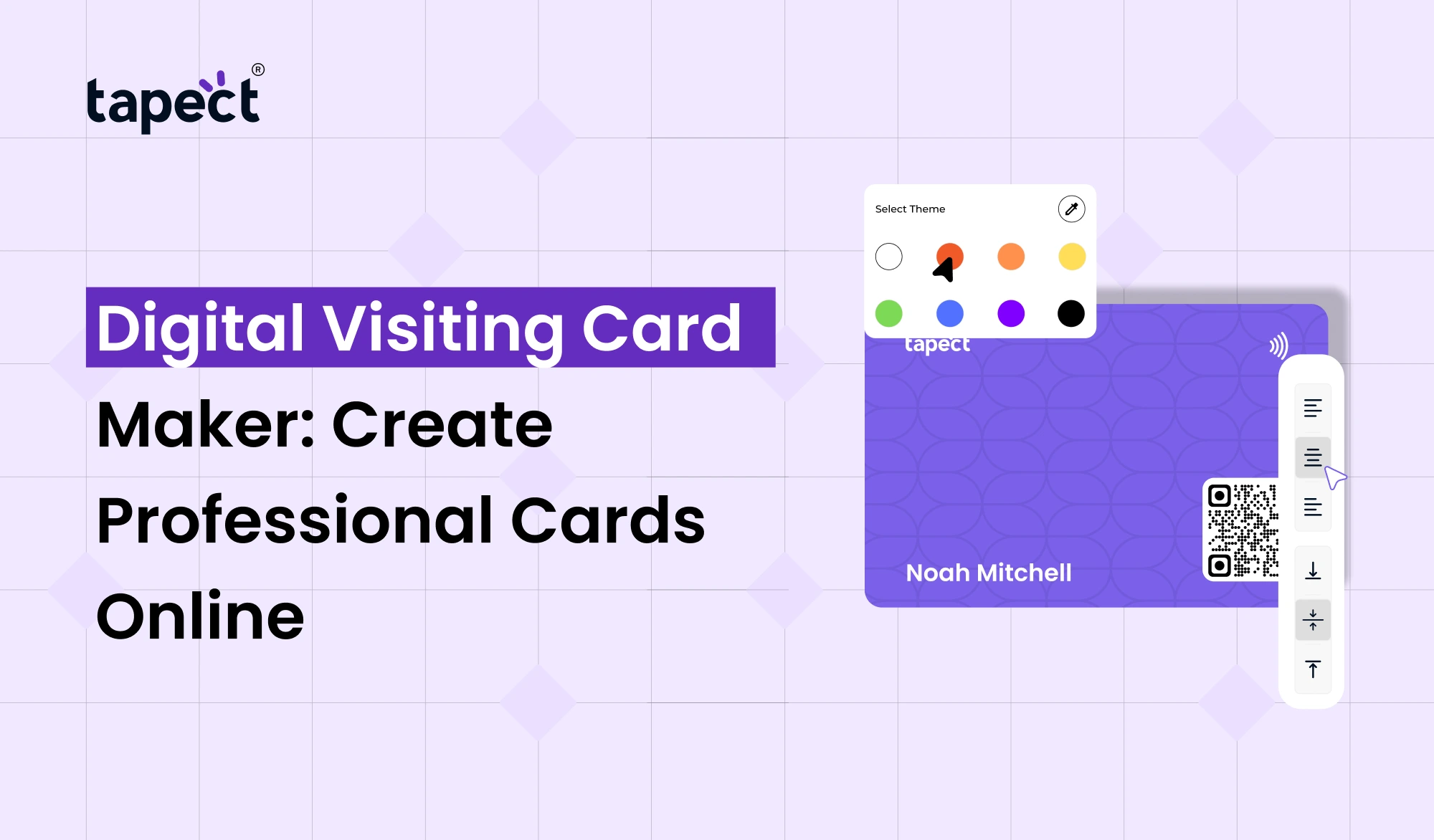
A typical visiting card is helpful but has one great disadvantage. When a person gets hold of your card, your information can get lost quickly. Create a Digital Visiting Card Maker and share your contact details, business information, website, social accounts and much more in a smarter way.
Rather than lugging around a stack of printed cards, you may develop one professional profile and distribute that every time you meet someone. People may open your card on their phone and save your info in seconds.
Tapect helps you create and share a professional digital card with ease. No design skills needed. No complicated software. Design your card online and change your information as many times as you want.
What Is a Digital Visiting Card Maker?
A Digital Visiting Card is the online version of a traditional business card. It can contain your name, job title, phone number, email address, company information, website, social media connections and other helpful details.
The main advantage is flexibility. You can share your card by link, QR code, WhatsApp, email or NFC enabled card.
With a Digital Visiting Card Maker, you may make this profile without beginning from scratch. Select a design, add your details and create a card that fits your professional style.
Why Use a Digital Visiting Card Online?
Online Digital Visiting Card Maker Simplifies Networking. You don’t have to print hundreds of cards or worry about running out of them during meetings and events.
You can just hand out your card whenever someone asks for your contact information.
Why pros are going digital cards:
- Share easily from any smart phone
- You don’t have to print cards anymore
- Information can be modified at any moment
- Supports website and social media links
- Accelerates networking
- Reduces printing expenses
- Gives your brand a fresh feel
A Digital Visiting Card Maker can help you produce a card that works well for Networking, Sales, Meetings, Events and Communicating with Clients.
How Does a Digital Visiting Card Maker Work?
Using a Digital Visiting Card Maker is usually an effortless process. The sophisticated design knowledge is not required.
1. Choose Your Card Design
Start with a clean slate. Choose a layout that suits your profession and your brand.
For example, a creative designer would like a modern style, whereas a lawyer or consultant might desire something more straightforward and professional.
2. Add Your Details
Provide us with your name, company name, phone number, email address and other contact information.
You can also add your profile photo, business logo, website and social media accounts.
3. Add Your Important Links
Your card may do more than just transmit contact information. You can include links to your website, portfolio, LinkedIn, Instagram, WhatsApp or booking page.
4. Review Your Card
Check every detail before you pass it along. Make sure your phone number, email, website and social links work.
5. Share Your Card
Once your card is ready, share it with the link or the QR code. Or you could tie it up with an NFC business card for fast tap-based sharing.
Digital Visiting Card India: Why It Is Growing
With more and more professionals using their cellphones for networking and communication, Digital Visiting Card India solutions are becoming more and more popular.
workers need a rapid way to share information, from freelancers and sales workers to business owners and consultants.
When you are meeting clients coming from other cities, a digital card is also beneficial. You can share your profile instantaneously without having to carry printed cards.
Digital Visiting Card Maker can be a useful option for Indian enterprises, as a single card can be shared among many people without the need of repetitive printing.
Benefits of Using an Online Visiting Card Maker
An Digital Visiting Card Maker simplifies the whole process. You may make your card from a phone or a computer, without paying a designer.
Save Time
You don’t have to wait for a card to be printed, you can make one in a flash.
Update Details Easily
Updated your phone number or website? Print fresh cards or change your profile.
Share Anywhere
Share your card by WhatsApp, email, social media or a direct link.
Look More Professional
A good digital card helps customers to see your business and online presence clearly.
All these can be clubbed together in a Digital Visiting Card Maker.
Digital Business Card vs Digital Visiting Card
You may have also heard the term Digital Business Card. Both phrases usually mean something similar.
What is a Digital Business Card? An electronic profile to exchange professional and contact details. A Digital Visiting Card does exactly the same.
The name may change but the goal is simple – make it easy for people to engage with you.
Another function that a Digital Visiting Card Maker can provide is QR sharing, social links, contact saving and NFC support.
How to Make Your Digital Card Look Professional
Easy to make a card. To make it look professional takes some thought.
Keep the Design Clean
Do not overuse colours, fonts and other superfluous features. The clean design is easier to read.
Use a Clear Profile Photo
If you include a photo, make sure it’s a clear, professional one.
Add Your Brand Logo
Your logo is a reminder of your company.
Highlight Important Actions
Make your phone number, email, WhatsApp and website easier to find.
Add a Clear Call to Action
Tell visitors what you want them to do. For example, you can include buttons such as “Call Me,” “Save Contact,” “Visit Website,” or “Message on WhatsApp.”
A competent Digital Visiting Card Maker would make it easy to assemble these features.
Use QR Codes With Your Digital Card
Qr codes make sharing much easy . Instead of having to type in a website address, someone can scan your QR code and open your card.
You can put the QR code on a normal business card, include it in your marketing material, or put it on display at your office or event booth.
This gives you a valuable link between offline networking and your online identity.
Combine Digital Visiting Card With NFC
Looking for a quicker way to distribute your card? You might want to try NFC business cards.
When someone taps their compatible smartphone on an NFC business card, your digital profile opens.
This might be handy at conferences, business meetings, exhibits and networking events.
You can also store a QR code as an alternative sharing option. This means that people have more than one way of getting to your details.
Who Can Use a Digital Visiting Card?
Digital Visiting Card is helpful for practically every person who needs to transmit professional information.
Business Owners
Let potential clients know about your firm and your site.
Sales Professionals
Exchange contact details quickly during meetings.
Freelancers
Display your portfolio, services and social profiles in one spot.
Real Estate Agents
Share real estate listings, phone numbers and contact information.
Consultants
Let clients get in touch with you or book an appointment with you easily.
Students and Job Seekers
Upload your portfolio, LinkedIn profile and professional details.
Why Choose Tapect?
Tapect helps professionals break away from traditional networking. Tapect allows you to create a professional digital profile and share it through modern means such as QR codes and NFC.
Rather than giving you a new card when your info changes, you can update your info online and keep the same profile.
The flexibility and convenience of networking is a plus for today’s professionals.
FAQs
1. What is a Digital Visiting Card Maker?
A Digital Visiting Card Maker is an online application which will let you build a digital card with your contact and business information.
2. Can I Make Digital Visiting Card Online?
Yes. You may add your details using an online platform, tweak your design, and send your card out digitally.
3. Digital Visiting Card Maker: How Useful for Businesses in India?
Uh-huh. Digital Visiting Card India solution can assist businesses and professionals to send contact information through smartphones instantly.
4. What should I include on my digital card?
You can include your name, job title, company name, phone number, email, website, social media connections and other vital business information.
5. Can I include a QR code on my digital card?
Yes. ( A QR code makes it easier to access and store your digital profile and contact details.
6. Can I use an NFC business card alongside a digital card?
Yeah. NFC business cards allow you to connect visitors to your online presence with a single tap.
7. Can I change my card after I have created it?
Yes, if your platform allows editing. You can update your phone number, web address or social links without having to create a whole new printed card.
Conclusion
Digital Visiting Card Maker gives you an easy way to make and share a professional online card. It takes away many of the limitations of standard printed cards and makes networking faster.
Share your contact details with a Digital Visiting Card Online via link, QR code, WhatsApp, email or NFC. Also, you may update your business information without producing new cards.
If you’re a business owner, freelancer, sales professional, consultant or student, digital cards can make it easier for people to interact with you.
Create Your Digital Card With Tapect
Want to improve your networking skills? Create your professional digital card with Tapect today, add your contact details and social links and start distributing your card immediately.
 02 Oct 2026
 business