It is easy to meet someone at a business event. Later on it’s not always easy to remember their phone number, email, company name and website. This is where a Business Card Scanner can really make networking easier.
Instead of typing in contact details, you can scan a printed card with your phone and save the info in seconds. A Business Card Scanner can scan and read information like names, phone numbers, email addresses, job titles and company names.
In 2026, digital networking is becoming more commonplace. People are also sharing information via digital business cards, QR codes and NFC. Nevertheless, printed cards are everywhere, so having a reliable Business Card Scanner is useful for professionals, sales teams, recruiters and business owners.
What Is a Business Card Scanner?
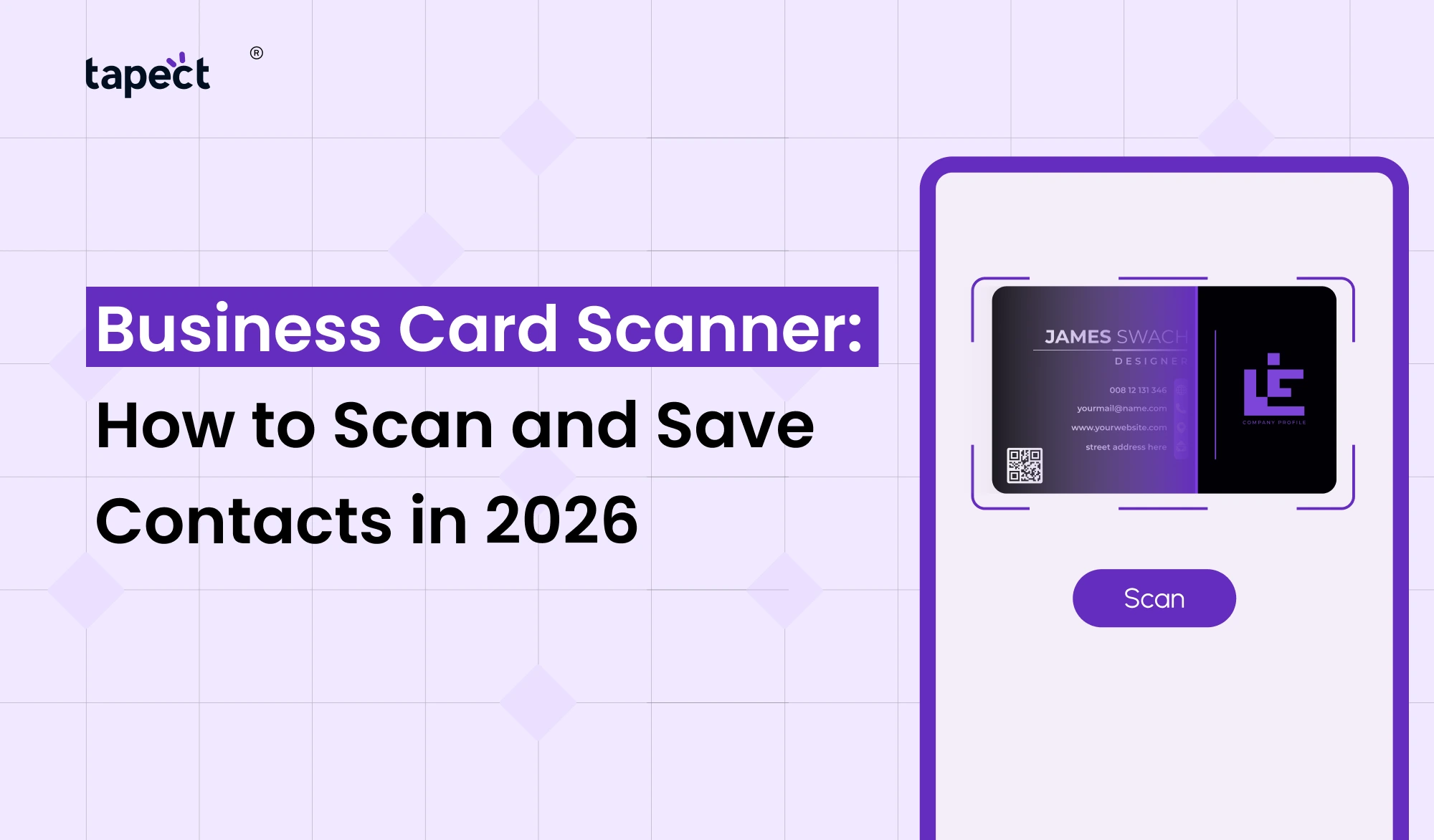
A Business Card Scanner is a tool or mobile application that scans the information on a printed business card and converts it into digital contact information.
Scan by pointing your phone camera at the card. The scanner scans the text and sorts the information so you can save it to your contacts.
A typical scanner can take:
- Person’s name
- Company name
- Job title
- Phone number
- Email address
- Website
- Office address
- Social media details
This saves time and cuts down on the need to type everything yourself.
How Does a Business Card Scanner Work?
Most scanning tools today work by using your phone’s camera and text recognition technology.
The basic process is straightforward:
- Open your Business Card Scanner app.
- Give the app camera access.
- Place the card inside the scanning area.
- Take a picture or let the app scan automatically.
- Check the information.
- Edit any incorrect details.
- Save the contact to your phone.
Some tools also allow you to connect to a CRM platform or other business software for the scanned contact.
How to Scan a Business Card in 2026
Scanning a card only takes a few seconds if the card is clear and well printed.
Step 1: Choose a Card Scanner
Choose a good card scanner that works with business cards. Many apps on smartphones can directly scan cards using the phone camera.
Step 2: Place the Card on a Flat Surface
Place the card on a clean, flat surface. It is often more difficult to recognise the text when it is overlaid on a cluttered background.
Step 3: Open the Scanner
Launch your business card scanner app and aim your camera at the card.
Step 4: Scan the Card
Keep the phone steady. Ensure all relevant information is visible.
Step 5: Review the Details
It will identify the text. Before saving, check the phone number, email address, company name and other information.
Step 6: Save the Contact
Save it to your phone or preferred contact system when everything is correct.
What Makes a Good Business Card Scanner?
Not all scanners offer the same experience. If you are regularly meeting clients or attending networking events, look for these features:
- Fast scanning
- Accurate text recognition
- Contact editing
- Easy export
- Cloud backup
- CRM integration
- Multiple language support
- Duplicate contact detection
- Easy sharing
- Secure data handling
A good visiting card scanner should save you time and not create more work.
Business Card to Scan: What Should You Look For?
Make sure the business card is readable before you scan it.
A good card must have:
- Clear text
- Good lighting
- High contrast
- No heavy folds
- No major stains
- Enough space between details
If the card has tiny text or an intricate design, the scanner may not be able to read everything correctly.
Always validate the data you have captured before you save it.
Benefits of Using a Visiting Card Scanner
If you collect lots of cards at meetings, conferences, exhibitions and networking events, a visiting card scanner is a handy tool to have.
Save Time
You don’t have to fill in all the details yourself.
Keep Contacts Organized
It’s easier to search through digital contacts than a pile of paper cards.
Reduce Lost Contacts
It’s easy for a card to get lost in a wallet or drawer. Digital contact info is easier to have on hand.
Follow Up Faster
Saving the contact information right away means you can follow up while the conversation is still fresh.
Reduce Data Entry Errors
A scanner can pick up the information from the printed card directly, avoiding the need for manual typing.
Business Card Scanner for Networking Events
Networking events can produce dozens of cards.
Imagine going back to the office with thirty or forty cards. Entering each contact manually can be time consuming.
It’s made easier with a Business Card Scanner.
You can:
- Scan cards during the event.
- Review the contact details.
- Add notes about the person.
- Save contacts immediately.
- Follow up later.
For sales teams this can make following up after an event much easier.
Business Card Scanner and Digital Business Card
Printed cards are still useful, but digital networking is on the rise.
A digital business card is a way to send your contact information via a link, QR code or other digital method.
Someone can go to your profile and save your information directly, rather than scanning a printed card.
This could include:
- Phone number
- Website
- Social profiles
- Company information
- Portfolio
- Booking link
Tapect allows businesses and professionals to make a modern digital business card that can be easily shared.
Business Card Scanner and NFC Business Card
Another modern way to do it is a nfc business card.
NFC means Near Field Communication. Compatible smartphones can tap the card to access information.
An nfc business card can be a quick way to share a digital profile without the need to type in contact details manually.
There are different methods for modern networking based on the circumstances:
- Traditional networking business card printed
- QR code for fast scanning
- Share digital business card online
- NFC business card networking with tap-to-share feature
Tapect incorporates modern digital networking features to make it easier for professionals to share contact information.
How Tapect Can Make Networking Easier
Tapect is designed for those who want to ditch traditional paper cards.
Professionals are able to create a digital profile on Tapect to share with potential clients and business contacts.
Some useful features are:
- Digital contact sharing
- QR code sharing
- NFC-based sharing
- Social media links
- Website links
- Professional profile information
- Easy access from a smartphone
This means that you can have your professional information in a digital form instead of carrying a large collection of cards.
Tips for Using a Business Card Scanner
Want better scan results? Simply follow these tips.
Keep the Camera Steady
A blurry picture can provide wrong information.
Use Good Lighting
No hard shadows and reflections.
Check the Contact
Don’t assume that all details were scanned correctly. Check the information before you save it.
Add Notes
If you meet lots of people, just put a little note about where you met them or what you talked about.
Remove Duplicate Contacts
If you scan the same card multiple times, look for duplicates.
Back Up Your Contacts
Make sure you back up important business contacts, so you don’t lose them if you change phones.
Common Mistakes When Scanning Business Cards
Business Card Scanner is not perfect, some low quality cards can be difficult to read.
Avoid these typical mistakes:
- Scanning a fuzzy card .
- Too far away from the phone
- Inadequate lighting
- Part of card is covered
- Not validating scanned data
- Removing duplicate contacts
- Use of previous app
It takes a few extra seconds to check the details and that can save problems later.
Is a Business Card Scanner Worth Using in 2026?
Yes, especially if you regularly meet new clients, partners, suppliers or professionals.
Business Card Scanner makes your contacts management faster and more organised.
It is especially helpful for the following purposes:
- Sales professionals
- Business owners
- Recruiters
- Real estate agents
- Freelancers
- Marketing professionals
- Event managers
- Consultants
- Entrepreneurs
If you only add a few cards a year, you might be able to get away with manual entry. But if you do networking regularly as part of your job, scanning can be a huge time saver.
FAQs
1. What is a Business Card Scanner?
A Business Card Scanner is a device that scans information from a printed business card using your phone camera and converts it into digital contact information.
2. How do I scan a business card with my phone?
Yes. Many smartphone apps can use the smartphone’s camera as a Business Card Scanner.
3. What is the difference between a card reader and a business card scanner?
A general card scanner can scan various types of cards, but the Business Card Scanner is designed to identify professional contact details.
4. Does a visiting card scanner automatically save contacts?
Various scanning apps allow you to review and save the scanned information directly to the contacts on your phone.
5. Are there apps for scanning business cards on smartphones?
Yes. There are a number of business card scanner apps for smart phones. Features may vary from app to app so be sure to verify that the app supports contact export along with other features you may need.
6. Do I need a printed card or can I use a digital business card?
Yes. A digital business card can make contact sharing quicker as you can share your profile via a link, QR code or NFC.
7. What is an NFC Business Card?
An nfc business card utilises NFC technology that enables people to tap a compatible smartphone to view your digital contact profile.
Conclusion
Business Card Scanner is an easy way to convert printed contact information into organised digital contacts. You can scan and save names, phone numbers and emails in seconds instead of spending time typing them.
A Business Card Scanner can make contact management so much easier for the busy professional who regularly attends meetings, exhibitions, conferences and networking events.
Meanwhile, online tools are changing the way business people share information. A digital business card, QR code or nfc business card can offer you a quicker way to share your professional profile.
Ready to Make Networking Easier?
Tapect: More than old-fashioned paper cards. Create a modern digital profile and share your contact information using QR and NFC technology.
Create your Tapect digital business card today and make it easier to save, remember and follow-up with every new connection you make.
 06 Oct 2026
 business