First impressions can make a difference in business. Whether you’re meeting a new customer, attending an event or talking with a business partner, sharing your contact details is often the first step in building a relationship. This is where the visiting card helps. It’s a fast way for people to learn about you, your work and your business.
Today, business networking is more than simply using printed cards. Many professionals are also utilizing digital alternatives to share their contact information with a simple tap or QR code. There are many ways to make your card stand out from clean and simple designs to modern NFC designs.
Looking for something different for your brand? Tapect provides smart digital networking solutions to help professionals share their details in a simple manner. Let’s get creative and come up with some great design ideas and helpful tips for picking the perfect card for your business.
Why Does Every Business Need a Visiting Card?
A Visiting Card is not just a small piece of paper. It helps people remember your name and contact information after a meeting. It also makes your business look more organized and professional.
Here are some reasons why every business needs one:
- Builds trust: A well-designed card gives customers a good first impression.
- Easy contact sharing: People can quickly find your phone number, email, and website.
- Promotes your brand: Your logo, colors, and design help people recognize your business.
- Supports networking: You can share your details at meetings, events, and conferences.
- Creates new opportunities: A simple exchange of contact details can lead to future business.
An imaginative design can help your brand stay in the minds of the people after a short talk.
Creative Visiting Card Design Ideas for Every Business
The style and audience of every business is different. Your card should reflect your brand and make it easy for people to know what you do. Here are a few design ideas to consider.
1. Minimal and Clean Design
Sometimes the simplest design is the most striking. A clean background, readable fonts, and only the details that matter.
You may add:
- Business name and logo
- Your full name and job title
- Phone number and email address
- Website and business address
This design is suitable for consultants, freelancers, lawyers and corporate professionals .
2. Creative and Colorful Design
If you work in fashion, photography, graphic design or anything marketing related then a colorful layout can help you show off your creative side.
Try your brand colors, nice fonts, and a simple pattern. Make it easy to read. Customers should be able to easily find your information without any hassle.
3. Luxury and Premium Design
Want your brand to appear premium? Go with a dark background and gold, silver or white writing. You can also have a special finish or textured material.
This style fits:
- Real estate agents
- Interior designers
- Luxury product sellers
- Hotels and event planners
- Premium service providers
A balanced layout can make your brand stylish without adding much design elements.
4. QR Code Design
With a QR code, you can connect your printed card with your online persona in a simple way. You can have people scan it with their smartphones and open your website, contact page or profile.
You can put a little message like “Scan to Connect” next to the code. Ensure that the QR code is big enough to scan and has sufficient margin around it.
5. Modern NFC Design
Technology has transformed the way people share contact details. NFC Card You can share your information with a single tap on a compatible smartphone.
Instead of typing your phone number or searching for your website, the other person can tap the card and open your digital profile.
This is a handy option for business owners, sales teams, consultants and professionals who regularly attend networking events.
How to Choose the Right Visiting Card for Your Business
Choosing a design is more than esthetics. Think about your business type, your customers, and how you connect with people.
Remember these things.
- Understand your brand: Select colors and fonts that match your business identity.
- Keep details clear: Avoid adding too much information to the layout.
- Use a good logo: Your logo should be easy to recognize.
- Choose readable fonts: Small or decorative fonts can make details hard to read.
- Add useful contact details: Include the information customers need to reach you.
- Think about your audience: Choose a design that suits the people you want to connect with.
You can also use a Business Card Builder to design a layout without any design skills advanced. There are lots of online tools that provide ready-made templates that you can customize with your business name, logo, and contact info.
Printed Cards vs Digital Business Cards
Printed cards are useful but digital networking is gaining popularity. Each of these has its own pros and cons.
Traditional Business Cards
Visiting Card are easy to carry around and share. You can distribute them to customers at meetings, exhibitions and corporate events.
But if your phone number, job title or website changes you might need to print a new batch.
Digital Business Cards
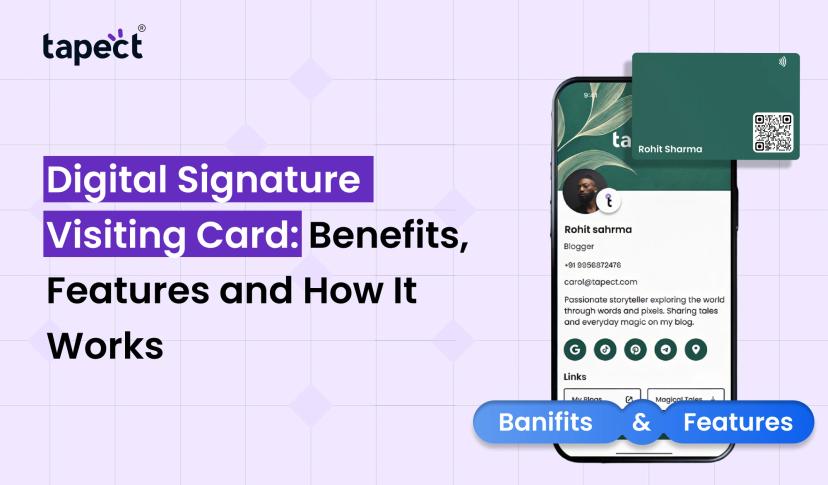
A Digital Card is a simple way to share your contact information online. Share your profile by QR code, link or compatible NFC gadget.
With a Digital Business Card you can add more than just basic contact information, such as:
- Phone number and email
- Website and social media links
- Business address
- Company information
- Photos and videos
- WhatsApp contact link
Update your profile without printing a new card when your information changes.
An NFC Business Card is a smart option for professionals looking to connect both in person and online. It’s sort of a physical card plus a digital profile, making it easier to share information at face-to-face meetings.
How Tapect Makes Business Networking Easier
Tapect moves professionals beyond traditional contact sharing with smart digital business card solutions.
Build a professional profile and share your details with an NFC-enabled card or QR code with Tapect. The person who receives your details can open up your profile on any compatible smartphone without needing to download a special app.
Here are some useful features of Tapect:
- One-tap sharing: Share your contact details with a simple tap.
- QR code access: Let people scan your code to open your profile.
- Easy profile updates: Change your contact information when needed.
- Social media links: Add your professional social profiles in one place.
- No app required for recipients: People can view your shared profile through their phone browser.
- Professional designs: Choose a card style that suits your personal or business brand.
With Tapect, you can easily stay in touch with your customers and business partners. Whether you’re a freelancer, a start up owner, a sales professional or a business manager.
Common Mistakes to Avoid When Designing a Card
Good design should be attractive and communicate information clearly. Avoid these common mistakes when designing your card:
- Adding too much text: Too many details can make the design look crowded.
- Using poor-quality logos: A blurry logo can affect your brand image.
- Choosing hard-to-read fonts: Always use clear and simple text.
- Ignoring contact details: Check your phone number, email, and website before sharing.
- Using too many colors: Stick to a few colors that match your brand.
- Forgetting mobile users: If you add a QR code, test it on different smartphones.
A little care with these details can make your card more useful and professional.
FAQs
1. What to write on a Visiting Card?
Add your name, job title, company name, phone number, email address, website and logo. If you wish, you can also add your business address or QR code.
2. What is the best design for a professional business?
For most professionals, a clean and simple design is a good choice. . Use your brand colors. Use easy to read fonts and important contact details.
3. Can you create your own business card online?
Yes. You can go to an online business card builder, select a template, enter your details, upload your logo and make something that fits your brand.
4. What is the difference between a QR code card and an NFC card?
An NFC card will share information when tapped against an NFC-enabled smartphone. When a person scans the QR code with their phone camera, a QR code card shares information.
5. Are digital business cards necessary for small businesses?
Yes. They help small businesses share contact details, websites, social media profiles and other information without having to print new cards every time the details change.
6. How do I update my Tapect digital profile?
Yes. You can update your digital profile as your contact information, business information or social media links change.
Last thought
A well Visiting Card can help your business make a good first impression and create good networking opportunities. Select a layout, design, finish, or NFC technology that fits your brand and makes sharing contacts easy, whether you prefer a minimal layout, colorful design, premium finish, or smart NFC technology.
The old business card still works but new digital solutions give you more options to connect with people. Tapect lets you share your professional details with a tap or QR code and keep your information up to date.
Want to make networking easier? Head to Tapect and get your smart digital business card today. Connect with more people. Share your business details and make every business meeting count.
 20 Nov 2026
 business