Sharing contact details has come a long way. People still send cards, but they want a faster way to interact. Electronic Business Card makes it easy to communicate your name, phone number, email, website, social profiles and other details online.
Instead of carrying a stack of paper cards, you can share one profile with a phone, link, QR code or NFC touch. Now you can exchange contact details faster and update your details easily.
What Is an Electronic Business Card?
An eCard is a digital version of a standard business card. It maintains your professional information on an online profile that anyone may open from their phone or computer.
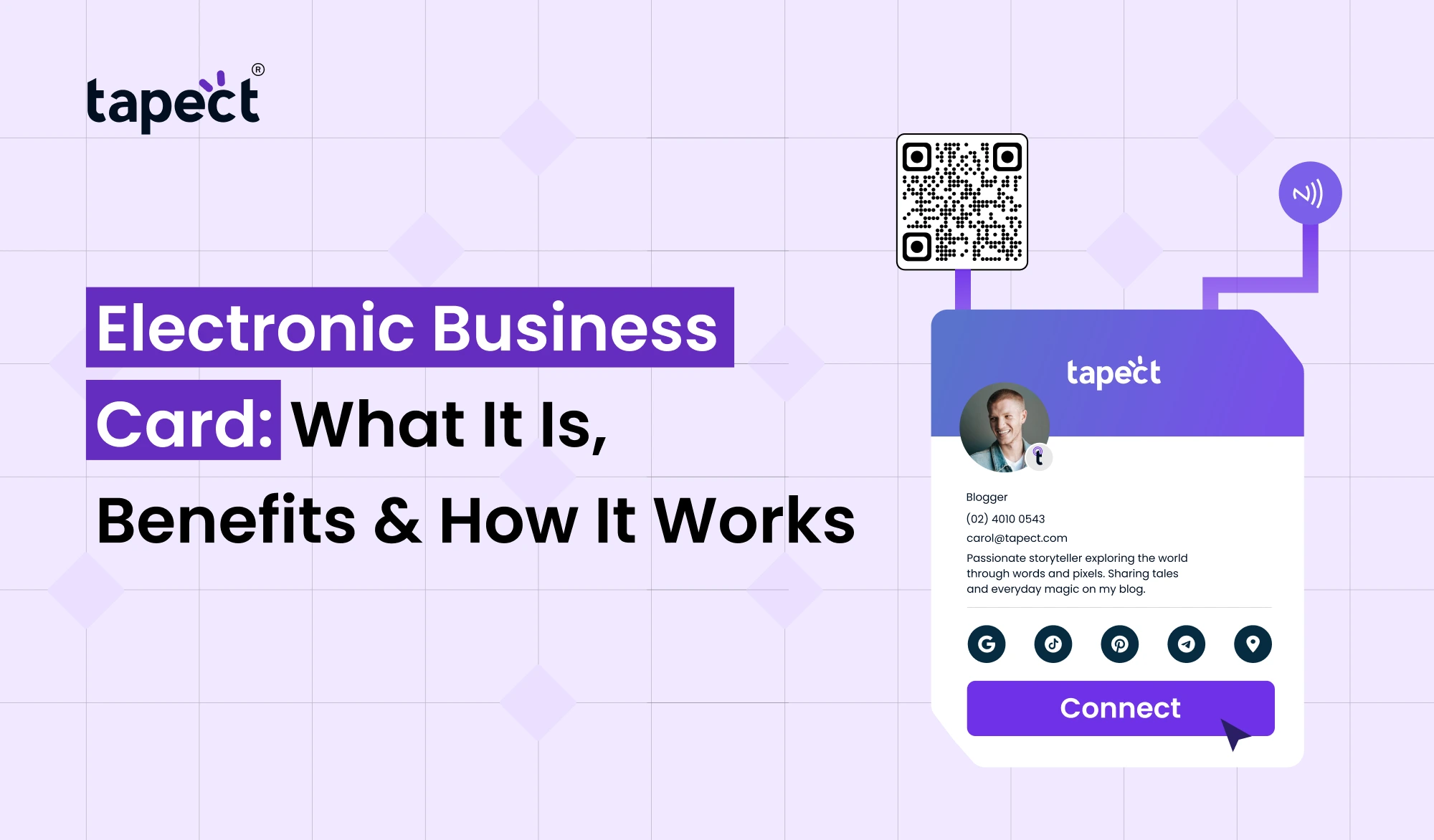
A digital card allows you to add your portrait, company logo, phone number, email, website, social media links, location and a brief intro. You can also add links for visitors to call, email, message or store your contact.
You can put a lot more valuable information on your online profile than you can on a printed card, without making the design look crowded.
How Does an Electronic Business Card Work?
The technique is quite straightforward. You build your profile, add your contact data and get a link to distribute.
You can share the link via WhatsApp, email, social media, or text messages. You can also attach the profile to a QR code or NFC tag.
When a person scans the QR code or presses the NFC card, your profile will open on their smartphone. Then they can see your details, call you, browse your website or save your contact.
For example, Tapect helps professionals communicate their contact details with current, digital networking technologies. The person who receives your information doesn’t have to retype anything manually.
Main Benefits of an Electronic Business Card
Electronic Business Card is a great tool for professionals, sales teams, freelancers, entrepreneurs and business owners that meet new people often.
1. Easy to Share
Share your contacts in a matter of seconds. You don’t need to rummage throughout your bag for a printed card.
A digital business card can be shared via a simple link. You can share it with people via meetings, events, phone calls, online meetings or social interactions.
2. Easy to Update
Your work title, phone number, website, or social profile might change over time. You have to place a fresh order for printed cards.
A digital visiting card helps you to update your details online. When people browse your profile they’ll see the most recent information.
It reduces time and printing costs.
3. Makes Networking Easier
It’s much easier to network when others can easily save your details.
An e business card can include direct buttons for calling, emailing, chatting, saving a contact or visiting your website.
It eliminates the extraneous steps and encourages people to connect with you when the interaction is still fresh.
4. Creates a Professional Impression
A tidy web profile can make your firm appear more sophisticated and organised.
A virtual business card can feature your photo, logo, brand colours, social links, website and other crucial information.
Tapect allows professionals to establish a profile that reflects their own brand and makes it easy to share contacts.
5. Reduces Printing Costs
Traditional cards have to be designed, printed, stored, and then replaced. No printing process is needed for an online business card.
You can upload the same profile repeatedly without having to order another batch of cards.
This can make sharing contacts more easier for professionals that attend multiple events.
6. Works for Online and Offline Networking
Of course, not all business relationships are face-to-face. You may find clients via LinkedIn, email, video calls, or messaging apps.
In these cases, an Electronic Business Card provides you with one easy link to share.
It’s great for remote employes, freelancers, consultants, sales workers, and business owners networking with others in other towns or countries.
What Can You Add to an Electronic Business Card?
Your profile should provide information people genuinely need. I’m going to try to do it a little more simply. I’ll use a lot of the same techniques, but I’m going to try to keep it a little more streamlined.
You can include:
- Full name and job title
- Company name and logo
- Phone number
- Business email
- Website
- Social media profiles
- WhatsApp link
- Office location
- Short business description
- Portfolio or product links
- Appointment or booking link
- Save contact button
The primary goal is straightforward. Help people identify you and provide an easy way for them to contact you.
Electronic Business Card vs Traditional Business Card
The old cards are still good, but they have their limits.
They can be lost, damaged or they can expire. You also need to print fresh cards if your contact information changes.
An Electronic Business Card bypasses several of these obstacles. You can amend your information without needing to reprint.
A printed card usually includes contact information. A digital profile might be more like a mini professional website with clickable links and contact buttons.
Electronic Business Card vs Digital Business Card
These names are commonly used interchangeably by people to refer to the same thing. Both are used frequently to share professional contact information online.
You can share a digital business card by a link, a QR code, an NFC touch or a mobile platform.
It doesn’t matter what it is called. The important thing is that your profile is easy for people to find, contact and preserve your details.
How to Create an Electronic Business Card
You don’t need advanced design skills to begin with.
Digital business card makers give pre-made templates and easy-to-use modification tools. You can add your information and customise your profile without having to start from scratch.
Follow the instructions below:
Step 1: Choose a Reliable Platform
Choose a solution that delivers the features you want such as contact sharing, QR codes, analytics and customisation.
Step 2: Add Your Details
Enter your name, position, phone, email, company information and website.
Step 3: Add Your Branding
Upload your company logo and profile picture. Use branding that complements your business.
Step 4: Add Social Links
Add social profiles that will be valuable to your customers and professional contacts.
Step 5: Test Everything
Check your phone number,email,website, social links and contact saving option before sharing profile.
Step 6: Start Sharing
After you create your profile you can share it using a link, a QR code or an NFC-enabled card.
Professionals who wish to develop and edit their profile without hiring a designer can make this process easier with a digital visiting card maker.
Tips to Make Your Electronic Business Card Better
Keep it simple and clean in your profile.
Put your most important contact options at the top. I am really enjoying the book. I am really enjoying the book.
Most people will be opening your digital card from their smartphones, so make sure that it looks well on mobile displays as well.
Please do not add too many links. Allow visitors a few simple actions such as Call, WhatsApp, Email, Website or Save Contact.
If you want to create a professional profile in a short time and customise the style, you can also utilise a digital card maker.
How Tapect Can Help
Tapect makes it easy for today’s professionals and enterprises to share digital contact.
Create a professional profile and exchange your information using clever contact sharing options. Rather of just sending someone a paper card, you can give them a quicker way to see and save your information.
Tapect can help you network whether you are attending business events, meeting customers, managing a sales team or building a personal brand.
If you want to construct a profile and don’t have hours to spend designing a digital business card maker will be handy. With Tapect, transform your contact details into a new digital networking experience.
Who Should Use an Electronic Business Card?
An Electronic Business Card would be useful to various types of professionals.
It can assist with:
- Entrepreneurs and founders
- Sales representatives
- Real estate agents
- Freelancers
- Consultants
- Recruiters
- Marketing professionals
- Small business owners
- Event professionals
- Corporate teams
If you encounter new clients or business contacts regularly an Electronic Business Card makes giving your information much easier.
Is an Electronic Business Card Worth It?
If you’re in the business of networking a lot, an Electronic Business Card can be a useful improvement.
Share your info with no need to carry enough printed cards. You also have more room to tell us useful information.
Rather than cramming everything onto a small piece of paper, you may provide them a way to reach your website, social profiles, portfolio, contact buttons and other crucial information.
A digital visiting card is especially useful when your contact information changes often because you can just edit one profile instead of printing another batch.
Electronic Business Card: Make sharing contacts easier and save time for professionals looking for a modern approach to networking.
FAQs
1. What is an Electronic Business Card?
An eCard is an electronic version of a standard business card. It enables you to share your professional information via link, QR code, NFC touch or some other digital means.
2. Is the Electronic Business Card free?
Some have free plans; some paid programs with advanced features. Always look at features before choosing a service.
3. How can I add a QR code to my card?
Yes. You can link your profile to a QR code. People can scan the code and quickly open your contact profile.
4. Can I use NFC with an e-business card?
Yes. Anyone with an NFC-enabled card can tap it with a compatible smartphone to see your profile.
5. Can I amend my details at a later date?
Yeah. One of the major benefits is the ability to change your online profile and not have to print a new ID card.
6. Is it better to have an electronic business card than a paper card?
It depends how you network. Digital profiles are easier to maintain and share but printed cards might still be useful for specific types of events. You can use both to give yourself additional freedom.
7. Are these cards usable for teams in companies?
Sure. Businesses can establish profiles for their team members and ensure their branding is consistent across their contact pages.
Conclusion
An Electronic Business Card is not only a paper card relocated to the internet. “It’s a quick and easy way to share useful information and help people find you quickly.
You can update your detail, add relevant links, share your profile from anywhere and link to it with QR or NFC technology.
Tapect offers a practical solution for professionals and businesses seeking easier networking, moving beyond traditional contact exchange and into a modern digital experience.
Ready to Make Networking Easier?
Make every new connection count. Create your Tapect profile immediately. Exchange your contact details in seconds and provide your potential consumers, clients and business associates an easy method to remain in touch with you.
 26 Sept 2026
 business