Networking has changed a lot. People don’t want to type phone numbers, email addresses, or website links into their phones manually anymore. They want to hook up quickly and save contact info .
That’s where a Scannable Business Card can make a real difference. Instead of handing out a card that might get lost in a wallet, you can provide someone with instant access to your contact details with a quick scan.
You can share your phone number, email, website, social profiles and more in a flash with a smart card. Tapect Helps you to simplify networking and give your brand a modern look.
What Is a Scannable Business Card?
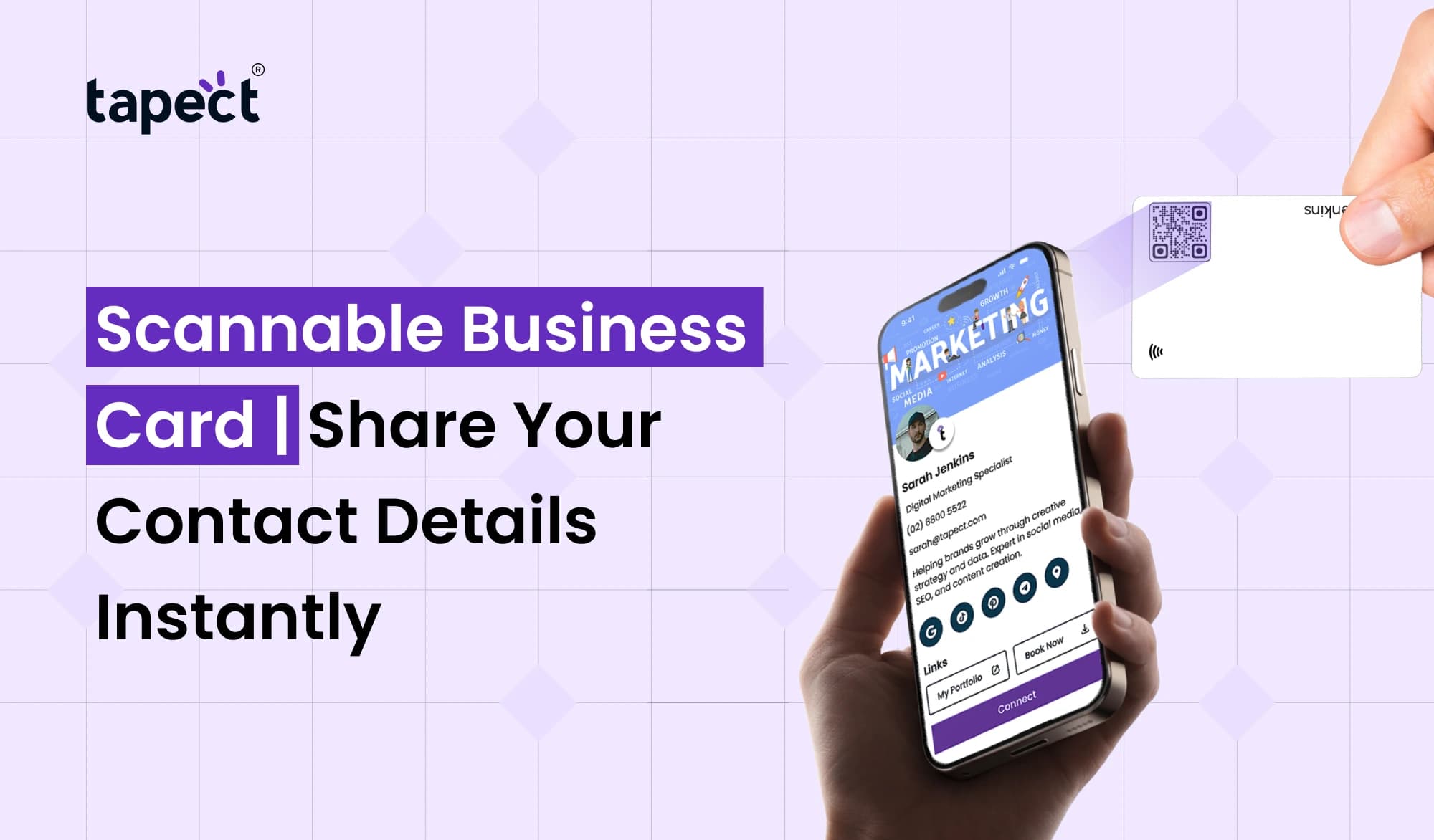
A Scannable Business Card is a business card which allows people to have access to your contact information by scanning a code with their smartphone.
The card might come with a QR code to open your digital profile. Someone can scan it with their phone camera and see your information without typing everything out.
This makes it easier and quicker to share contact details.
A modern card might have:
- Your name and job title
- Phone number
- Email address
- Company website
- Social media profiles
- Business address
- Portfolio or product links
- WhatsApp contact details
You can also connect the card to a Digital Business Card so you can manage and share your information in one place.
Why Use a Scannable Business Card?
Traditional cards still have their place, but they have their limits. You have to print them, carry them and update them every time your information changes.
A Scannable Business Card gives you more options.
Imagine you meet a potential customer at a tradeshow. You don’t have to ask them to save your number, you can just have them scan your card. Your contact page opens immediately.
This small change can help with networking.
It can also help you to make a stronger impression by providing a simple digital experience, rather than simply handing someone a piece of paper.
How Does a Scannable Business Card Work?
It’s an easy process.
Your card has a QR code or NFC technology. When someone scans / taps the card they are taken to your online profile.
The user opens the camera on their phone and aims it at the QR code on a QR Code Business Card. Then it will show a link on the screen that the user can tap to see your info.
How do NFC Business Cards work? It’s simple tap. A compatible smartphone can read the NFC chip and open up your profile.
Either option makes it a lot easier to share contact.
Benefits of a Scannable Business Card
There are a number of reasons why professionals are moving to smart networking cards.
1. Share Details Quickly
A Scannable Business Card is a time saver . It takes just seconds to open your contact details.
No need to type a phone number or look up your website later.
2. Reduce Manual Errors
It’s easy to mis-type a long phone number or email address. A scan takes people straight to the right information.
3. Keep Your Details Updated
Your printed cards are no longer valid when your phone number, job title or website changes.
A digital profile means you don’t need to print out a new batch of cards when you change your details.
4. Improve Networking
QR Code Visiting Cards facilitate the process of connecting at meetings, conferences, trade shows, and business events.
5. Create a Modern Brand Image
If you have a smart card, your business is ready to use modern tools. It can make your intro more memorable.
QR Code Business Card vs Traditional Business Card
A QR Code Business Card is a blend of the classic printed card and the new digital sharing.
Traditional card has fixed information. Once it is printed you can’t change it.
A smart card could take people to an online page where you can update your information any time you want.
For example, you can add a new website, social profile, product page or booking link without having to change the physical card.
This makes a QR Code Business Card a practical solution for people who meet new customers regularly.
Digital Business Card for Easy Contact Sharing
A Digital Business Card is one online profile for all your important contact information.
Instead of sharing separate links you can give people one page with everything they need.
Your profile may contain:
- Contact information
- Social media accounts
- Website links
- Business location
- Product or service information
- Appointment links
- Portfolio
- WhatsApp contact
This profile can be shared much more easily during face-to-face meetings when linked to a Scannable Business Card.
NFC Business Card for Tap-to-Share Networking
Another simple way for people to access your information is an NFC Business Card.
You can tap your phone near the card instead of scanning a QR code. Then your phone can access your digital profile.
This can be handy at networking events where you want to exchange information quickly and are busy.
NFC and QR technology can also be used in parallel. “So that gives people two easy ways to connect.”
“If they’ve got NFC on their phone, someone can tap the card, or they can scan the QR code, whatever they want.
Why Choose Tapect?
Tapect enables professionals to go beyond traditional networking. Its smart card solutions are made to make contact sharing simple and convenient.
Tapect provides you the opportunity to create a professional digital profile and connect it to your physical networking card.
A few useful features include:
- Quick contact sharing
- Digital profile access
- QR code sharing
- NFC-based contact sharing
- Social media links
- Website links
- Easy profile updates
- Professional networking experience
When you meet a new customer, client, partner or business contact, Tapect’s Scannable Business Card can make it easier for you to have a better experience.
How to Get More Value From Your Card
A QR code is not sufficient. You want to make the experience useful after someone has scanned it.
Make your profile clean and simple to understand. Most importantly, do you know how to use it?
You can also include a clear call to action, like:
“Scan to Add My Contact”
or,
Scan to connect with me
A clear instruction tells people exactly what to do.
When you use a QR Code Visiting Card, make sure the code is big enough to scan easily. Avoid putting it on busy backgrounds or using colours that make the code hard to read.
Where Can You Use a Scannable Business Card?
A scannable business card can come in handy in many situations.
Business Meetings
Tell us about yourself without butting into the conversation.
Networking Events
Meet a lot of people quickly at conferences and meetups.
Sales Meetings
Simplify the process for prospects to reach your website, product pages, or contact details.
Real Estate
Share listings, phone numbers, social profiles & property links from one card.
Freelancers
Designers, developers, photographers and consultants can link their portfolio to the card.
Small Businesses
Business owners can make it easier for customers to find their website, location, reviews and social profiles.
Tips for Creating a Better Scannable Card
Before you print or share your card, here are some simple tips to keep in mind:
- Make the QR code easy to see.
- Test the code with different phones.
- Keep your digital profile updated.
- Add only useful information.
- Use a clear call to action.
- Keep the card design clean.
- Make sure links work properly.
- Include your brand name and logo.
- Use a professional profile photo when suitable.
A well designed Scannable Business Card should feel simple, not complex.
Are Scannable Business Cards Worth It?
They can be a smart investment for professionals who meet new people often.
You get the benefits of a physical card and you give people a quick digital way to connect with you.
You can choose a Digital Business Card where your details are stored at one place. A QR Code Business Card which can be easily scanned or an NFC Business Card which allows you to share by a tap.
The right choice depends on how you network and what your audience likes.
FAQs
1. What is a Scannable Business Card?
Scannable Business Card A card which uses QR or NFC technology to allow people to access your contact details digitally.
2. What is a QR Code Visiting Card & Why Use It?
QR Code Visiting Card has a QR code. Users scan it with their smartphone camera to reach your digital contact profile or other link of your choosing.
3. How do I update my Digital Business Card?
Yes, it is. You can also update a Digital Business Card online so that you can change the information without having to print a new physical card.
4. Is NFC Business Card better than QR code?
There are benefits to both. An NFC Business Card is a tap, a QR technology is a scan. Mixing and matching can provide more opportunities for people to connect.
5. Can Scannable Business Card help for networking purpose?
Yes. A scannable business card can make sharing contact information faster and reduce the work of saving business information.
6. Is a Scannable Business Card good for my business?
Yes. Professionals, freelancers, sales teams, entrepreneurs and business owners can use smart cards to share contact and business information.
Conclusion
A Scannable Business Card is a simple digital upgrade to traditional networking. Rather than people having to type in your details, you can let them scan or tap and connect instantly.
Be it a QR Code Business Card, Digital Business Card, NFC Business Card or QR Code Visiting Card, the idea is to make connecting easier.
Tapect makes this easier by integrating modern contact sharing into your everyday networking.
Ready to Make Networking Easier?
Don’t just stick with the traditional cards. Create a smarter way for people to engage with you.
Try Tapect to instantly share your contact details with a modern Scannable Business Card.
 24 Oct 2026
 business