Have you ever tapped your phone on a payment machine and seen the payment happen in seconds? Or exchanged contact details with someone by bringing two devices close together?
That’s the power of NFC technology.
Many smartphone users have spotted the NFC option in their settings but have no idea what it is for. If you ever asked yourself What is NFC in mobile, this guide for beginners explains everything in simple words.
At the end of this article, you will learn what NFC is, how it is useful, how to turn it on and how businesses are using it through a nfc business card and a digital business card.
What is NFC in Mobile?
To begin with, let’s start with the most common question: What is NFC in mobile?
NFC is short for Near Field Communication. It is a wireless technology that enables two devices to exchange data when they are brought very close to each other, typically within a few centimetres.
What is NFC in mobile? The simplest way to think of it is a quick and secure way for devices to talk to each other without cables, passwords or complex setup.
Today, NFC is found in most modern smartphones and used for everything from making payments and sharing contacts to scanning tickets, pairing smart devices and more.
When people ask What is NFC in mobile, they are often surprised that they may already be using NFC every day without knowing it.
NFC Meaning in Phone
To better grasp What is NFC in mobile, it is useful to understand the NFC meaning in phone.
In other words, NFC meaning in phone is a feature that allows your smartphone to share data with another NFC-enabled device via proximity communication.
The NFC meaning in phone is mostly associated with contactless payments, but the technology can do so much more than just paying for things.
Whether you are sharing files or using a smart access card, knowing What is NFC in Mobile means can help you unlock a lot of useful features hidden inside your device.
How Does NFC Work?
When learning What is NFC in mobile, it helps to know how the tech works behind the scenes.
NFC exchanges small amounts of data between devices using radio signals. Unlike Bluetooth, NFC doesn’t need pairing and doesn’t need long setup.
It’s a simple process:
- Bring two NFC-enabled devices close to each other.
- The units recognise one another.
- Information is transferred in an instant.
- The action is done in seconds.
This fast process is one reason NFC has become so popular in smartphones.
Why Is NFC Necessary in Smartphones?
Many people ask What is NFC in mobile because they see this feature but never use it.
The fact is that NFC can ease up your everyday life.
Benefits are:
- Fast, contact-free payments
- Easy sharing of contact info
- Fast device pairing
- Safe transactions
- Access management made easy
- More opportunities to network
NFC has become a standard feature on both Android and iPhone devices as smartphone technology has been advancing.
NFC in Mobile Phones
Nowadays there are many practical NFC applications on smartphone devices.
1. Contactless payment
Mobile payments are one of the most popular applications of NFC technology in the smartphone.
With apps such as Google Pay and Apple Pay, users can pay by just tapping their phone at a payment terminal.
2. Sharing Contact Details
Another common use of NFC in smartphone features is quick sharing of contacts.
And now users can share information instantly instead of typing in numbers.
3. Pairing of Smart Devices
Many headphones, speakers and smart devices support NFC for faster pairing.
4. Transport for the public
Today, many cities enable commuters to use their NFC-enabled phones for ticketing and transit access.
5. Digital Access Cards
More hotels, offices and events are adopting NFC-enabled access systems.
These examples show how diverse NFC use in smartphone technology has become.
How to Enable NFC on Android
If you are wondering
Follow the steps below:
1. Contactless Payments
- Open Settings.
- Tap Connections or Connected Devices.
- Select NFC.
- Turn NFC On.
Method 2: Through the Quick Settings
- Swipe down from the top of your screen.
- Locate the NFC icon.
- Press to power on.
By learning how to turn on NFC on Android you can immediately start taking advantage of this contactless feature.
The location of this setting may vary slightly from one phone brand to another, but the process is the same.
Once you learn How to turn on NFC on Android, you can enjoy payments, sharing files and smart networking.
How to Use NFC on iPhone
How to use NFC on iPhone is also a question many Apple users ask.
The good news is that NFC is already turned on for many features on newer iPhones.
Using Apple Pay
The most common way of how to use NFC on iPhone is via Apple Pay.
Just: –
- Open Apple Wallet.
- Add your payment card.
- Hold the iPhone near the payment terminal.
- Confirm payment using Face ID or Touch ID.
Reading NFC Tags
Newer iPhones can also automatically scan NFC tags.
Learn How to use NFC on iPhone allows users to connect with smart products, access information and use contactless services.
The huge number of Apple users worldwide means many businesses are now building experiences around “How to use NFC on iPhone”.
NFC Business Card: The Future of Networking
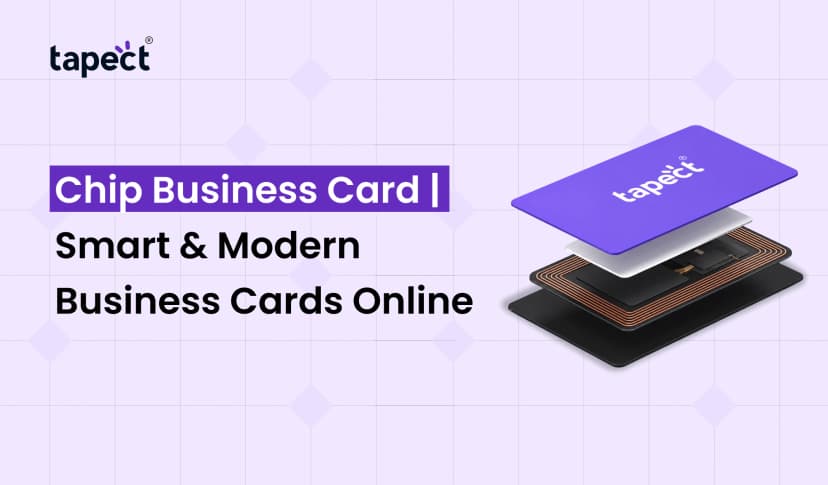
Nfc business card is an exciting application of NFC technology.
Old-style business cards are likely to get lost or thrown away. An nfc business card does just that, providing people with a way to share contact info with a quick tap.
They can instantly receive: By tapping their phone on your nfc business card:
- Contact information
- Links to websites
- Social media accounts
- Links to portfolio
- Business Information
This makes for a quicker and more professional networking experience.
Digital Business Card and NFC Technology
Another modern networking tool is the digital business card, which is powered by NFC and QR technology.
Professionals can share a digital business card instantly, rather than carrying piles of paper cards.
Benefits include:
- Simple Updates
- Green Networking
- Increased engagement
- Quickly save contacts
- Professional Look
Many businesses are now pairing NFC technology with a digital business card to create seamless networking experiences.
Digital business cards are gaining popularity among entrepreneurs, freelancers and corporate professionals in the evolution of networking.
Is NFC Safe to Use?
What is NFC in mobile often raises security concerns.
But the good news is that NFC is very safe:
- It works at very close range.
- Transfer of data is fast.
- Many transactions are authenticated.
- Encryption is used by mobile payment systems.
Thanks to these protections, NFC is one of the safest wireless technologies to use in everyday life.
Common Problems with NFC
Sometimes NFC doesn’t work very well.
Some common problems are:
NFC off
Check to make sure you have NFC turned on in your settings.
Device Not Supported
Older telephones may not have NFC.
Incorrect Placement
Bring devices closer together.
Software Problems
Updating your phone often fixes NFC problems.
The Future of NFC Technology
As more devices become connected, NFC technology will continue to grow.
Potential future uses include:
- Intelligent Homes
- Electronic identity cards
- Health care systems
- Intelligent Offices
- Business Networking Advanced
If people ask, What is NFC in mobile, they are looking at a technology that will play a bigger role in our everyday lives.
Why Businesses Are Adopting NFC
NFC is being adopted by companies as it helps to improve the customer experience.
From mobile payments to the nfc business card, NFC enables businesses to:
- Save time
- Increase customer interaction
- Cut down on paper waste
- Improve network efficiency
- Brand Image Update
That’s why NFC adoption continues to grow globally.
Why Choose Tapect for Smart Networking?
At Tapect we believe networking should be fast, modern and effortless.
Our smart NFC solutions allow professionals to share information on the move with advanced digital networking tools. Tapect will help you create strong connections without lugging around stacks of paper cards if you want a robust digital business card or a contemporary nfc business card.
Tapect is the one tap way to open new opportunities, build relationships and grow your business.
FAQs
1. What is NFC in mobile?
NFC is a close-proximity wireless technology that enables smartphones and devices to communicate when they are in close proximity.
2. Can I have NFC on all smartphones?
Most modern Android and iPhone devices support NFC but some budget models may lack it.
3. How to turn on NFC on Android?
Go to Settings and Search for NFC option and enable it. You can also turn it on from the Quick Settings panel.
4. How to use NFC on your iPhone?
NFC NFC works with Apple Pay, NFC tags and apps that support NFC on NFC-enabled devices.
5. What is an NFC business card?
An nfc business card is a smart card that sends contact details, websites and social profiles with a quick tap.
6. What is a digital business card?
A digital business card is an online version of your business card, which can be instantly shared using NFC or QR technology.
Conclusion
Ever wondered What is NFC in mobile? Here is a simple answer: It is a fast, secure, and convenient technology that allows devices to communicate through close-range wireless connections.
NFC is simplifying and speeding up everyday tasks, from contactless payments and smart device pairing to networking tools like a nfc business card and a digital business card.
As smartphones continue to evolve, NFC will become even more important in personal and professional life. Knowing what NFC is in mobile today will make it easier for you to take advantage of the myriad opportunities this technology offers tomorrow.
Call to Action
Ready for a better way to network?
Choose Tapect. Experience the power of smart NFC technology. Build a professional digital identity and share your information instantly and make a lasting impression with a modern NFC business card.
Begin your Tapect journey today, and make every connection count.

 10 Sept 2026
 business