A business card is still one of the easiest ways to introduce yourself and your business. But these days people want more than just a card with a name, phone number and e-mail address.
They want something that looks professional, is easy to share, and helps them connect in a flash.
Here is where a Business Card Maker can help you a lot. Instead of designing a card from scratch for hours, you are able to create professional design online and customise it to your brand.
Tapect takes this idea a step further and lets you build a modern business identity that can bridge your offline networking with your digital presence.
What Is a Business Card Maker?
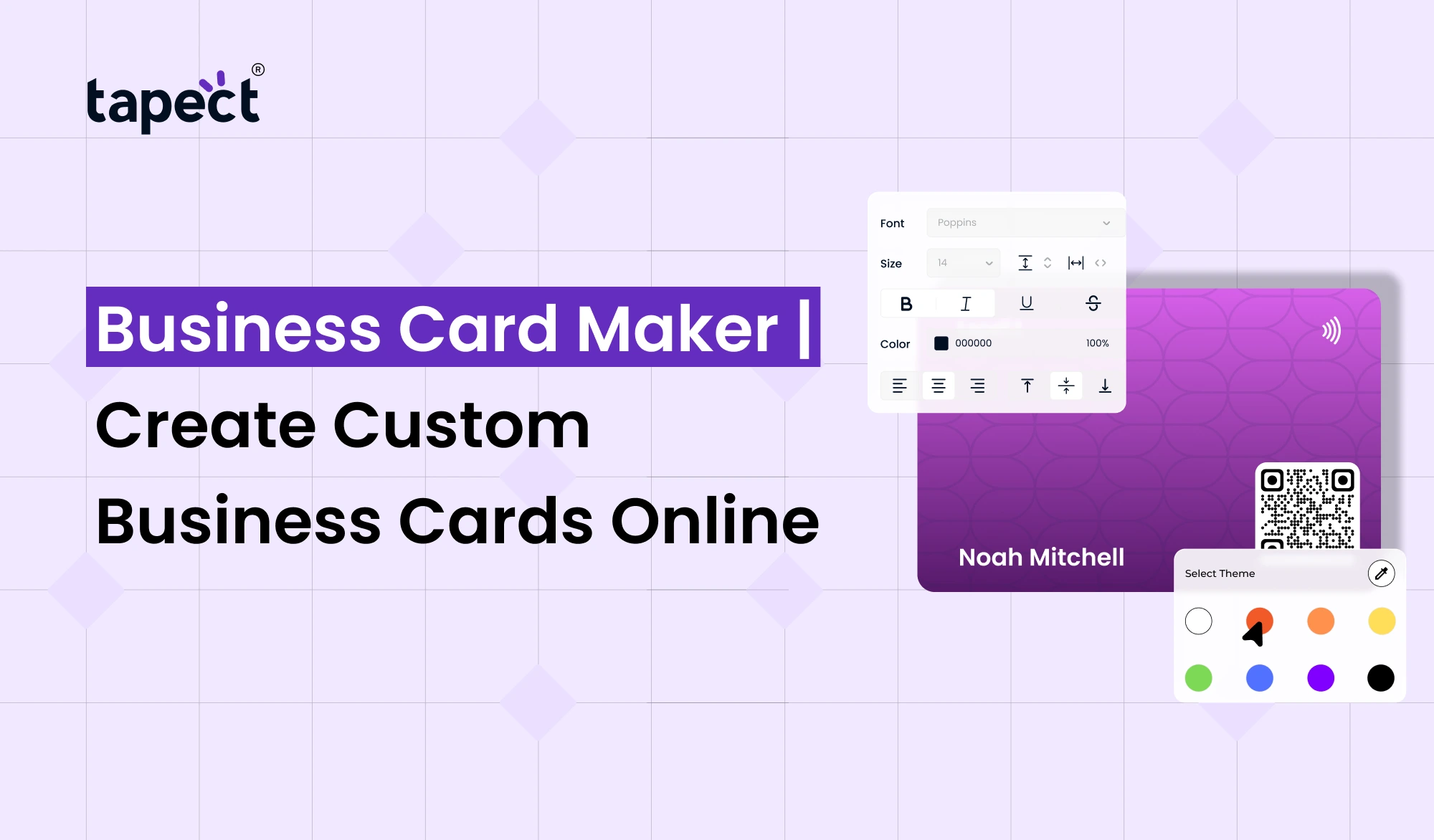
A Business Card Maker is an online tool that helps you design a business card without having advanced design skills.
You choose a layout and enter your business details and fonts. You can upload a logo and edit the design until it looks right.
You don’t need to be a professional designer. Most of the online tools are for beginners which means that you can create your card by following a few simple steps.
A good business card should give people a sense of who you are, what you do and how to get in touch with you.
Why Create Business Cards Online?
Online card making saves you time and puts you in control of the final design.
An online business card maker allows you to make changes when needed. Experiment with different layouts to find the one that best fits your business.
There are also a number of other benefits:
- Create a card from anywhere
- Save time on design work
- Try different layouts and styles
- Add your company logo
- Customize colors and fonts
- Create cards for different employees
- Prepare designs for printing
- Connect your card with digital profiles
For freelancers, startups, sales teams and established companies, this makes an online business card generator a valuable tool.
Who Can Use a Business Card Maker?
If you deal with people on a professional basis, you can take advantage of a Business Card Maker.
It might be helpful for
- Business owners
- Freelancers
- Consultants
- Real estate agents
- Sales professionals
- Marketing professionals
- Designers
- Lawyers
- Consultants
- Startup founders
- Event professionals
- Service providers
You could have a different card for each role, or one design for your whole team.
What Should You Add to Your Business Card?
A busy business card doesn’t need to be professional.
Just tell me what I want to know.
Your Name
Keep your name easy to find. It should be one of the first things people see.
Job Title
Add your role so people know what you do.
Business Name
Your company name should be prominent.
Contact Details
Add your phone number, email and website.
Social Links
If social media is important to your business, add the profiles that matter most.
QR Code
A QR code can lead people straight to your website, digital profile, portfolio or contact page.
A business card maker can help you organise all this information without making the card look cluttered.
How to Create a Custom Business Card Online
Making your card doesn’t have to be difficult.
Step 1: Choose a Template
Begin with a layout that fits your business style. In most industries, a clean design is usually the most effective.
Step 2: Add Your Details
Fill in your name, job title, business name, phone number, email and website.
Step 3: Add Your Logo
Your logo helps people recall your brand. It is important to be clear and put it where it can be seen easily.
Step 4: Pick Your Colors
Choose colours that reflect your brand. This will keep your marketing materials consistent.
Step 5: Select a Font
Choose a font that is easy to read. Don’t use too many different fonts.
Step 6: Review the Design
Before saving or printing, verify all details on your card.
If you already know what information you want to be included, using a Business Card Maker makes this entire process quicker.
How Tapect Makes Business Cards More Useful
Tapect helps companies move beyond the limitations of a traditional printed card.
A modern business card is an easy way to tie your physical networking to your online information.
With Tapect you can explore what digital business cards and smart sharing can do. This may make it easier for people to get your contact information after meeting you.
Instead of handing out a card and hoping they remember to reach out later, you can provide a simple way for them to connect with you online.
Business Card Creator vs Traditional Design
With traditional card design you’d work with a designer, explain your ideas, wait for revisions, and go through several rounds of changes.
An online business card maker gives you more control.
So you can make a change yourself quickly instead of waiting for a design change.
This is particularly useful when:
- Your phone number changes
- You get a new job title
- Your company changes its branding
- You add a new service
- Your website address changes
You can update your design and get a new version ready without starting everything from scratch.
How to Make Your Business Card Look Professional
You don’t need an expensive design to make a professional card.
It needs good spacing, clear information and a balanced layout.
Remember these simple tips:
- Keep the design clean
- Do not add too much text
- Use readable fonts
- Keep enough empty space
- Use your brand colors
- Make contact details easy to find
- Check spelling carefully
- Keep your logo sharp
- Test any QR code before printing
Play around with different designs in a business card generator until you find one that fits your business.
Why a Custom Business Card Is Better
A typical card may provide people with your contact details but a customised card can provide them with more about your brand.
Consistent appearance can be achieved by colours, logo, font and layout.
For example, a creative agency may want something bold and modern, while a law firm may want something clean and professional.
The right Business Card Maker will allow you to create a card that feels like your business and not a cookie cutter design.
Add Digital Features to Your Card
Business networking is no longer about printed cards.
Combine your physical card with digital devices.
A modern card may contain:
- QR code
- Digital business card
- Website link
- Social media profiles
- Portfolio
- WhatsApp contact
- Google review link
This method opens up more chances for people to connect with your business.
If you’re looking to combine a professional physical card with a digital networking experience, Tapect could be a good choice.
Business Card Maker & Creator for Teams
More than one employee at a company often needs business cards.
Making each card individually takes a lot of time.
Your team can use a business card maker & creator to keep a consistent style, but allow for changes to individual details like names, job titles, phone numbers and email addresses.
This is beneficial for sales teams, agencies, real estate companies, and growing businesses.
And having the same visual style on your team makes your company look more organised too.
Common Business Card Design Mistakes
Problems can occur even with a simple card if the design isn’t planned well.
Common Mistakes to Avoid:
Too Much Information
Your card is not a site. Keep the important details, remove unnecessary text.
Tiny Text
You should be able to read your phone number and email without zooming in.
Poor Color Contrast
The text should be easily distinguishable from the background.
Too Many Fonts
Two fonts are enough for a clean business card.
Missing Contact Information
Make sure your phone number, email and website are always correct.
FAQs
What Is the Best Online Business Card Creator?
Which is the best tool for you depends on your design needs. Find an easy editor, helpful templates, customisations and support for the card format you want
Can I make a business card with no design experience?
Yes, sir. An online biz card maker is built to make the process easy. Templates and pre-designed layouts will get you started quickly.
Can I put a QR code on my business card?
Yes. A QR code can provide a shortcut to your website, contact information, portfolio or online profile.
Can I make cards for my entire team?
Yes. A Business Card Maker lets you create cards with a unified company design, but with individual employee information changing.
Can I connect a business card to a digital profile?
Yeah. A modern card can be linked to a digital business card, allowing people to access more information than a traditional printed card can hold.
Create Your Custom Business Card With Tapect
A business card is one of the first things someone receives from your business. Make it matter.
Tapect allows you to build a professional brand that combines old-school networking with new-school digital sharing.
A Business Card Maker can help you create a professional looking card for yourself, your employees or your growing company without making it difficult.
Ready to upgrade your network? Get Tapect and create a smarter business card experience today.
Conclusion
A good business card can help people to remember you and make it easier to get back to you later.
With Business Card Maker, you can easily design a custom design that matches your brand. Add your contact details, logo, colours, social links and QR code without having advanced design skills.
For businesses looking to be more modern, adding digital sharing to a printed card can make networking even easier.
Start with a clean design, put in the right information, and make it easy for people to find you. Tapect transforms your business card from a simple piece of paper into something more. It may be a useful component of your digital networking strategy.
 21 Oct 2026
 business