While a professional email signature might appear to be a small detail, it can have a significant impact on how people perceive your business. Your signature provides a quick way for a client, customer or business partner to learn about you and contact you every time you email.
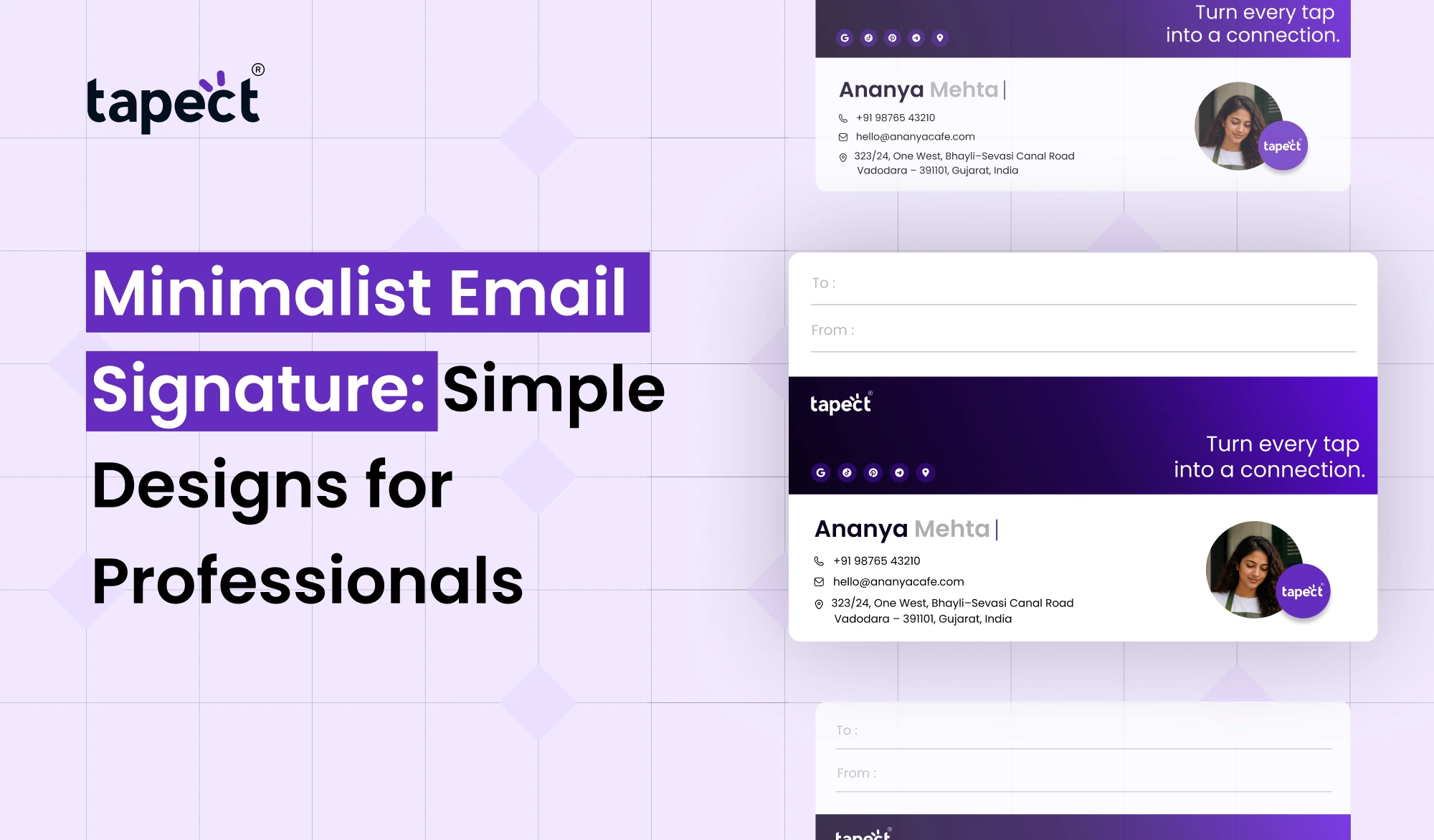
Minimalist Email Signature is a simple one. It has the details people need without too many colours, images, links or extra info. The end result is a clean design that looks professional on all types of devices.
A simple signature can help you build trust, whether you’re working in an office, running a small business or managing a growing company. In this guide, you’ll learn how to design an effective email signature, what to include and how Tapect can help you connect your email signature with modern digital networking.
What Is a Minimalist Email Signature?
A minimalist email signature is a short, simple block of information at the end of an email. Usually it will include your name, job title, company name, contact details and one or two useful links.
The main point is to get the important information out there without making the signature too busy.
For example a simple design might include:
- Your full name
- Your job title
- Your company name
- Your phone number
- Your website link
- Your LinkedIn profile
You don’t need to write down every single social media account or marketing message. Pick out details that will help people recognise who you are and how to contact you.
Why Do Professionals Need a Simple Email Signature?
Professional email signatures make you stand out and be heard loud and clear in every business conversation. It also makes it easier for people to find your contact information when they want it.
The key benefits include:
1. Creates a Professional Impression
A tidy signature will make your emails appear to be organised. When your information is easy to read, clients can immediately know who you are and what company you represent.
2. Makes Contact Easier
Adding a clickable phone number, email address or website saves people time. They can find you without trying to find your info.
3. Builds Brand Recognition
If you use your company name, brand colours and website people will remember your business. Make sure your whole team follows the same style with consistent design.
4. Keeps Emails Easy to Read
Too many banners, quotes, icons and links can distract the reader from your message. With a simple design, you can keep the focus on your email while sharing useful information.
Essential Elements of a Minimalist Email Signature
Before choosing a design, figure out what details your signature really needs. A good email signature layout should be scannable in a few seconds.
Name and Job Title
Start with your full name and current job title. These details let the reader know who is contacting them and what you do.
Company Name and Website
Add your company name and a link to its website. This gives readers a simple way to learn more about your services.
Contact Details
Select the contact options that are most relevant to your work. They may include:
- Business phone number
- Work email address
- Company website
- LinkedIn profile
One Useful Call to Action
Take one more step, and add a short link to the text. For example, you could invite them to book a meeting, see your portfolio or browse your services.
The best Minimalist Email Signature is when every detail has a purpose.
How to Create a Minimalist Email Signature
You don’t need any advanced design skills to create a nice, useful signature. Just follow these few easy steps.
Step 1: Choose the Information You Need
Type the information you want your contacts to see. Cut anything that doesn’t contribute to your professional goals.
Step 2: Select a Clean Design
Use a simple font, such as Arial or other widely supported fonts. Use too many font sizes and keep the text readable.
A good design typically needs only one or two text styles.
Step 3: Use Limited Colors
Choose one brand colour plus black and dark grey. Be sure that the text contrasts with the background.
Avoid bright colours that interfere with reading important details.
Step 4: Add Clickable Links
Where possible, please make your website, phone number, and professional profile clickable. Make sure all the links work before you use the signature for business emails.
Step 5: Test It on Different Devices
Send a test email to yourself and open it on a computer and a smartphone. “It’s a bit like a long, rambling poem, it’s not a tight plot, it’s not a linear story.
These steps will help you create a Minimalist Email Signature that works well in day-to-day business communication.
Best Tools for Designing an Email Signature
If you want to save time from creating your signature from scratch – an online tool is useful.
HubSpot Email Signature Generator
For those professionals looking to create a ready-to-use design, the hubspot email signature generator is an option. It can help you organise your name, contact details, company info and links in one place.
Check out the templates you can use and pick a style that suits your brand. Use the result to test it out in your email application and make sure the formatting works right.
Online Signature Makers
A signature maker can help you get a professional design without having to use graphic design software. Many tools have pre-built layouts and fields for contact information.
A signature generator can be handy if you want to save time or create a consistent design for several team members.
Some people also search for a signature gen as a quick way to build a signature. Whatever tool you choose, go for readability rather than adding more design elements.
Minimalist Email Signature Examples for Professionals
An email signature sample can help you decide how to arrange your own details.
Here are three simple text-based examples of.
Example 1: Office Professional
Priya Shah Marketing Executive ABC Company priya@example.com www.example.com
This format is best for employees who want a clean, simple design.
Example 2: Business Owner
Rahul Mehta Founder | Mehta Consulting Mobile: +91 98765 43210
Web site: www.example.com
This style makes it easy to find the owner’s contact details.
Example 3: Freelancer
Neha Patel Freelance Web Designer Portfolio: www.example.com
linkedin.com/in/example
This version of the profile focuses on the work of the freelancer and its professional profile without unnecessary details.
Use these examples as a starting point and replace the sample information with your own.
Common Email Signature Mistakes to Avoid
Adding too much information or neglecting basic formatting can make even the simplest design difficult to use.
Don’t make these common mistakes:
- Adding too many links: Include only the most useful pages.
- Using several colors: Stick to a small color palette.
- Choosing tiny fonts: Make sure readers can view your details comfortably.
- Adding large images: Heavy images may load slowly or display incorrectly.
- Forgetting mobile users: Test your design on smaller screens.
- Using broken links: Check your website and social profile URLs regularly.
- Making the signature too long: Keep the most important information near the top.
A Minimalist Email Signature should add to your message, not distract from it.
Connect Your Email Signature with a Digital Business Card
An email signature is great for sharing contact details, but sometimes you want to share more information. This is where a digital business card comes in.
A digital business card is a shareable page that gives people your contact information, company info, social links and more professional details.
Tapect helps professionals to share their details through digital business cards and NFC business cards. You can also include a link to your digital profile in your email signature so clients can see all of your information in one place.
Some ways to use this combo:
- Add your Tapect digital profile link to your email signature.
- Let clients save your contact details easily.
- Share your website and professional social profiles from one page.
- Use an NFC business card during in-person meetings and networking events.
- Keep your email signature and digital profile information up to date.
This method links email communication with face-to-face networking without crowding your signature.
How to Keep Your Email Signature Consistent
If you’re on a team, a shared style can make your company look more professional.
Here are some simple tips:
- Use the same font and basic layout across the team.
- Keep job titles and company names accurate.
- Use approved company colors.
- Check links whenever contact details change.
- Remove old promotions and expired offers.
- Make sure signatures remain readable on mobile devices.
A standard template can be created and each employee can fill in their name, job title and contact information.
FAQ’s
1. What is a Minimalistic Email Signature?
A Minimalist Email Signature is a clean and simple email footer that carries important professional details without unnecessary images, colours or links.
2. What should I put in my email signature?
Provide your name, title, company name, website, and one or two ways to reach you. Add a professional profile or call to action if it will benefit your readers.
3. Is the HubSpot email signature generator free to use?
HubSpot offers a free email signature generator. Before using it for your business, check its existing terms and available features.
4. How long should a business email signature be?
I’ll send a quick note to the team. Usually a couple of lines with your name, title, company and contact links suffice.
5. Is it possible to include a digital business card in my signature?
Yes. You can even add a link to your digital business card that readers can click to view your professional details and save your contact information.
6. Is a plain email signature better than a graphics-heavy one?
Most everyday business emails are easier to read and maintain in a simple, text-based format. It also may work better when email apps block images or alter their display.
7. Should I add social media links?
Include only professional profiles that relate to your work. LinkedIn is generally good for business communication. Other links depend on your industry and goals.
Conclusion
A simple email signature is a detail that can enhance your professional correspondence. You make it easier for clients and colleagues to connect with you using clear text, limited colours, useful links and a simple layout.
Pick a theme that matches your position, test it on various devices, and modify your details as necessary. You can even connect your signature to a digital business card for even more ways for people to find your work.
Want to level up how you share your professional details? Discover Tapect digital business card solutions and simplify sharing your contact info online and in person.
 20 Oct 2026
 business