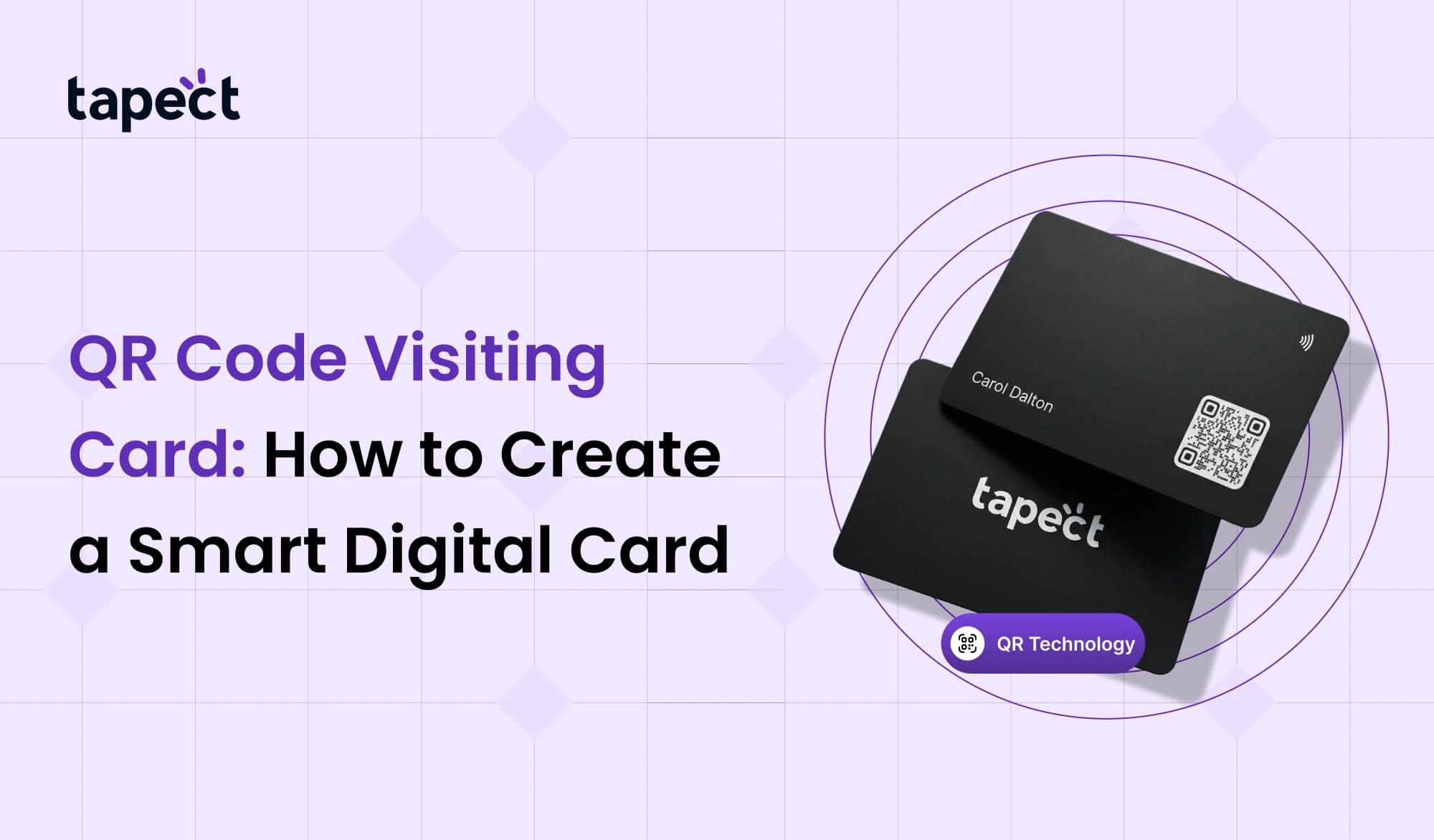
A QR code business card is a new approach to swiftly share your contact information. People can scan a QR code instead of entering in your phone number or email to acquire your information right away. This makes it easy and professional to network.
A lot of firms are moving to QR code business cards these days since they look good and save time. It also makes it easier for individuals to save your contact information on their phones.
This post will teach you what a QR code visiting card is, why it’s helpful, how to make one, and what size QR code is optimal for printing.
What is a QR Code Visiting Card?
A business card with a QR code on it is called a QR code visiting card. When someone scans the code with their phone camera, it opens a digital profile.
The code can connect to:
- Your contact information
- Website
- Social media pages
- Digital business card
- Google review page
- Portfolio or product page
This makes a QR code business card a lot more helpful than a regular card.
Users don’t have to keep a paper card. They only scan the code and save your information right away.
Why Businesses Use QR Code Visiting Cards
A qr code business card has a lot of benefits over regular business cards.
1. Quick Contact Sharing
Your information shows up right away when someone scans your QR code visiting card. You don’t have to enter in phone numbers or emails.
2. Professional Image
A current QR code business card communicates that your company is tech-savvy.
3. Saves Space
You can keep the card design simple and include a QR code visiting card that links to all the information instead of printing out long details.
4. Easy Updates
You can change your information at any moment if the QR code leads to a digital profile. You don’t have to print fresh cards.
5. Better Customer Engagement
A QR code business card can take people to:
- Website
- Product page
- WhatsApp chat
- Google reviews
This helps firms gain more clients and leads.
How QR Codes Work on Visiting Cards
QR codes are little squares that hold digital information. When you scan them using a phone camera, they either open a link or teach you how to get in touch with someone.
- A barcode and qr code both store data.
- Barcodes store less information.
- QR codes store more data and scan faster.
QR codes can hold more information and scan more quickly.
That’s why a QR code business card is ideal for networking.
Using a barcode code generator or QR code generator online, you may simply make QR codes.
Steps to Create a QR Code Visiting Card
It’s easy to make a QR code business card. Do these things.
Step 1: Choose the Information
First, figure out what the QR code will do.
Some common choices are:
- Digital business card
- Contact details (vCard)
- Website
- Google review page
- Social media links
Most companies would rather connect their QR code business card to a digital profile.
Step 2: Use a QR Code Generator
Use a barcode code generator or QR generator tool to make the code next.
Type in your link or contact information to make the QR code.
Before you print the code on your QR code business card, make sure it works.
Step 3: Choose the Right QR Code Size
It’s very crucial to pick the right size for a qr code size when printing.
Scanners might not be able to read the code if it is too tiny.
The best size for a qr code size for print is:
- Minimum: 2 cm by 2 cm
- 2.5 × 2.5 cm is ideal.
- A big qr code can be used on big cards.
A decent size for a QR code for printing is one that scans quickly.
Some designers also want to know what the smallest size of a qr code can be.
The smallest size for a qr code is usually 1.5 x 1.5 cm, but it may be tougher to scan.
For safety, make the qr code on your business card bigger.
Step 4: Add the QR Code to Card Design
Put the code in your design now.
The qr code visiting card part is added by most designers on:
- The back side of the card
- Bottom corner of the card
- Center of the card design
Don’t put text too close to the QR code.
This makes it easy for scanners to read the qr code on the visiting card.
Step 5: Test Before Printing
Always test your QR code visiting card before printing a lot of cards.
Look:
- Speed of phone scanning
- Opening the link correctly
- Clarity of QR code
Testing makes sure that your qr code business card works flawlessly.
Best QR Code Size for Business Cards
The amount of the qr code size for print influences how effectively it scans.
These are the most frequent sizes for visiting cards:
| Card Type | Recommended QR Code Size |
| visiting card | 2.5 cm |
| Minimal card design | 2 cm |
| Large design card | big qr code |
| Poster or banner | biggest qr code |
You might need a bigger QR code if you print marketing posters so that people can scan them from far away.
A medium-sized QR code is suitable for business cards.
A lot of the time, designers try out a big qr code to make it easier to see.
Design Tips for QR Code Visiting Cards
Use these methods to make a professional QR code business card.
Keep the Design Clean
Don’t put too much text on the card.
Let the QR code on the business card do most of the work.
Use High Contrast
There should be a lot of contrast in the QR code.
Scanning works best with black on white.
Avoid Very Small Codes
A lot of designers aim to use the smallest qr code size for print, although this could slow down the scan.
For best results, make sure the qr code is the right size for printing.
Test with Multiple Phones
To make sure the QR code visiting card works, scan it with a few different phones.
Common Mistakes to Avoid
A lot of people make blunders when they construct a QR code business card.
1. Using Low Resolution
QR codes that aren’t very good can shatter after they are printed.
Always export your QR code business card in excellent quality.
2. The QR Code is the wrong size
It could be hard to scan a very short code.
Always follow the rules for the right size of qr code size for print.
3. Placing Code Too Close to Edges
Leave some room around the qr code visiting card so that scanners can read it correctly.
4. Linking to Wrong Page
Check the link in your QR code visiting card before you print it.
A single improper link can ruin all of the cards that were printed.
Future of QR Code Visiting Cards
The qr code visiting card is becoming more and more common.
A lot of firms currently use QR codes with:
- Digital business cards
- NFC cards
- Online portfolios
- Smart networking tools
A QR code business card makes it easier and faster to share contact information.
QR codes will be more important for business networking as mobile scanning becomes more widespread.
FAQs
What is a QR code business card?
A QR code visiting card is a business card with a QR code on it. When you scan it, it brings up digital contact information or a website.
What size of QR code works best for printing?
For print, the best size for a visiting card’s qr code is between 2 and 2.5 cm.
What is the smallest size of a QR code that can be printed?
The smallest size for a QR code is about 1.5 cm, although certain phones may not be able to scan it adequately.
Can a QR code take the place of a regular business card?
Yes. A lot of firms now use QR code business cards to quickly transmit digital contact information.
What tool can I use to make a QR code?
You can use a barcode code generator or any online QR code generator to make QR codes.
Conclusion
A QR code business card is a smart and easy method to provide someone your contact information. It gives businesses a current look and helps them interact with customers more quickly.
If you print your QR code in the proper size, make it easy to read, and include a good link, it can be a great way to network. It also frees up space on your card while still offering users all the information they need.
As digital networking grows, individuals and businesses who wish to keep ahead should use a QR code visiting card.
 6/12/2026
 Guides