It should be simple and fast to share your contact details. But paper cards can get lost, run out, or become out of date when your phone number or job title changes. That’s why many professionals and business owners are switching to a Digital Business Card.
A digital card lets you share your name, phone number, email, website and social media links via a simple link, QR code or NFC tap. You can be opened on a person’s smart phone, and they can save your contact details without carrying an extra paper card.
Tapect lets professionals share their details in a modern way via online profiles and NFC-enabled cards. If you’re a small business owner, in sales or go to networking events a Digital Business Card can make it so much easier to connect with people.
In this guide, we will cover the benefits, key features and how you can make your own digital card.
What Is a Digital Business Card?
A Digital Business Card is the online equivalent of a traditional visiting card. It keeps all your professional information in one place and lets you share it with others in seconds.
You can send a link, show a QR code, or use an NFC card that opens your digital profile when it’s tapped with a compatible smartphone, rather than handing someone a paper card.
You can add to your profile:
- Full name and job title
- Company name and logo
- Phone number and email address
- Website and business location
- LinkedIn and other social media profiles
- Portfolio, services, and contact buttons
For example, picture yourself meeting a potential customer at a business event. Sharing your Tapect profile takes a few seconds and you can let them know your details and contact you later.
Benefits of Using a Digital Business Card
1. Share Contact Details Quickly
One of the biggest benefits of a Digital Business Card is how easy it is to share your information. No more searching for a paper card or punching in your phone number.
You can share your profile via a QR code, a messaging app, email or NFC card. This is helpful in meetings, conferences, interviews, and everyday business conversations.
2. Save Money on Printing
If your details change or you run out of paper cards, you will need to print some more. Digital Business Card mean you don’t have to print new cards every time you update your information.
You can continue to use your online profile and update details as required. If you still like a physical card, you can get an NFC card or a printed card that points to your online profile.
3. Update Information Easily
Changed your phone number, company or job title? And with a Digital Business Card, you can update your profile without printing out another batch of cards.
Anyone looking at your current profile will see the updated info, as long as they use the same link to the profile.
4. Make Networking Easier
But building a working relationship starts with meeting new people. You also have to make it easy for them to contact you later.
A digital profile brings your important links together. They can save your number, visit your website or connect with you on LinkedIn without having to search for every detail.
5. Reduce Paper Waste
If you are distributing hundreds of visiting cards every month, you can save paper by converting some of them into digital profiles.
You can use the same profile over and over, without printing a new card. It’s a practical option for businesses that want to cut down on waste, while keeping contact sharing simple.
Important Features of a Digital Business Card
Tools are not the same for all digital cards. Once you have checked the features to make sure it is really what you need, then you decide.
QR Code Sharing
A QR code provides a quick way for people to open your profile. They can use their phone camera to scan it and see your contact information.
It’s great for printed cards, product packaging, presentations, email signatures and event displays.
NFC Technology
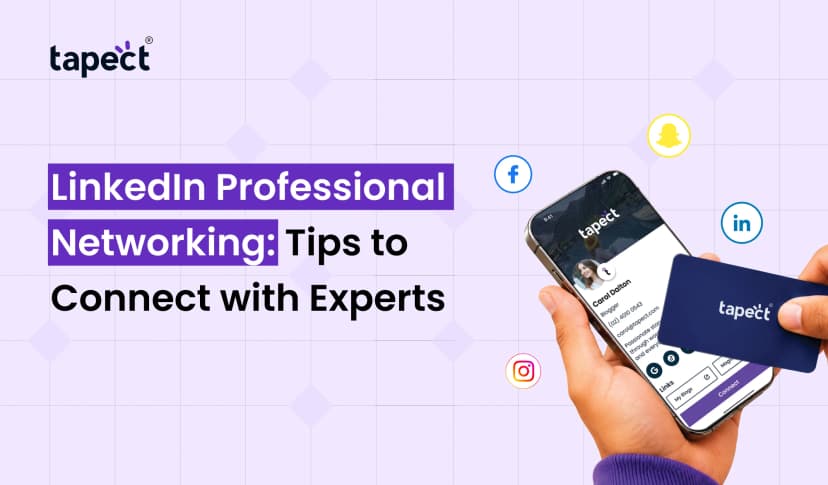
An NFC card allows you to share your profile with a simple tap on a compatible smartphone. The linked profile launches the phone, making contact sharing quick and easy.
A digital business card NFC solution can be helpful for sales teams, business owners, consultants and professionals who meet new clients frequently.
Social Media Links
Your online profile can link visitors to LinkedIn, Instagram, Facebook, and other relevant platforms. This means potential clients have more avenues to get to know your work.
Only list the platforms that align with your professional goals. A clean profile is easier to follow than one full of unneeded links.
Contact Saving
Another handy feature is the ability to save your contact info directly to a phone. This helps people remember you after a meeting and makes it easier to communicate in the future.
Website and Portfolio Links
You can link to your company website, services page, portfolio, appointment calendar or product catalogue. These links will help people know what you have before they contact you.
How to Create a Digital Business Card
Creating your own card doesn’t have to be hard. Just follow these easy steps to begin.
Step 1: Choose a Digital Card Platform
Find a platform where you are able to create and manage your professional profile. Discover the features, pricing, design options, and how sharing contacts works.
Tapect is aimed at professionals and companies that want to share contact details through digital profiles and NFC cards.
Step 2: Add Your Professional Details
Type in the information people need to contact you. Begin with your name, job title, company, phone number and e-mail address.
You can also include your website, social media links, company address, and a short introduction of your services.
Make sure your information is correct and delete anything that doesn’t help people connect with you.
Step 3: Design Your Profile
Select a clean layout that matches your brand. If the platform allows, add your company logo, professional photo and brand colours.
Here are some simple design tips:
- Use readable text and a clean layout.
- Choose colours that make buttons easy to see.
- Keep your most important contact details near the top.
- Add only relevant links.
- Use a clear profile photo when appropriate.
Step 4: Include a QR Code or NFC Card
Once your profile is ready, choose how you want to share your profile. You can share a profile link, link it to an NFC-enabled card, or use a QR code.
If you want a digital business card for events, you can print the QR code on your visiting card or show it on your phone.
Make sure to test the link before sending it to customers.
Step 5: Try It Out and Share Your Card
Open your profile on a mobile and click all the buttons. Ensure that your phone number, email address, website and social links are working.
Then, share your profile by:
- WhatsApp messages
- Email sigs
- Linkedin profiles.
- Meetings for work
- Networking events
- Printed calling cards
You can also keep the profile link handy on your phone and share it when you meet someone new.
Digital Business Card vs Traditional Visiting Card
Both are ways to help you share contact details, but work differently.
Old-fashioned visiting cards are easy to distribute and convenient when someone prefers a physical card. But they’ll need to be reprinted if your details change.
Share your profile with a link, QR code or NFC card with a Digital Business Card. You can update your information online and add links that a paper card cannot open by itself.
Many professionals will find it makes sense to use both. A printed card with a QR code provides people with something tangible and quick access to your online profile.
Can You Make Business Cards Online for Free?
Yes, some platforms offer free plans or basic tools to build an online contact card. The features available vary by provider.
If you are looking for online business cards, compare the features before choosing a service. Some free tools may restrict profile design, custom branding, analytics, or contact sharing features.
If you want a simple digital profile without purchasing the physical card, you can also search for visiting cards online free tools.
When you compare biz cards online make sure that profile link works, you can edit the details later and important features are not paid.
Businesses that are thinking of an online card business solution should also consider team management, branding, and contact sharing features.
How to Get Better Results with Your Digital Card
Creating a profile is just the beginning. Make it simple for people to take the next step with it.
Include a strong call to action with buttons like “Call Me,” “Visit Website,” or “Connect on LinkedIn.”
Send it at the right time. Share your profile after you’ve had a meeting, sales call, or networking conversation.
Update your details: If your role or contact information changes, check your profile.
Make it easy to scan. If you use a QR code, print it clearly and test it on different phones.
Review your results: If your platform provides analytics, verify whether there is any information on scans or visits and see how people interact with your profile.
A digital card can help you generate leads but the best thing you can do is follow up with the people you meet.
FAQs
1. What is a Digital Business Card For?
It allows you to share your professional contact details, company information, social media profiles and website links through a digital profile, QR code or Digital Business Card.
2. Is a digital business card better than a paper business card?
Depends on your needs. Digital cards are simple to update and include clickable links, while Digital Business Card are handy for face-to-face meetings. Both can be used together.
3. Does a person need an app to open an NFC business card?
Usually, people don’t need a special app to open a web-based profile through an NFC card. Their phone must have NFC and the function switched on where necessary. Alternatively, you can open the same profile with a QR code.
4. Can I update my details after I’ve shared my card?
Yes, if your provider allows to edit your profile and you continue to use the same active profile link. You can update your details and you don’t need to print a new card.
5. How can a digital card increase leads for my business?
It allows potential customers to visit your website, call you, email you or check out your services. A clear profile and prompt follow-up can turn those connections into leads.
Final Thoughts
A Digital Business Card is a fast way to share your professional details, connect and help people find your business. It is time-saving, easier to update, and provides more space to showcase your services compared to a traditional paper card.
Whether it’s QR code sharing or NFC technology, you can pick the method that works best for your work and your audience. Keep your profile clear, add useful links and make it easy for people to contact you.
Want to make networking simple? Learn about Tapect and make a professional digital profile that allows you to share your details with a single tap or scan.
 13 Oct 2026
 business