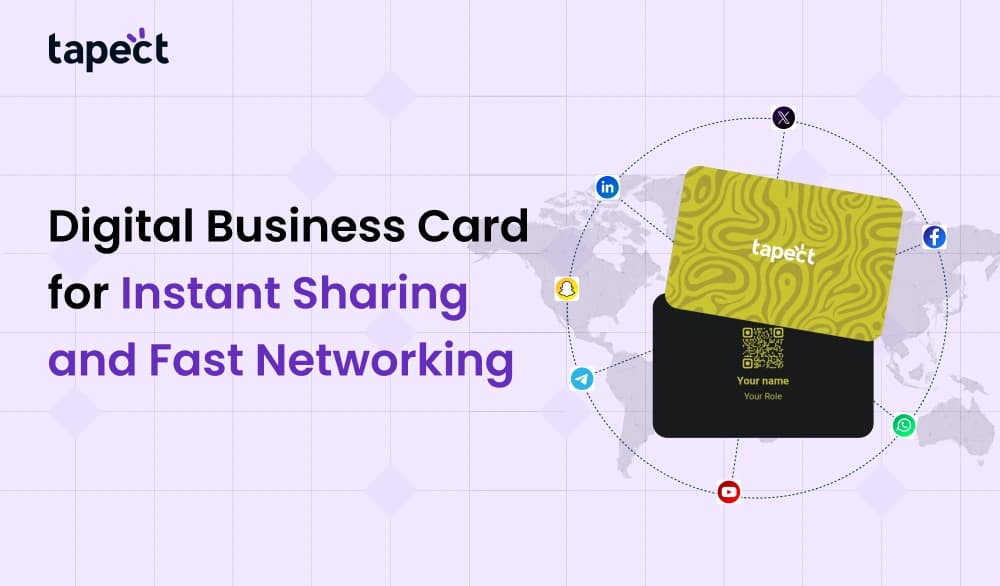
One of the easiest ways to provide contact information quickly is using a digital business card. It stores all of your information in one smart place, and you can share it with just one tap or scan. No paper. No cost to print. No chance of loosing contacts. People may save your information in a matter of seconds, which makes networking quick and easy.
Cards made of paper seem great, but people lose them or don’t pay attention to them. Most of them don’t make it to a phone contact list. People keep a digital business card since it opens instantly on their device. You may share your number, email, links, and brand story all in one view using it.
This blog post talks about what a digital business card is, why it’s important, how it works, how to make one, and how it can help you network better. This guide can help you make more connections and look more professional.
What is a business card in digital form?
Your card’s online version is a digital business card. It keeps your information in a QR code or web link. You can transmit it by text, email, or simply pressing a card on a phone.
Your digital business card could have:
- Name
- Job title
- Number of the phone
- Address for email
- Link to the website
- Link to portfolio
- Profile on social media
- Place
- Picture and logo of the company
One click lets people save your card. You don’t have to type anything. This makes it better than paper cards.
Why People Like Digital Business Cards
It’s easy to share a digital business card. It works both in person and online. It works for big teams, small businesses, freelancers, and startups.
This is why more individuals are switching to business cards online:
- No expense to print every time something changes
- One card can get to thousands of people.
- You can change the card whenever you want.
- People can save your information more quickly.
- It looks smart and modern.
- It is good for the environment and cuts down on waste.
A digital business card makes things easier, gets your name out there faster, and develops trust.
How a digital business card works
Digital cards use two smart ways:
1. Sharing QR Codes
- Your card page has a .
- You can open the card in your browser by scanning it with any smartphone camera.
2. Share using NFC Tap
- An shares contact details by tapping it on a phone.
- No need to scan. Just tap and share.
- Both ways are fast. Both help you get in touch faster.
Businesses utilise QR codes for meetings online and NFC for meetings in person. A lot of people keep both options to reach more people.
How to Make a Digital Business Card in Steps
Making a digital business card is simple. You don’t need to know how to design.
Just do these easy things.
Step 1: Choose a Platform
Pick a solid platform to make a digital business card.
You can choose one that works with QR codes, URLs, and NFC.
Step 2: Add Your Basic Details
Please write down your name, phone number, job title, company, and email address.
Keep spelling perfect because this affects your first impression.
Step 3: Add Photo and Logo
A clean image builds trust.
If you have a business or personal brand, use a logo.
Step 4: Put in links
Put links to your store, website, or portfolio on your page.
Include social media links like WhatsApp, Facebook, Instagram, and LinkedIn.
Links make your digital business card better than a traditional one.
Step 5: Pick a style for your card
You can choose colours that go well with your brand.
Don’t make the style too bright or too dark.
Step 6: Try out your card
Check every button and open every link.
Everything should load quickly and perform well.
You can share it anyplace when it’s done.
Where You Can Use Your Digital Card
A digital business card can be used in a lot of different ways.
You can give it to someone:
- At meetings for work
- At fairs or events
- With new customers
- By email or WhatsApp
- On Google Meet or Zoom
- In your social media bio
- As a CTA button on your website
A single link can take the place of hundreds of printed cards.
The Benefits of Using Business Cards Online
Using business cards online lets you reach more people without spending more money. You don’t need paper. You don’t have to wait for it to be reprinted. You can control your card from your phone at any time.
Some of the best benefits are:
Faster Contact Saves
With only one tap, anybody may store your card to their phone.
- You can update at any moment.
- Changed your phone number?
- New job?
- Just change the digital business card.
Better Presentation
- You can add video, links to your work, and evaluations from clients.
- That can’t be shown on paper cards.
Image of a Professional
- A digital business card makes you look up-to-date and sure of yourself.
No Trash
- No paper means no garbage. This is good for the environment
Things You Shouldn’t Do with Digital Business Cards
If a card isn’t made well, it can still fail.
Don’t make these common mistakes:
- Card has too much text
- No logo or brand name
- Incorrect spelling of phone number or email
- Links that don’t work
- No picture uploaded
- No buttons for CTA
A card that is clean gets more responses.
A card with too many words confuses readers.
How digital business cards help you network
Networking is chatting to people, sharing ideas, and making connections. A digital card speeds things up.
This is how:
- People save information in seconds.
- No lost chance to get in touch
- You can share with more than one group at a time.
- It works even when you’re not there.
You might get new clients without talking to anyone if you put your digital business card on WhatsApp status.
This is how networking gets simple.
Why You Should Make a Digital Business Card Right Now
- When individuals lose your paper card, you lose leads.
- When you share slowly, you lose reach.
- A digital business card fixes both problems.
- You may send it with a single link, scan, or tap.
- It saves space, time, and money.
- It makes you look more professional.
- It makes things happen more and helps them flourish.
Frequently Asked Questions
1. What good is a digital business card?
It makes it easy to post your contact information online.
2. Is it possible to utilise it without an app?
Yes, you can open digital cards via a browser link.
3. Is it possible to manufacture free business cards online?
Yes, a lot of tools let you use their basic plans for free.
4. Are digital cards safe?
Yes, you still have control over your information.
5. Can I change my card after I share it?
Yes, you can change your information at any moment.
conclusion
It’s easy to share who you are and what you do with a digital business card. It stores your contact information online so that people can always find it. It works quickly, looks well, and makes people trust you.
get a digital business card today and share it everywhere if you want to network better, get more contacts, and show off your identity in a smart way. You will see the difference for yourself.
People keep digital cards longer than paper cards.
 18 Sept 2026
 business