Getting customers is part of running a business. Another challenge is to get them to share their experience. Many satisfied customers will leave your store, office, salon, restaurant or service center without writing a review.
That’s where a Google Review Card comes in.
A review card is a simple way for customers to access your Google review page and leave their feedback. Asking customers to search for your business online can be a much more difficult process than a quick scan or tap.
Online reviews still matter a lot when people compare local businesses in 2026. Genuine reviews coming in steadily can give potential customers a sense of what your business is like before they even reach out.
What Is a Google Review Card?
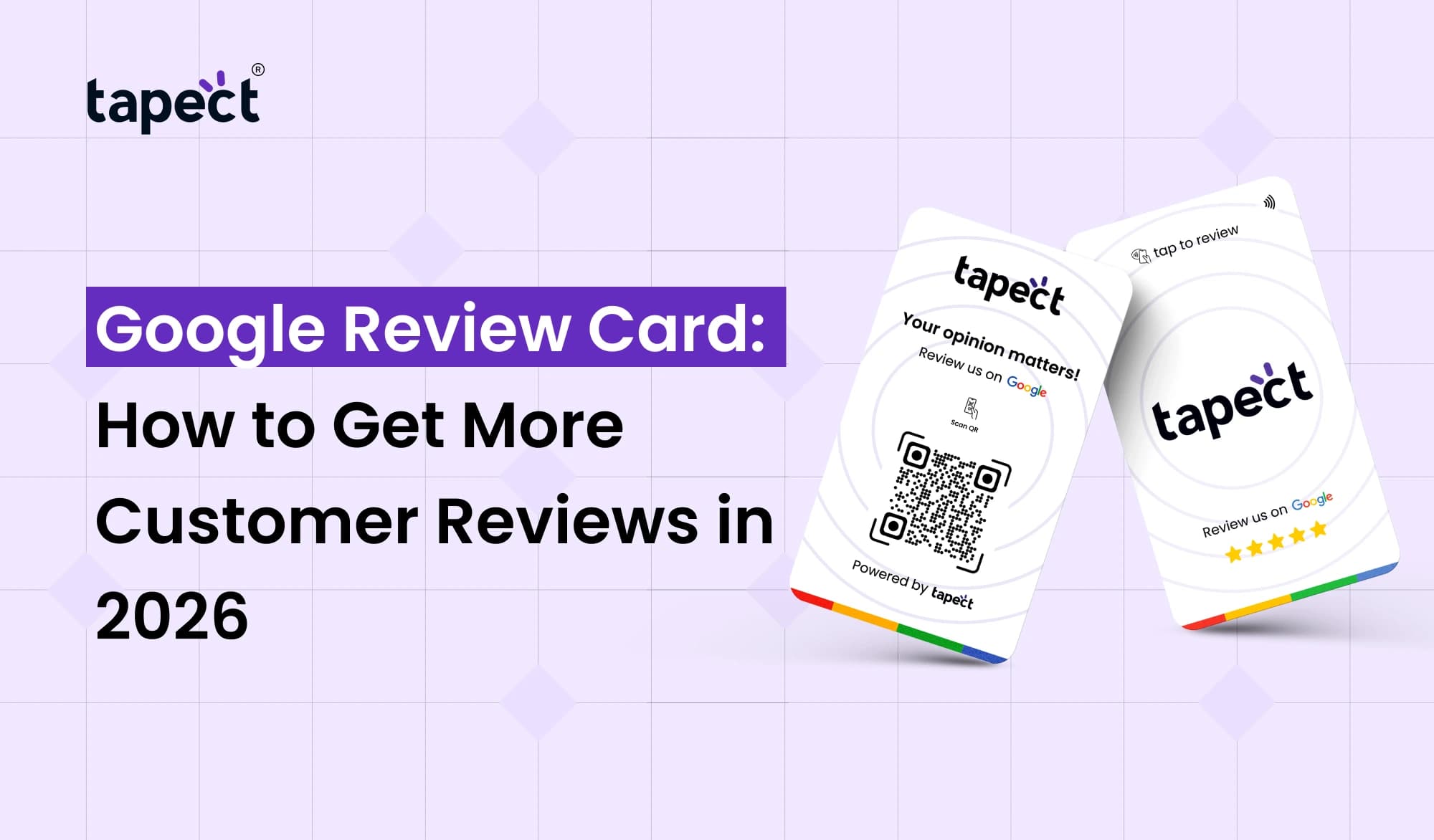
A Google Review Card is a physical card that gives your customers access to your Google review page. It typically contains a QR code, NFC technology, or both.
Customers simply scan the QR code with their phone or tap an NFC-enabled card to reach the review page. They can then give their feedback from that point.
The premise is simple – make it easy to review your business.
For example, a restaurant can put the card near the payment counter. A salon can provide one to a customer after an appointment. A local service company can give one to a customer after a job.
Why Are Google Reviews Important for Businesses?
When choosing a business, people often look at reviews. They might look at the ratings, read what the customers have to say and compare several businesses before deciding.
A solid process for collecting reviews can really help build trust with potential customers.
Google reviews can aid you:
- Build trust with new customers
- Show real customer experiences
- Improve your local online presence
- Understand what customers like
- Find areas where your service can improve
- Give potential customers more information
- Create social proof for your business
It’s not about getting a bunch of reviews. It’s about making it easy for real customers to give honest feedback.
How Does a Google Review Card Work?
Typically, a Google Review Card makes things easy in a few simple steps.
Step 1: Create Your Google Review Link
First, obtain the direct link that directs customers to your Google review page.
Step 2: Attach the Link to the Card
The link can be associated with a QR code or NFC chip.
Step 3: Give the Card to Customers
Put it in a visible location for customers or give it to them after they buy or receive service.
Step 4: Customer Scans or Taps
The customer scans the QR code or taps the NFC card with a smartphone that is compatible.
Step 5: Customer Leaves a Review
The customer goes to your Google review page and can talk about their experience.
This fast process cuts out a few steps between a happy customer and a new review.
Review Us on Google Cards Make Reviews Easier
Many businesses use review us on google cards to remind customers to leave a review.
The card’s message must be clear and short. Here you don’t need a long explanation.
For example, you can write:
“A great experience? “Write a review on Google.”
And then put the QR code under the message.
You can also add a short message of thanks. A friendly ask feels more natural than a pushy sales pitch.
Where Should You Use Google Review Cards?
Google Review Cards are good for many types of businesses.
Restaurants and Cafes
Keep the card close to the billing counter or give it to customers after the meal.
Salons and Spas
When a service is finished, the staff can display the card.
Hotels
Cards can be left at the reception or in the guest areas.
Retail Stores
Cashiers can hold the card by the checkout counter.
Healthcare and Professional Services
Businesses may provide the card following completion of an appointment or service, in compliance with applicable review and privacy rules.
Home Service Businesses
Once a project is completed at the customer’s home, the technicians can share the card.
How Google Review Business Cards Can Help
A Google review business card is a normal business card with an easy way to request feedback.
You can add a review option instead of just giving customers your phone number, website or social links.
This can be of help to professionals who meet customers face-to-face.
For instance, a business card can have:
- Business name
- Logo
- Phone number
- Website
- Social media links
- QR code for Google reviews
- Short review request
This makes a helpful follow up tool for a normal card.
Tips for Getting More Customer Reviews
The first step in using google review cards for business is just that, the first step. And it is contingent upon how you ask.
Ask at the Right Time
Timing makes a huge difference. Request feedback after the customer has received the product/service and had an opportunity to use it.
Keep the Process Short
Customers are more likely to take action because they don’t have to search.
Make the QR Code Easy to Scan
Use a clear high quality QR code with enough space around it.
Add a Clear Message
Tell customers what the card is for A simple message such as “Scan to review us on Google” works great.
Thank Your Customers
A simple thank you can make the interaction feel more personal.
Make Your Google Review Card More Useful
A Google Review Card doesn’t have to be dull.
You are able to create a professional look that is in line with your brand. Add your logo, brand colours and short message.
Tapect assists businesses in creating smart ways to connect customers with digital experiences via QR and NFC technology.
When designing your card, remember the following:
- Keep the design clean
- Make the QR code easy to see
- Use readable text
- Add a clear call to action
- Test the QR code before printing
- Keep important contact details visible
- Make sure the card feels connected to your brand
QR Code or NFC: Which Should You Use?
Most smartphone users are familiar with a QR code. Customers just open their camera and scan.
NFC is another thing. Customers can touch an NFC-enabled card or device to go to the page associated with it.
You can also mix both options.
For instance, Tapect cards can incorporate QR and NFC technology to offer customers multiple routes to a digital destination.
This can make the experience easier as customers can choose the method they prefer.
Mistakes to Avoid
A couple of small mistakes can reduce the number of reviews you get.
Don’t Use a Hard-to-Scan QR Code
When the code is too small or unclear, customers can give up.
Don’t Hide the Call to Action
Make it clear that the card is asking customers to leave a review.
Don’t Ask for Fake Reviews
Reviews must reflect real customer experiences. “Don’t give incentives or pressure customers to write positive reviews.
Don’t Forget to Test the Card
Scan and tap the card and then give it to customers. Make sure the link leads to the proper Google review page.
How Tapect Can Help Your Business
Tapect is about smart digital business tools for easier information sharing.
A Tapect card combines useful digital features on one simple card. Businesses can use QR and NFC technology to link customers to online pages, depending on the setup.
If your business is all about collecting reviews, a smart card can dramatically shorten the journey from customer interaction → review page.
This can be especially useful:
- Restaurants
- Salons
- Retail stores
- Hotels
- Real estate professionals
- Service businesses
- Freelancers
- Small businesses
FAQs
1. Google review card – what is it?
Google Review Card is a physical card that allows customers to quickly access a business’s Google review page via QR code, NFC, or other digital link.
2. How to use a Google Review Card?
Create your Google review link, add it to a QR code or NFC chip, print it on the card and hand it to customers after they have experienced your business.
3. Are review us on google cards valid for my small business?
Yes. Google cards reviews can be useful for small businesses, local stores, restaurants, salons and service providers who want customers to easily find their review page.
4. Are google review cards different from normal cards?
Yes. Google review business cards can include a direct link to your review page, as well as normal contact information.
5. Can NFC and QR be used simultaneously?
Yeah. By using both QR and NFC you give your customers two simple ways to open your chosen page.
6. Can Google Review Cards for business help local businesses?
Yes. Google review cards for business can help customers access your review page right after they receive a product or service.
Conclusion
Getting more customer reviews doesn’t have to be hard. The biggest bang for the buck comes from easing the review process.
A Google Review Card is a shortcut for your customers to get from your business to your Google review page. Make feedback convenient with a clear message, easy to scan QR code or NFC tap, and remove unnecessary steps.
Remember, the card is a tool only. Good service should be the priority and reviews should be based on real customer experience.
Tapect helps businesses discover QR and NFC based cards that link physical customer interactions with valuable digital experiences.
Ready to Make Reviews Easier?
Make it simple for your customers to locate your Google review page. Tapect, connect smarter with your customers through QR and NFC technology.
 25 Sept 2026
 business