It should be easy and quick to share contact information. After meeting someone, no one likes to have to enter in numbers or look for names. The NFC Business Card makes a major difference here.
You can share your information right away with only one tap. You don’t need an app. No wait. This speeds up and improves networking.
Let’s look at how an NFC business card works and how it can help you connect with others.
What is an NFC Business Card?
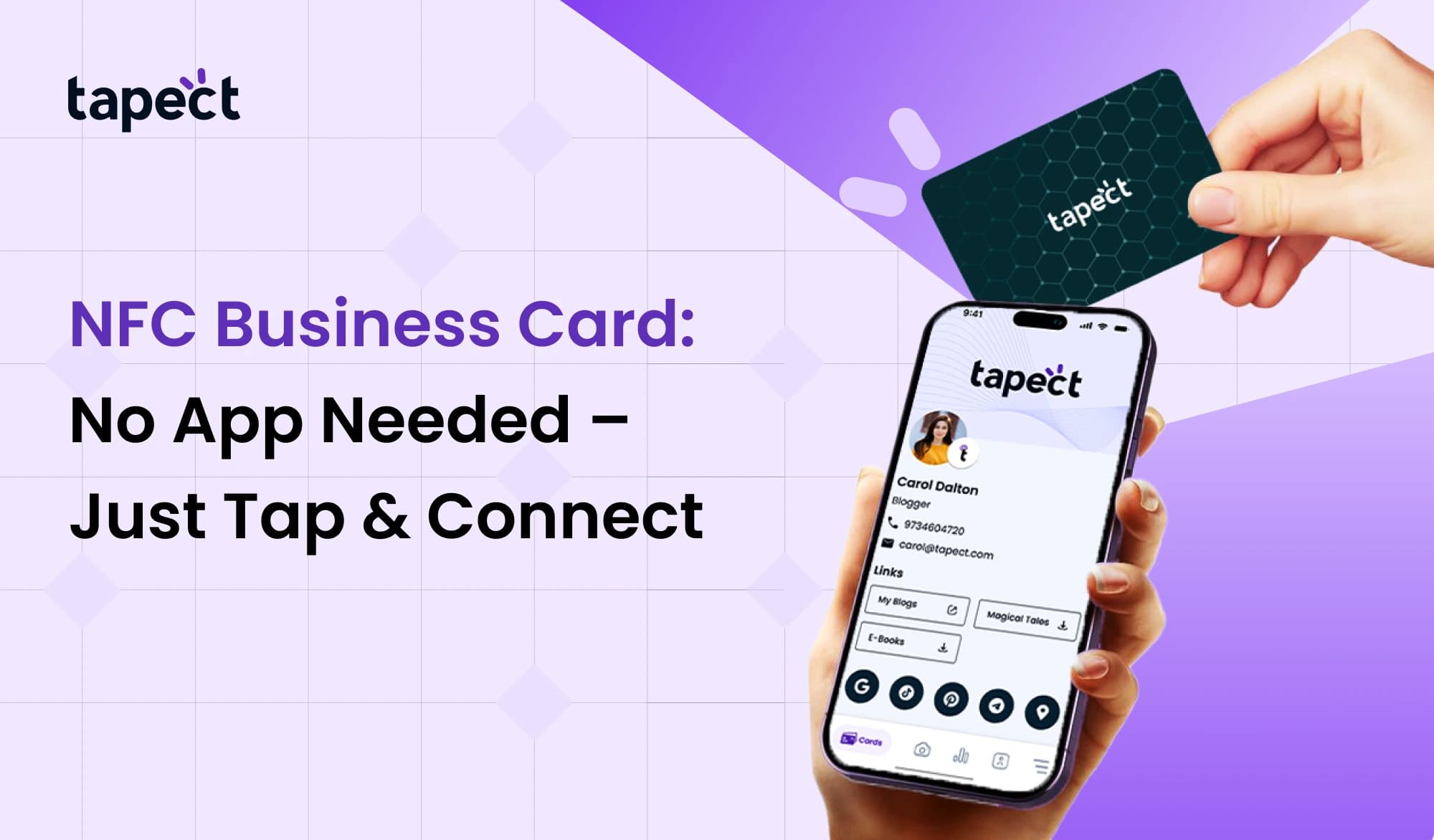
A smart card called an NFC Business Card has a little chip that lets you communicate information wirelessly. When someone taps their phone on the card, your information shows up on their screen.
This card has an NFC chip that can hold your contact information or a link. This feature works on most new cellphones.
You can use an NFC electronic business card to share:
- Name and phone number
- Email address
- Website link
- Social media profiles
With an NFC Business Card, you don’t need paper cards or to enter information by hand.
How NFC Business Card Works Without an App
One of the best things about an NFC business card is that you don’t need an app to use it.
This is how it works:
- You tap the card on a smartphone
- The phone reads the NFC chip
- A link or contact page opens instantly
That’s all. The process is quick and easy.
A contactless business card nfc employs features that are already on the phone, so consumers don’t have to install anything. This makes it simple for anyone to use your NFC Business Card without becoming confused.
Benefits of NFC Business Card
Using an NFC business card makes networking easier in numerous ways.
Quick Sharing
With only a tap, you may share your information in seconds.
No Typing Needed
People don’t have to enter your email or phone number.
Better Engagement
A smart NFC business card can connect to your website or full profile.
Eco-Friendly Option
It cuts down on paper waste, which makes your NFC digital business card a better choice for the environment.
Easy Updates
You don’t have to print new cards to change your information.
These are some of the best things about NFC business cards that make them a good choice right now.
NFC Business Card vs Traditional Business Card
People still use traditional cards, although they have certain problems.
Traditional Card
- Can be lost easily
- Needs manual saving
- Limited space
NFC Business Card
- Instant sharing
- No typing required
- Unlimited information
A modern way to connect is via an NFC visiting card. It makes you stand out at meetings and events.
NFC Card vs QR Code
Both technologies are helpful, but they do things in different ways.
NFC Card
- Tap to share
- Faster interaction
- Works without camera
QR Code
- Scan required
- Needs camera
- Slightly slower
Tapping on an NFC card is easier than scanning it, which makes it feel more natural. A lot of people now want NFC business cards that don’t need to be touched to share.
How to Set Up an NFC Business Card
It’s easy to set up an NFC Business Card.
Step 1: Get an NFC Card
Get a card that has an NFC chip in it.
Step 2: Add Your Information
Use a platform or application to save your contact information or link.
Step 3: Test the Card
To see if it works, tap it on your phone.
Step 4: Start Sharing
You can use your NFC Business Card in meetings, events, and to network every day.
You can make a smart NFC business card in only a few minutes.
What You Can Share with NFC Digital Business Card
An NFC digital business card can have more than just basic information.
You can add:
- Contact information
- Business website
- Portfolio or work samples
- Social media links
- Booking or meeting links
This makes your electronic business card nfc stronger than a paper card.
Design Tips for NFC Visiting Card
Your card will work better if it has a clean design.
Keep It Simple
Don’t put too much text on your NFC visiting card.
Highlight Tap Area
Show users where to tap.
Use Clear Branding
Put your logo and brand colours on it.
Add Backup Option
Add a QR code to your NFC business card.
A well-made contactless business card nfc makes a powerful impression.
Common Uses of NFC Business Card
You can use an NFC business card in a lot of different situations:
- Business meetings
- Networking events
- Exhibitions
- Client visits
- Sales presentations
In any of these situations, a smart NFC business card makes it easy to transfer information.
Future of NFC Digital Business Card
More and more people are using NFC digital business cards. People want to connect in smarter and faster ways.
As more phones enable NFC, the need for NFC Business Cards will keep growing.
In today’s digital age, where speed and ease are most important, a contactless business card nfc is perfect.
FAQs
1. What is a business card with NFC?
With an NFC chip, an NFC Business Card is a smart card that lets you exchange your contact information with a tap.
2. Does the NFC Business Card need an app?
No, you don’t need an app to use an NFC Profile Card. Just touch and connect.
3. Is a business card with NFC better than a paper card?
Yes, it is quicker, more participatory, and easier to change.
4. Do all phones work with NFC cards?
Most new cellphones support NFC Cards, while some older ones might not.
5. What may I keep on my NFC Profile Card?
You can save links to your website, social media profiles, and contact information on your electronic business card NFC.
Conclusion
It’s easy to communicate your information with an NFC Profile Card. You may connect with folks right away with simply a tap.
It gets rid of the necessity for apps, typing, or carrying around a lot of paper cards. A well-made NFC Profile Card makes a good first impression and helps you network better.
More and more people are embracing digital solutions, thus having a contactless business card NFC might give you a big edge. This clever tool may help you connect faster and develop your network with ease, no matter if you own a business, operate as a freelancer, or are a professional.
 02 Oct 2026
 business