In any business it is important to make a good first impression. Whether you’re a freelancer or running a small shop or a large company, sharing your contact details in a clear way can help you reach more people. A well-designed card helps customers and business partners to remember you.
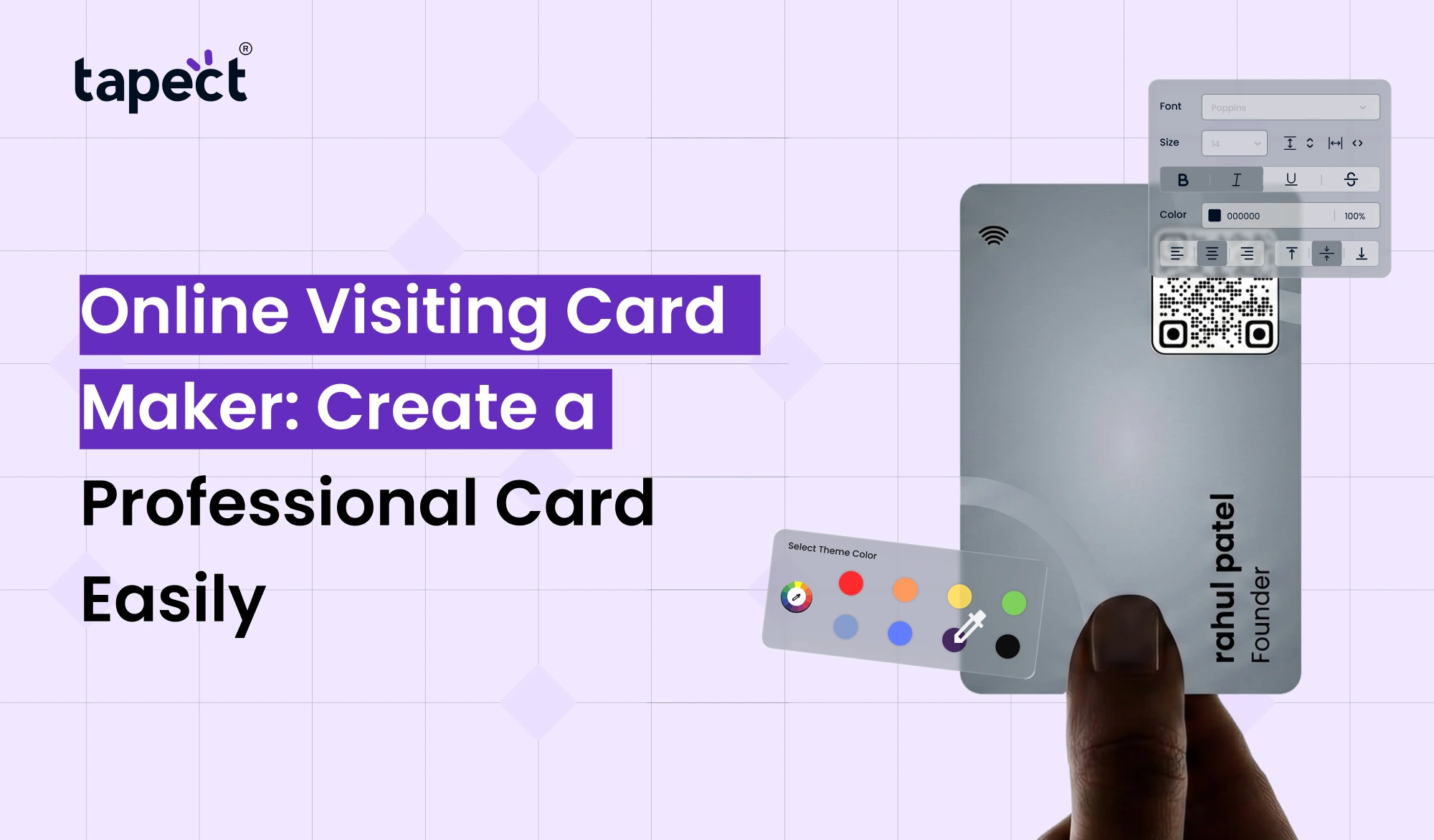
Now you don’t need a graphic designer or special software to make a good looking card. An Online Visiting Card Maker will create your own card in a few minutes. Choose a layout, fill in your details, choose colors and design a layout for your business.
Tapect also allows professionals to explore digital networking options that allow the sharing of contact information. A good card design will make your business look more professional. Whether you want a printed card or a modern digital option.
What Is an Online Visiting Card Maker?
An Online Visiting Card Maker is a web based tool that helps you to create professional visiting card without advanced design skills. You can make a card that fits your work with ready-made templates and easy editing tools.
Many tools allow you to add information like:
- Your name and job title
- Business or company name
- Phone number and email address
- Office address
- Website URL
- Company logo
- Social media links
You can make changes whenever you want and choose a design that fits your business style. Many tools also allow you to save your design and prepare for printing.
Why Should You Use an Online Visiting Card Maker?
Making a card shouldn’t take hours or cost you expensive design software. If you have never designed anything before, an Online Visiting Card Maker makes the process easy.
Here are some reasons why these tools are helpful.
1. Easy to Use
You don’t need any professional knowledge of design. Select a template, fill in your details and personalize the layout. Most of the editing tools are simple enough for the beginner.
2. Saves Time
Making a card from scratch can be very time consuming. Get started quickly with ready-made templates. You can try out different styles without starting over.
3. Affordable Design Options
Not everyone can afford to hire a designer. Online tools provide an inexpensive way to make a card for personal or business use.
4. More Design Choices
You can play with different colors, fonts, layout and styles. This makes it easier to design a card that fits with your brand personality.
5. Easy to Update
Changed your phone number or business address? You can edit your details and make a new design easily.
How to Create a Professional Visiting Card Online
Making a professional card is easy if you follow a few simple steps. This is where an Online Visiting Card Maker can help you get started.
Step 1: Choose a Suitable Template
First choose a template that fits your profession. Consultants do well with a simple design, and creative businesses might desire something more colorful.
Avoid choosing a design that is too detailed. Keep the layout clean and easy to read.
Step 2: Add Your Business Information
Please provide all the important details that people need to contact you.
Ensure that your name, phone number, email address, and company name are correct. A small spelling error might create problems for someone trying to reach you.
Step 3: Select Colors and Fonts
Use colors that align with your brand. Choose one or two main colors, don’t add too many shades.
Choose a font that is easy to read. Your contact info should always be easy to find.
Step 4: Add Your Company Logo
Your logo helps people know who you are. Put it somewhere suitable, but don’t make it too big.
Leave enough space between the logo and other details so that the card does not look crowded.
Step 5: Review Your Design
Please check all the details on your card carefully before you save it.
- Check your phone number.
- Review your email address.
- Confirm your company name.
- Check the spelling and font size.
- Make sure all details are easy to read.
Step 6: Download or Share Your Card
When you are happy with your design, save it in the required format. If you want a hard copy of the card, format the file to print. You may also want to look into digital options for sharing your contact information online.
Important Features to Look for in Business Card Makers
Not all design tools offer the same features. When considering different business card makers, consider options that allow for a simple and flexible design process.
Some useful features are :
- Ready-made templates: Save time with designs for different professions.
- Easy editing: Change text, colors, and layouts without difficulty.
- Logo upload: Add your own company logo.
- Download options: Save your design in a suitable file format.
- Print-ready layouts: Prepare designs for professional printing.
- Mobile support: Create or edit designs using your smartphone.
- Customization: Adjust the design to match your brand.
Choosing the right tool can make the whole process easier and help you create a good looking card.
Printed Visiting Cards vs Digital Business Cards
Traditional cards still work, but digital networking is becoming more prevalent. They all have their advantages, and it really depends on how you like to deal with your customers.
Traditional Printed Cards
Printed business cards are useful for meetings, exhibitions, interviews, and business events. You can give them directly to someone and let them keep your contact information.
They are simple, they are familiar and they don’t need a smartphone to receive your details.
But printed cards have some limitations. If you change your phone number, job title, or email, you may need to print a new batch.
Digital Business Cards
Another way to share your professional information is a digital business card. Instead of a paper card, you can share a digital profile through a link or QR code.
Some of the advantages are:
- Easy sharing through messaging apps and email.
- Quick access to contact information.
- Simple updates when your details change.
- Space for website and social media links.
- Less need to carry printed cards.
Tapect provides digital business card solutions for professionals who need a convenient method to share their contact details.
How Tapect Makes Business Networking Easier
Designing a card is only one piece of the professional networking puzzle. And you need an easy way to share your information with customers, clients and business partners.
Tapect makes this process easier with digital business card solutions. Its NFC-enabled cards can share a digital profile with compatible smartphones with a single tap. There’s another way to share: a QR code.
With Tapect you can:
- Share your contact details through NFC technology.
- Let people access your digital profile using a QR code.
- Add important contact and business information.
- Share your website and social media profiles.
- Update your digital profile when your information changes.
- Make networking easier at meetings and business events.
A good place to start creating a professional identity is an Online Visiting Card Maker. Tapect takes it a step further by making contact sharing easy and convenient.
Business Card Printing: What Should You Know?
If you want physical cards, then business card printing is a big part of the process. A good design should also look clear and professional once printed.
Below are things to note before you go on and order:
- Choose good-quality paper.
- Select a suitable card size.
- Use clear and readable text.
- Check the design before printing.
- Select a finish that matches your brand.
- Make sure the colors look good on paper.
A good printing quality with a neat design can help your card make a good impression.
Why Choose an NFC Business Card?
A NFC business card is a modern option for professionals who want to share their information without carrying loads of printed cards.
NFC means Near Field Communication. It enables compatible devices to share information over a short range.
That’s why a lot of professionals want to get their hands on NFC cards:
- Quick sharing with a compatible smartphone.
- No need to type contact details manually.
- A QR code can offer another sharing method.
- Digital profile details can be updated.
- Useful for sales teams, business owners, and freelancers.
Tapect is NFC technology combined with digital profile to ease the professional networking.
Tips to Make Your Visiting Card Look Professional
A good card doesn’t have to be complicated. Small things can make a big difference.
Here are some simple tips:
- Keep your design clean and simple.
- Use colors that match your brand.
- Add only useful contact information.
- Choose readable fonts.
- Include your company logo.
- Avoid too many design elements.
- Check all details before sharing.
- Use a clear call to action when needed.
With Online Visiting Card Maker, put your focus on readability and useful information, not on unnecessary design elements.
FAQ’s
1. What’s an online visiting card maker?
An Online Visiting Card Maker is a web based tool that enables you to design professional visiting cards with the help of templates, fonts, colors and simple editing options.
2. Can I make a visiting card without any design skills?
Yes. Most online design tools provide templates to use and simple editing options. You don’t need to be a professional designer to create a card.
3. Do Online Visiting Cards Work for Small Businesses?
Yes. Small businesses, freelancers, shop owners and independent professionals are able to create cheap, professional looking cards using online tools.
4. What information should I put on my visiting card?
Add your name, company name, job title, phone number, email address, website and logo. Read the documentation for the new feature details.
5. Can I create a digital business card using Tapect?
Yes. Tapect offers digital business card solutions for professionals to share their contact information through NFC cards and QR codes.
6.Are NFC business cards superior to classic cards?
Both have different advantages. The traditional cards are a great option to share in person but the NFC cards are a quick way to share a digital profile. Choose according to your networking needs
7. Can I change my digital card details at a later date?
Yes. A digital profile allows you to update your details whenever your contact information, job title or business information changes.
Conclusion
You don’t have to work hard or spend a lot of money to make a professional card. An Online Visiting Card Maker gives you an easy way to design a card to represent your business. Choose a template, enter your details, select colors and make a design that creates a good first impression.
Whether you go with a traditional printed card or want to try out digital networking, pick an option that works for your everyday business needs. A good designed card can help people remember your name and make a connection with you more easily.
Want to make networking easier? Take a look at Tapect’s digital card solutions. Share your professional details easily with NFC technology and QR codes.
Ready to make your business networking easy? Check out smart digital business card solutions for your professional needs, visit Tapect today.
 24 Nov 2026
 business