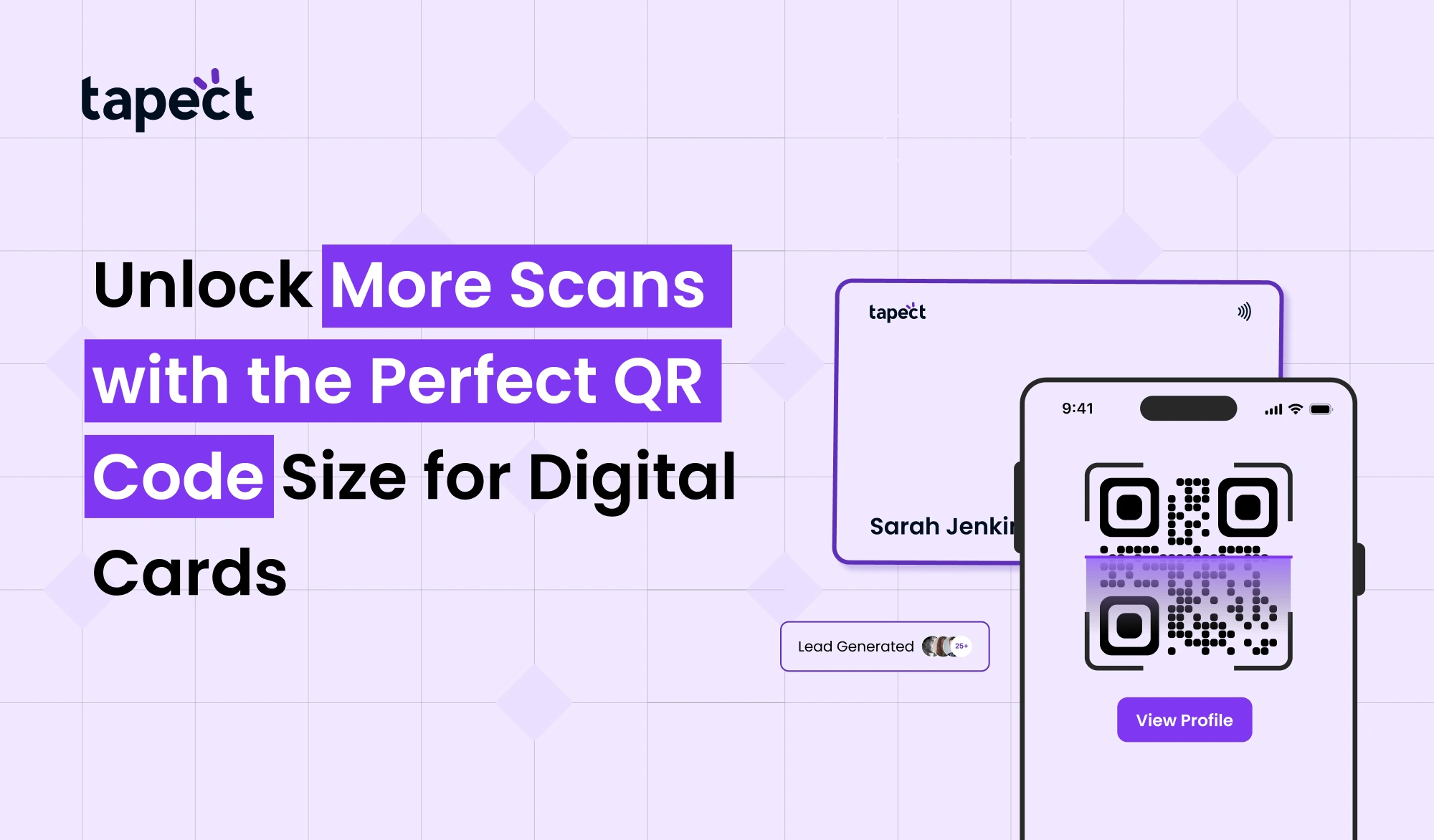
So if you are using a digital business card, your goal is simple, get more people to scan and connect with you. But one thing most people forget is the size of your QR Code.
Your QR Code is fine, but if it’s too small or in the wrong place, it won’t get scanned. Which is lost leads.
In this guide, you’ll learn the best QR code size, where to put it, and how to make your digital card a powerful tool to get more scans.
And yes, we will keep it simple and practical.
What is a Digital Business Card?
Digital Business Card is a modern version of a Visiting Card. In addition to printed details, share your contact, website, social links and more through a single scan.
Today most people link their digital business card with a QR Code Size or even a nfc card.
So, when someone scans your code, they see your profile immediately. No tap. No manual saving of numbers.
Why QR Code Size Matters More Than You Think
Let’s be honest. People won’t try too hard to read your code.
If your QR Code is:
- Too small
- Blurry
- Hard to find
The right size of a QR Code Size makes it easy to scan quickly. And when scanning is easy, you get more engagements.”
This is why businesses that focus on the correct qr code size typically have better results from their qr code business card.
Ideal QR Code Size for Digital Cards
So what is the ideal size?
Recommended qr code size for a digital business card:
- 2 x 2 cm min
- Ideal size range: 2.5 x 2.5 cm. to 3 x 3 cm.
This size is great for most phone and iq scanner applications.
If you go smaller you have a hard time scanning it. Going bigger might ruin your design.
Factors That Affect QR Code Scanning
Size matters, but it’s not all that matters.
1. Distance of Scanner
If you are scanning from a distance your QR Code Size will need to be bigger.
2. Quality of print
Printing qr code in bad quality can make it not scannable at all.
3. Comparison
The best is dark code on a light background.
4. Dead Zone
Leave some space around the QR Code. This makes it easy for scanners to read it.
Best Placement for QR Code on Digital Cards
Where you place your QR Code Size matters.
Backside Position
Most qr code business cards designs make use of the back side. That clears things up.
Corner Positioning
Keep the QR Code Size in a corner so it looks tidy but is still visible.
Center Spotlight
If you want more scans, put it in the center with a message.
Add a Clear Call to Action
Don’t assume people know what to do.
Tell ’em
The examples are as follows:
- Scan to save contact
- Scan fast to get connected
- View my profile by scanning
This simple step can boost scans on your digital business card.
Print Quality Tips for Better Results
When you print a QR Code Size, quality matters more than design.
High Resolution
Always save your QR Code in high quality.
Don’t Stretch
Do not resize your code without proportion.
Test Before You Print
Scan it with multiple apps such as iq scanner or QR Code Size photo scanner.
QR Code vs NFC Business Card
People often ask me this: Should I get a QR Code or a nfc business card?
QR Code Benefits
- Works on all phones
- No special tech needed
- Easy to print
NFC Card Benefits
- Tap-based sharing
- Faster than scanning
- Feels premium
Best choice? I will use both.
Digital business card with QR Code and nfc card gives you the maximum reach.
What You Can Link to Your QR Code
Your QR Code should not open anything random.
Make it useful.
You can join:
- Contact details
- Website
- Portfolio
- Social media
- WhatsApp chat
- Booking page
Many brands such as Tapect offer smart digital card pages to showcase everything at one place.
QR Code Sticker Size for Marketing
Size is more important when it comes to stickers.
Recommended size for qr code sticker:
- Small stickers: 3cm x 3cm
- Size: 5 x 5 cm
- Large: 8 x 8 cm
Go bigger for outdoor use so people can see it from far away.
Using QR Codes in Bulk Marketing
If you are printing a lot of cards or materials, consider a bulk barcode strategy.
You may:
- Use the same QR Code for all
- Or create custom tracking code
Bulk campaigns help you to find out which cards or locations are scanned more.
Biggest QR Code – Does Bigger Mean Better?
Maybe you think the biggest qr code will get more scans.
That’s not always the case.
can too large:
- Look like an amateur
- Take up too much space
- Reduced design quality
The aim is balance. Your QR Code has to be easy to scan but still fit into your design.
Common Mistakes to Avoid
Let’s solve some common problems:
QR Code Too Small
People can’t read it.
Low Contrast
Light colours decrease readability.
No Testing
Always do a dry run before printing.
Incorrect link
Broken links destroy trust.
Tools to Scan and Test QR Codes
Test your QR Code before actual use.
You may use:
- iq scanner qr code photo scanner
- camera applications
- Online tools
Try it on different phones also.
How Tapect Helps You Get More Scans
And Tapect is all about making your digital business card smarter, more effective.
With Tapect:
- Optimised QR code size
- NFC card sharing made easy
- Modern digital card layout with clean
This helps you get more scans and better results.
Future of QR Codes in Digital Cards
The use of QR Code is increasing quickly.
People are looking for fast, contactless ways to connect. This is why digital business card and nfc business card solutions are gaining popularity.
Smart cards will have QR and NFC as standard in the future.
FAQs
1. How large should a QR code on a digital business card be?
A qr code should be about 2.5 to 3 centimetres in size – this makes it easy to scan.
2. Can I use NFC and QR code at the same time?
Yes a nfc business card and qr code combination gives better results.
3. How to print QR Code correctly?
Test before printing qr code Use high resolution.
4. What is the best QR code sticker size?
A 5 x 5 cm qr code sticker works well for most uses.
5. Does a bigger QR code mean better scanning?
Not always. The biggest qr code may not be the best qr code. Balance is key.
Conclusion
Don’t forget the basics if you want more scans.
The right size, smart placement and clean design of the QR Code can be a game changer. A digital business card is about more than sharing information, it’s about making it simple for people to connect.
Use the correct size. Try your code. Keep it simple.
And if you are looking for a smarter way to connect, platforms like Tapect can help you build a powerful digital card with the right mix of design and technology.
Begin optimising your QR Code today and make every scan a new opportunity.
 24 Oct 2026
 business