Smartphones can do a lot more than just make calls and send texts. NFC is a useful feature that many new phones have. You might have noticed the option in your phone settings, but you might not know what it does.
This article will tell you what NFC means in mobile, how it works, and how you may use it every day. By the conclusion, you will know exactly why a lot of people like NFC phones and how this technology makes things go faster and smoother.
What is NFC in Mobile?
Near Field Communication is what NFC means for mobile devices. It is a wireless technology that works over small distances and lets two devices talk to each other when they are very close, usually within 4 centimetres.
When you have NFC on your phone, it can link to other devices right away. You only need to put the gadgets close to each other. You don’t need any cords, pairing steps, or manual setup.
A lot of new smartphones have mobile capabilities that support NFC. This lets the phone share data, make payments without touching, read NFC tags, and link to smart gadgets.
NFC stands for “near field communication,” which implies that you can send or receive information on your phone by just tapping it or bringing it close to another device.
How NFC Technology Works in Mobile
It helps to grasp how the technology works behind the scenes to understand NFC in mobile.
NFC sends data between devices via radio waves. The connection only works when the two devices are quite close to each other.
In NFC communication, there are usually two roles:
Active Device
A phone with NFC is an active gadget. It sends out a radio signal that lets other NFC-enabled gadgets talk to it.
Passive Device
A passive gadget doesn’t need its own power source. You can store modest amounts of information on things like an NFC card, NFC tag, or smart poster.
When the phone gets close to the tag, the NFC in the phone receives the data right away and does something. For instance, you might launch a webpage or save contact information.
NFC on mobile is thought to be safe and secure for many uses because the distance is so small.
Key Features of NFC in Mobile
A lot of people use NFC on their phones every day without knowing how useful it is. Here are some major things that make this technology popular:
1. Payments without touching
Digital payments are one of the most common uses of NFC in mobile. You can pay for things by tapping your phone on a payment terminal.
A lot of wallet and banking apps let you pay with NFC on your phone. You don’t have to bring cash or cards with you, which makes shopping faster.
2. Quick Data Sharing
Sharing files is really easy with NFC on your phone. If you tap two phones together, they can share contacts, photographs, or URLs.
This method is significantly quicker than pairing Bluetooth by hand.
3. Simple to connect devices
Another good thing about NFC on mobile is that it lets you quickly pair with headphones, speakers, and smartwatches.
Just touch your NFC phone to the device, and it will connect on its own.
4. Access and smart cards
A lot of offices and buildings use an NFC card to get in. Your phone can also be used as a digital access card.
This feature is making NFC in mobile phones widespread in hotels and offices.
Common Uses of NFC in Mobile
More and more people are using NFC on their phones since it saves time and effort. Here are some real-life examples of how people utilise it every day.
Payments on the go
People can pay with payment applications by touching their NFC phone on a payment terminal. The payment goes through in a few seconds.
Digital Business Cards
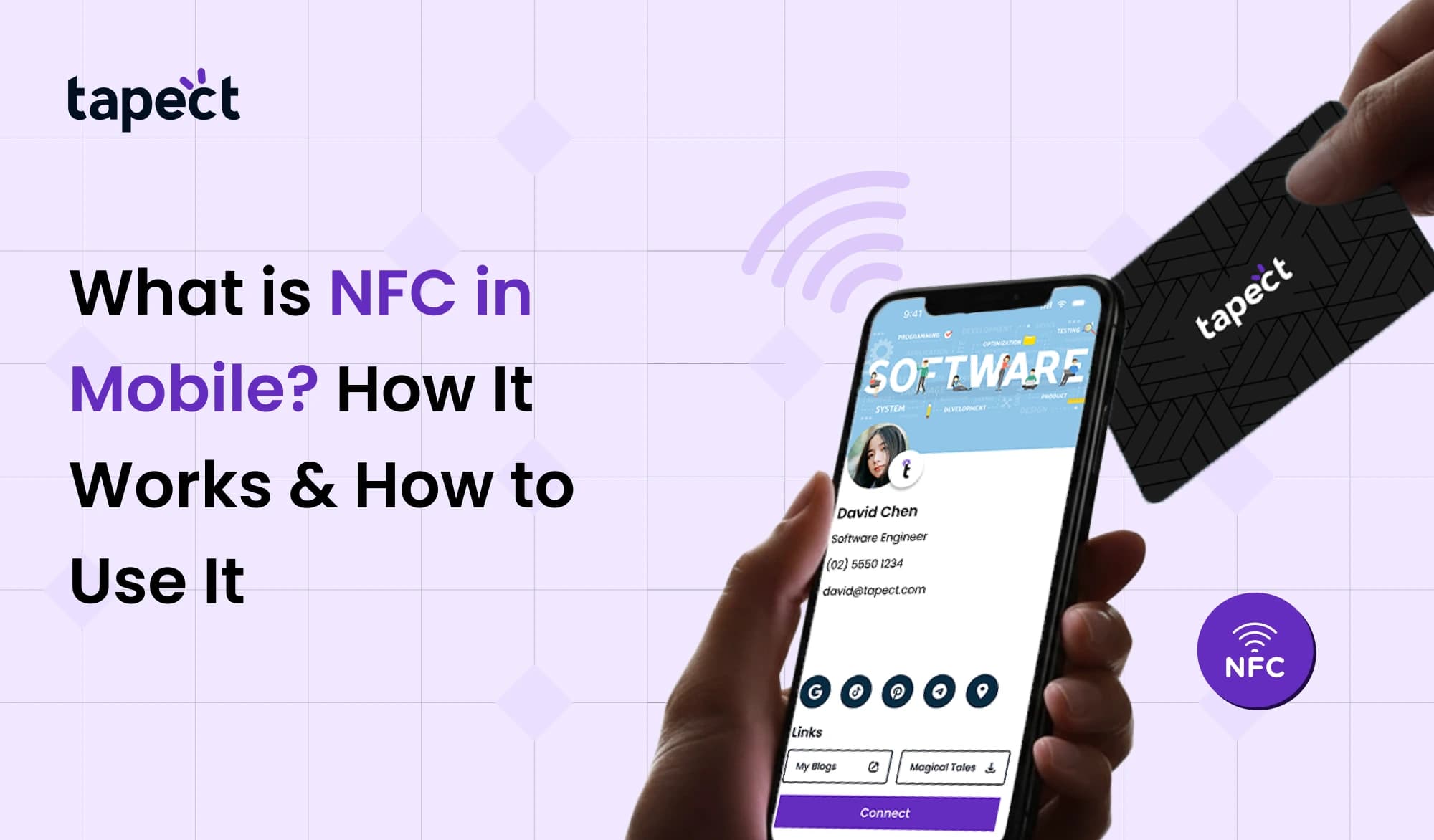
Professionals increasingly utilise digital cards that can connect to NFC. When someone taps their phone on the NFC card, their contact information shows up right away.
This way is faster than passing out regular business cards.
Public Transport
People in a lot of cities use their NFC phones to pay for transport. A short tap on the gate lets you in.
Smart Home Control
You can put NFC tags about your house. NFC in mobile can do things like switch on WiFi or open an app when your phone touches the tag.
Wireless Device Setup
Some headphones and speakers can connect to mobile devices using NFC. Tapping the phone connects the two devices right away.
How to Check if Your Phone Supports NFC
Not all smartphones have NFC. You need to make sure your phone can use NFC before you can use it on your phone.
Here are a few easy ways to find out.
Check Phone Settings
Look for NFC in your phone’s settings. If you see the choice, your NFC phone can do this.
Check Phone Specifications
You may also look up the specs of your device online. In the connectivity area, look for mobile with NFC support.
Look in Quick Settings
In the fast settings menu, many phones show NFC. NFC in mobile is supported if the icon is there.
How to Turn On NFC in Mobile
It’s easy to turn on NFC on your phone once you know it works.
Do these things:
- On your phone, go to Settings.
- Press Wireless settings or Connections
- Look for the NFC option
- Turn the switch ON.
Once you turn it on, your NFC phone can read tags, connect to other devices, and make payments without touching anything.
How to Use NFC in Mobile
It’s quite easy to use NFC on a mobile device. A simple tap is all that’s needed for most actions.
Here are some typical methods to use it.
Tap to Pay
Open your payment app and hold your NFC phone close to the payment terminal. The deal is done right away.
Tap NFC Tags
When your phone touches an NFC tag or card, it reads the information and does something with it, like accessing a website or saving it.
Connect Devices
Some wireless headphones and speakers can connect to mobile devices using NFC. Tap your phone to connect right now.
Share Contacts
Two phones with NFC can share contacts by pressing their backs together.
Advantages of NFC in Mobile
There are a lot of reasons why people all around the world are starting to use NFC on their phones.
Quick Connection
NFC links devices right away, without any further processes.
Simple to use
People who aren’t tech specialists can still use NFC on their phones.
Safe Technology
NFC in mobile is safer than many other wireless solutions because the connection distance is minimal.
No need for the Internet
You can do a lot of NFC things even if you don’t have the internet.
Limitations of NFC in Mobile
NFC in mobile is helpful, however it doesn’t work all the time.
Short Range
The gadgets have to be fairly close to each other to connect.
Not All Phones Have It
Some cheap cellphones don’t have NFC capability for mobile features.
Transfer of limited data
NFC sends little quantities of data. Other ways may work better for big files.
FAQs About NFC in Mobile
1. What does NFC signify on a phone?
Near Field Communication (NFC) is what it signifies on mobile devices. It lets phones share info while they’re close to each other.
2. How can I tell if my phone has NFC?
To see if your phone supports NFC, you can look at its settings or specifications.
3. Is it safe to use NFC?
Yes. NFC on mobile devices is seen to be safe for payments and data transfer because it only works over extremely short distances.
4. Is it possible for NFC to work without the internet?
Yes. A lot of NFC features on mobile devices work even when there is no internet.
5. What does an NFC card do?
A little chip in an NFC card holds information. The phone reads the data right away when it touches the card.
Final Thoughts
NFC on mobile phones is a great technology that speeds up and simplifies daily operations. This feature lets smartphones talk to other devices with just a tap. It can be used for things like contactless payments and connecting to smart gadgets.
More and more devices are coming out that enable NFC, which means that this technology will keep growing. Many companies now employ NFC card solutions to share contact information, digital business cards, and smart marketing.
If your phone has NFC, you should look at what it can do. You will see how useful and time-saving NFC may be in everyday life once you start utilising it on your phone.

 18 Sept 2026
 business