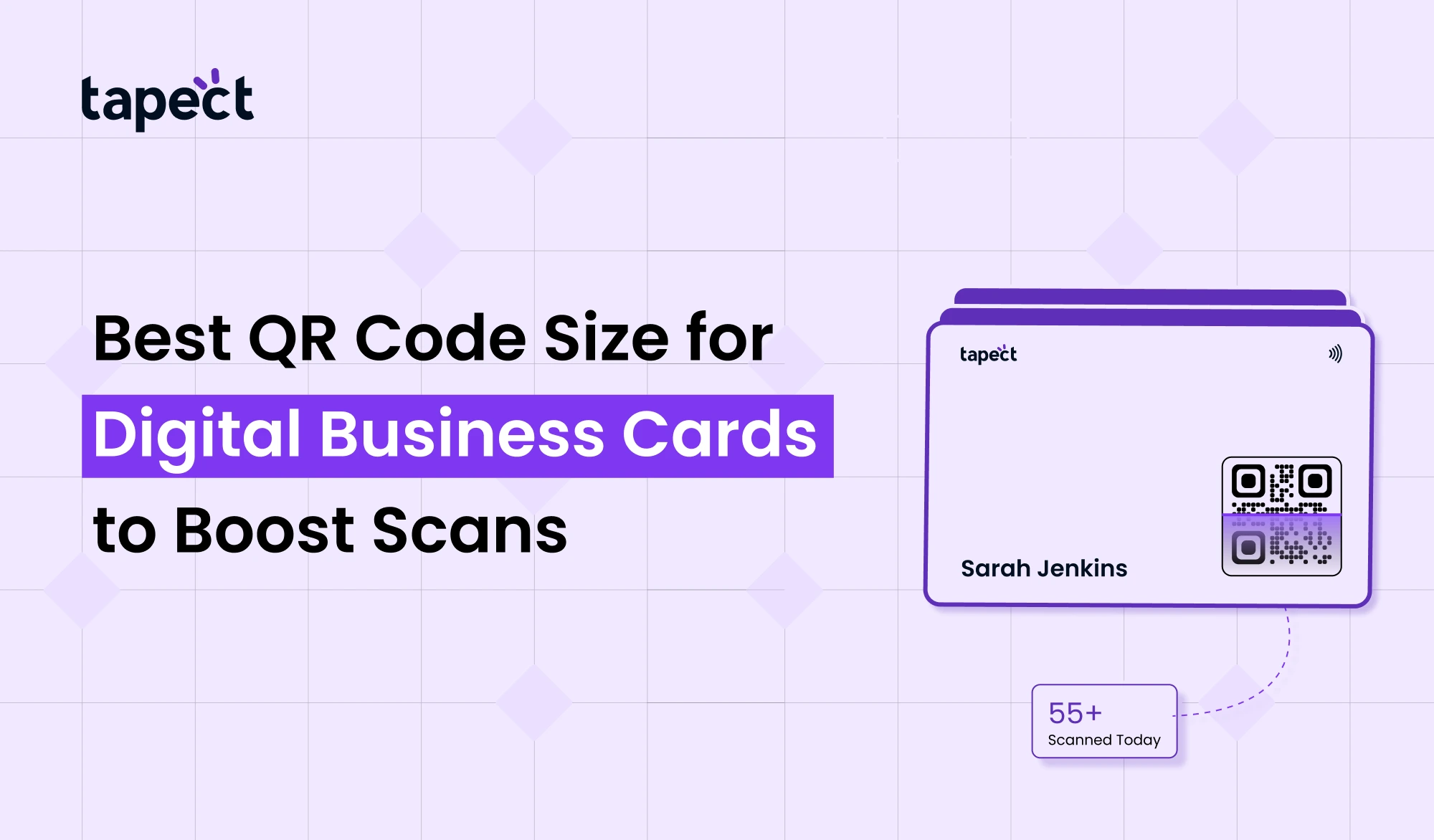
The digital business cards is not just a fad anymore. This is becoming the clever way to share your contact details. But the truth is, it’s not enough to just add a QR Code. If it’s the wrong size people won’t scan it.
In this guide, you will learn how to create the optimal QR Code size for your digital business cards, how to design it properly and how to increase scan rates. We will keep it simple and practical so that you can easily put everything in practice for your brand Tapect.
Why QR Code Size Matters More Than You Think
A QR Code only works if it’s scanned quickly and clearly. If it’s too small, phones can’t read it. If it’s too big it destroys your card design.
Consider this: When someone receives your digital business cards, they have mere seconds to decide whether to scan it or discard it.
That’s an easy choice with a QR Code that’s the right size.
Ideal QR Code Size for Digital Business Cards
Now, let’s cut to the chase.
Size suggested:
- Minimum: 2 x 2 cm (0.8 x 0.8 inch)
- Ideal: 2.5 cm x 2.5 cm to 3 cm x 3 cm
- Maximum: Varies with your layout design
A qr code business card works best with a qr code around 2.5cm for most designs.
Recommended Size:
- Easy scanning
- Simple design
- “Improved user experience”
- QR Code Size and Scan Distance Explained
There’s a simple rule.
- Scanning distance = 10 times the QR code size
For example:
- QR Code 2.5 cm – good from 25 cm distance
This comes in handy when designing a digital business cards or even a qr code sticker size for events.
Best Placement for QR Code on a Digital Business Cards
Size matters, but so does placement.
Best Placement Choices:
1. Center Back Side
Most popular for a QR code business card.
2.Bottom corner
Has a clean and minimal design.
3. Highlight Section
Center the QR Code to get more scans.
For Tapect, putting code where the eye naturally looks increases the odds of it being read.
Design Tips to Boost QR Code Scans
Even the perfect size will not help you if the design is not good.
Keep Enough White Space
A QR Code needs some space around it. This is what is called the quiet zone.
Use High Contrast
Black on white is the best. Colour can decrease scan success.
Avoid Over-Design
Don’t Overload Your Digital Business Cards With Too Many Elements
Add a Call-to-Action
Simple lines such as:
- “Scan to Connect”
- “Add Contact”
These small changes boost scans.
Choosing the Right Format Before You Print QR Code
Select the correct format before printing qr code.
PNG
Good for quick use.
SVG
Best for scaling without losing quality.
If you’re planning on bulk printing or bulk barcode creation, always choose high quality formats.
QR Code Size for Different Use Cases
Not every use case requires the same size.
Visiting Cards
The best size for a QR code business card is 2.5cm.
Posters
Go bigger – at least 5 cm.
Stickers
Select the right size for a qr code sticker based on where you will put it.
Product Packaging
Depends on the space available but never too small.
Common Mistakes to Avoid
Most people create a QR Code and don’t get results. That’s why:
Size too small
The biggest blunder.
Bad Quality Printing
Blurry codes don’t read.
Incorrect Background
If the contrast is low, chances are that the scan will not be successful.
No Tests
Always test your QR Code before final usage.
Using QR Code with NFC Business Card
A smart way is to combine QR Code with a nfc business card.
Why This Works:
- QR is omnipresent
- NFC is a tap-and-go technology.
An nfc card adds a premium touch to your digital business cards.
Both can be used by brands such as Tapect to deliver a better user experience.
Tools You Can Use to Scan QR Codes
Most smartphones can read a QR Code directly.
But some tools improve accuracy:
- iq scanner
- qr code photo scanner
- built-in camera apps
- google qr tools
These tools speed up and smooth the scanning process.
What to Link in Your QR Code
Your QR Code needs to point somewhere useful.
Best choices:
- Your digital business cards profile
- Web Site
- Get in touch
- WhatsApp chat Portfolio
Ensure the page loads quickly. Slow pages kill conversions.
How Tapect Can Use QR Codes Smartly
If you are building your brand like Tapect, your QR Code should not only exist, but it should work.
Smart Ideas That Work:
- QR to all digital cards
- Keep the design of all cards consistent
- Scan tracks for better performance
- Pair with nfc business card for premium feel
This makes a simple card a lead tool.
Biggest QR Code – Does Bigger Mean Better?
Many people think the best qr code is the biggest.
Too large:
- Not professional looking
- Takes up too much space
- Diverts attention away from other details
Balance is so important. Make sure your QR Code is big enough to scan, but not overwhelming.
Bulk QR Code Printing Tips
If you’re making cards in bulk:
Bulk Barcode Tools
These are useful if you have several QR Code designs.
Stay the Course
Same size and location on all cards.
First Test Samples
Test some samples before you print large quantities.
QR Code vs Digital Card Sharing Apps
There are many ways to share a digital business cards.
QR Code
- Easy
- Universal
- No app needed
Apps & NFC
- Faster sharing
- More interactive
Using both gets better results.
Future of QR Code in Digital Business Cards
QR Codes are gaining popularity. People want to share quickly and without contact.
Scanning is easier than ever with tools like google qr and better qr code photo scanner apps.
In the next few years, every digital business cards will have a QR Code in one way or another.
FAQs
1. What size should a QR code be on a business card?
The best size of the qr code is about 2.5 cm for smooth scanning.
2. Can I print QR code on small size cards?
Yes but please dont go under 2cm or it may not scan right.
3. Does the QR code work on all cell phones?
Yes, most smartphones do support QR Code scanning.
4. NFC or QR Code – Which is Better?
Both are good. NFC business cards are faster, but QR works anywhere.
5. How can I test my QR code?
It can be scanned by an iq scanner or your phone’s camera.
Conclusion
A well designed QR Code can be a powerful tool for your digital business cards. The right size, placement, and design can make a big difference in how many people scan it.
Make sure your QR Code is clear and easy to scan. Make it not too small and not too large. Always test before printing.
If you are building a brand like Tapect, focus on user experience. Mix smart design with the right tech like nfc card and QR Code.
When done right, your digital card will not only share details, it will generate real leads.
 8/12/2026
 Guides