People now use Near Field Communication to link their phones to devices, make payments, and use digital tools in a different way. A lot of cellphones these days have this capability, but a lot of people still don’t know how to utilise it right. This guide tells you what nfc is, how to use it on your phone, and why it’s useful in everyday life.
If you utilize smart cards, digital payments, or contactless technology, learning about NFC in mobile can make your phone a lot more useful.
What is NFC in Mobile?
It’s crucial to know what NFC signifies in mobile before you learn how to use it. Near Field Communication is what NFC stands for. It is a type of wireless technology that lets two devices share data while they are very close to each other.
In simple terms, NFC in Mobile lets your phone talk to another device only by tapping it or bringing it close.
The technology only works at small distances, usually less than 4 centimetres. Because it’s so close, it’s secure to make rapid connections like payments or sharing information.
A lot of today’s smartphones are made to be NFC in Mobile, which means they can do things like pay, share cards, and connect devices without touching them.
How NFC Works on Smartphones
It’s easy to understand how NFC works on mobile. The phone has a small NFC chip that sends and gets signals.
The chip makes a tiny radio signal that sends data right away when two NFC devices are close to each other. This happens in seconds, not like Bluetooth pairing.
Most mobile devices that support NFC have three operational modes:
Reader Mode: The phone reads cards or tags with NFC.
Peer-to-Peer Mode: lets two phones talk to each other.
Card Emulation Mode: The phone behaves like a digital card when you pay.
This method lets NFC phones take the role of conventional cards in numerous instances.
Key Features of NFC in Mobile
Smartphones with NFC provide a lot of handy functions. These properties make NFC in Mobile useful for everyday tasks.
1. Contactless Payments
You can pay for things at stores by touching your phone on a payment terminal.
2. Fast Data Sharing
You may quickly transfer photos, contacts, or links between devices.
3. Smart Device Pairing
It’s easier to connect Bluetooth speakers, headphones, or smart devices.
4. Digital Cards
Digital passes, access cards, and payment cards can all be stored on phones.
These features are why NFC is becoming a common feature in new smartphones.
Common Uses of NFC in Mobile
There are many times in real life where nfc on mobile is helpful.
1. Mobile Payments
Contactless payment is one of the most common usage. NFC technology is used by services like Google Pay and other wallet apps.
You only need to unlock your NFC in Mobile and tap it on the payment terminal. The deal goes through right away.
The payment system stays safe when you utilise NFC on your phone because the range is minimal.
2. Smart Business Networking
NFC is also changing the way people give up their contact information.
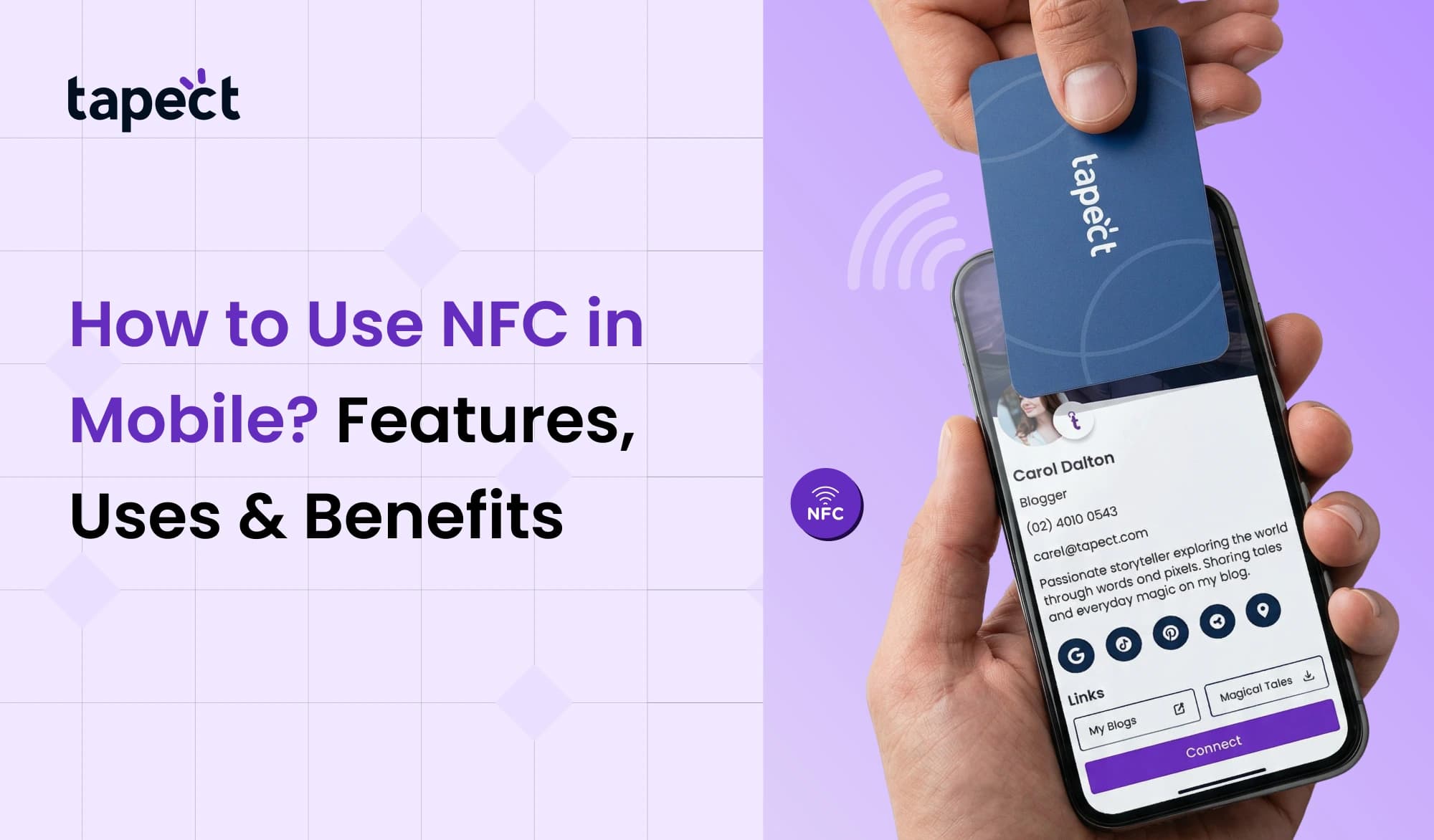
A lot of professionals use NFC business cards these days. You can share information by tapping your phone or NFC card on another device instead of giving someone a printed card.
You can put these things on your NFC business cards:
- Contact details
- Website links
- Social media profiles
- Business information
NFC in mobile makes networking speedier and more up-to-date.
3. Access Control and Entry
NFC is becoming more common in entrance systems for hotels, residences, and offices.
A mobile device that supports NFC can act like a digital key. To unlock doors, merely touch the phone to the access reader.
This is safer and easier than carrying cards around.
4. Quick Device Pairing
A lot of smart devices can connect to each other using NFC.
For instance:
- Speakers with Bluetooth
- Headphones without wires
- Intelligent printers
You may connect right away by tapping your NFC phone.
This is another easy illustration of how NFC in mobile phones may save time.
NFC Business Cards and Digital Networking
Digital alternatives are slowly taking the place of traditional visiting cards.
A lot of businesses now use NFC business cards to communicate contact information with just one tap.
When someone taps the card on a phone, the information opens up by itself. The phone uses NFC, a type of mobile technology, to read the card.
These digital cards are good for businesses because:
- They look modern
- They reduce printing costs
- They make sharing information faster
These cards function with a lot of devices because most smartphones now enable NFC.
This is one reason why NFC business cards are becoming more popular for networking and marketing.
Advantages of NFC in Mobile
There are a lot of reasons why smartphone manufactures put NFC in their phones.
1. Easy to use
You can finish tasks with just a tap.
2. Transactions go faster
Payments and data exchanges happen in a matter of seconds.
3. Better safety
The short distance between connections makes it safer than many other wireless choices.
4. Digital Life
You can use your phone instead of a lot of physical things, including cards and tickets.
5. Uses in Business
Businesses utilise NFC for payments, advertising, and NFC business cards.
These benefits are what make NFC a key technology on smartphones.
How to Enable NFC in Mobile
This feature is already on most cellphones, but you have to turn it on.
To turn on NFC on your phone, do the following:
- On your phone, go to Settings.
- Go to Wireless Settings or Connections
- Look for the NFC option
- Set the switch to ON
Once you turn on NFC capability on your phone, it will be able to link to NFC tags, cards, or payment terminals.
Now you can use NFC on your phone to make payments, connect devices, or share information.
Is NFC Safe to Use?
A lot of people want to know about security. The good news is that safety was a big part of the design of NFC.
Because NFC only works at extremely short distances on mobile devices, it’s hard for people who shouldn’t be able to get in.
Most payment apps additionally need:
- Unlocking your phone
- Fingerprint check
- Recognising faces
These safety features make an NFC phone safe to use every day.
Frequently Asked Questions (FAQs)
1. What does NFC signify for phones?
Nfc in mobile stands for Near Field Communication, which is a technique that lets smartphones send and receive data from other devices that are close by via short-range wireless signals.
2. How can I tell if my phone has NFC?
Look at the settings or specs of your phone. If the device says it supports NFC, there will be an NFC option in the settings menu.
3. Does NFC work without the internet?
Yes. A lot of NFC features on mobile devices, including reading NFC tags or sharing contact information, don’t need the internet to work. Some payment apps may need the internet to check your identity.
4. Do all phones work with NFC business cards?
Most new cellphones with NFC can read NFC business cards. Older smartphones that don’t have NFC won’t be able to use this feature, though.
5. Is NFC better than Bluetooth for sharing things quickly?
NFC on mobile is faster for quick touches and modest data transfers. Bluetooth is better for connecting over long distances and for sending big files.
Conclusion
NFC is becoming an important aspect of current cellphones. NFC in mobile lets devices connect instantly with only a tap, whether you’re making a payment or networking.
This technology has a lot of benefits, like speedier payments, easier device pairing, and digital networking with NFC business cards.
More devices are becoming NFC-compatible, which means that contactless technology will keep getting more popular. If you know what NFC means on your phone and how to utilise it, you can make the most of all the features your phone has.

 18 Sept 2026
 business