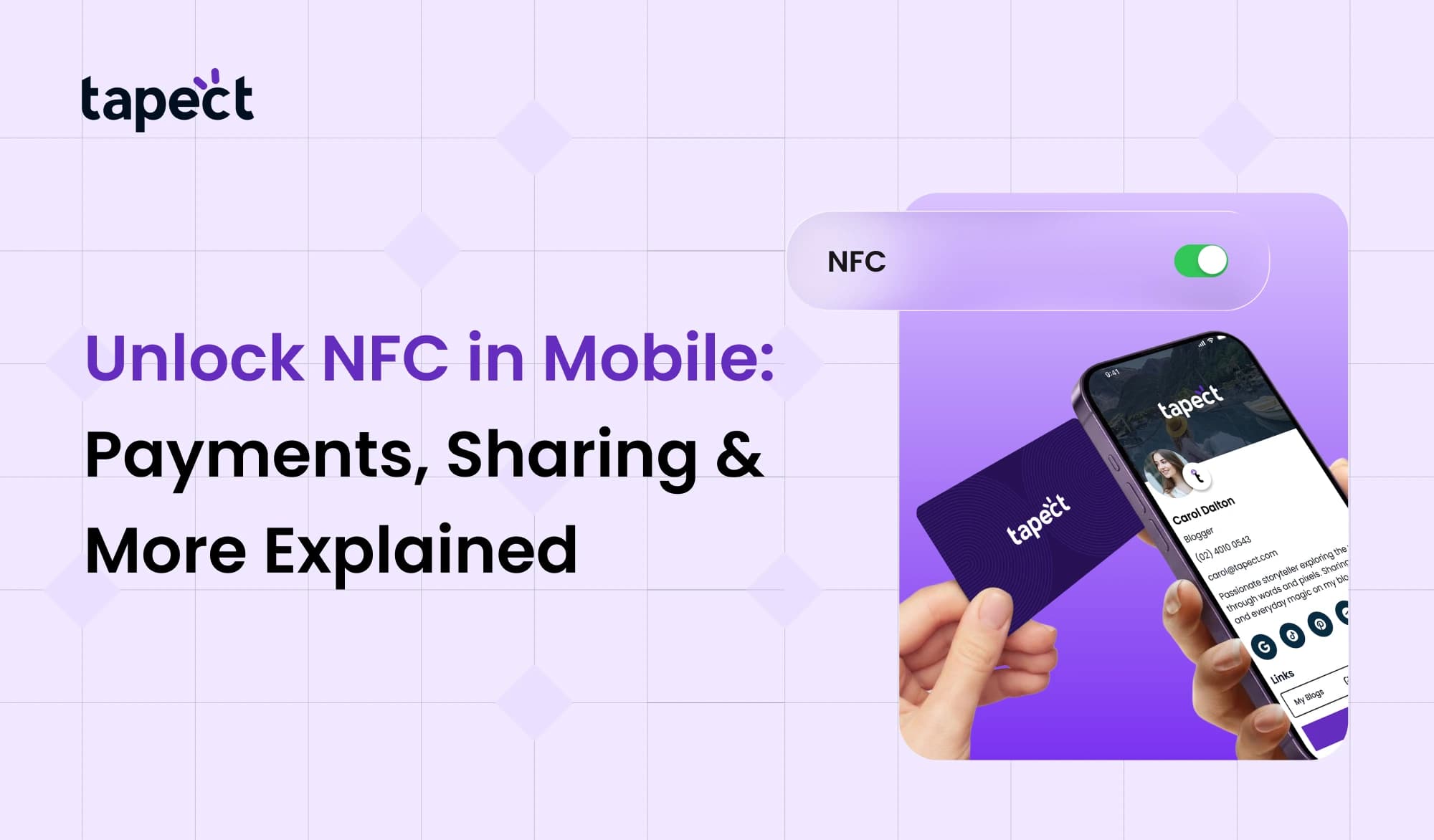
Most cellphones these days have amazing features, but a lot of people don’t use them to their full potential. One of these features is NFC on mobile. It is easy to use, quick, and highly helpful in everyday life.
NFC in mobile can save time and make things easier by letting you pay bills and share contact information. Just tap your phone and the job is done. No typing, no cables, and no waiting.
This article will explain everything about this feature in a clear and simple way if you’ve ever wondered what it does or how to utilise it.
What is NFC in Mobile?
Let’s get started with the basics. Near Field Communication is what NFC in mobile. When two devices are close to each other, this lets them connect.
You don’t need to connect to the internet or Bluetooth. They connect right away when you bring them close.
In simple terms, NFC means that you can tap your phone to connect. It works across a short distance, usually only a few centimetres.
This is a feature that many modern phones have, and it’s also called an NFC phone.
How NFC in Mobile Works
It’s easy to understand how NFC works on a phone. It sends data between devices via radio waves.
When two devices that can use NFC get close:
- They create a connection
- Data is shared instantly
- The process completes in seconds
You don’t have to launch a lot of programs or settings. That’s why more and more people are using NFC on their phones.
Key Uses of NFC in Mobile
You may use NFC on mobile in a lot of different ways every day.
1. Contactless Payments
This is one of the most common ways to use NFC on a phone.
You can:
- Pay at stores
- Use mobile wallets
- Avoid carrying cash
You can pay by just tapping your NFC phone on the machine.
2. Sharing Contacts and Files
With NFC on your phone, it’s easy to share data.
- Contact details
- Photos
- Links
This is quicker than Bluetooth. It’s great for sharing quickly.
3. NFC Business Card Sharing
More and more people are using NFC on their phones to connect with others.
You can do the following with an NFC business card:
- Share your contact
- Open your profile
- Connect instantly
A lot of people now use NFC cards instead of paper cards.
Brands like Tapect help you make smart cards that work with NFC on your phone.
4. Smart Devices and Automation
You can use NFC on your phone to operate smart gadgets.
For instance:
- Turn on Wi-Fi
- Connect to speakers
- Set alarms
Just tap your phone, and it happens.
5. Travel and Access Cards
A lot of systems employ an NFC card to let people in.
You can use NFC on your phone for:
- Metro cards
- Office entry
- Hotel access
This means that your phone can do many things.
What is NFC Support Mobile?
Not every phone has NFC. An NFC support mobile is a device that has this feature.
To see if your phone can do it:
- Go to settings
- Search for NFC
- Turn it on if available
You can start utilising NFC on your phone right now if your device supports it.
How to Enable NFC in Mobile
It’s easy to turn on NFC on a phone.
Step 1: Open Settings
Open the settings of your phone.
Step 2: Search NFC
In the search box, type NFC.
Step 3: Turn It On
Turn on the option.
Your NFC phone is ready to use after that.
NFC Business Card and Digital Networking
A lot has changed in networking. People now like smart solutions like NFC business cards.
Sharing information is quick with NFC on smartphones.
When someone touches your card:
- Your digital business card opens
- Your contact details appear
- They can save your info quickly
This is faster than giving someone a regular business e-card or paper card.
NFC Visiting Card vs Traditional Card
Let’s look at both choices.
Traditional Card
- Can be lost
- Limited space
- Needs printing
NFC Visiting Card
- Works with NFC in mobile
- No printing needed
- Easy to update
In today’s digital environment, a smart visit card with NFC is more beneficial.
Benefits of NFC in Mobile
There are several benefits to using NFC on mobile.
Quick and Simple
No need to type or look.
Secure
Data transport happens over a short distance.
No Internet Needed
Doesn’t need an internet connection to work.
Multi-Use Feature
You can do anything, from paying to sharing.
Common Problems and Solutions
Sometimes people have trouble with NFC on their phones.
NFC Not Working
- Check if it is turned on
- Make sure your phone supports it
Slow Response
- Bring devices closer
- Remove phone cover if thick
Not Detecting Card
- Try different position
- Ensure the nfc card is active
Tips to Use NFC in Mobile Better
Here are some easy tips:
Keep NFC on
When you need it, turn it on.
Use Apps You Can Trust
Only utilise apps that are safe to pay with.
Keep your data safe
Don’t use NFC tags that you don’t know.
Mix with QR
For optimum results, use QR and NFC combined on your phone.
Role of Tapect in NFC Technology
Tapect is helping people use NFC on their phones in a smarter way.
With Tapect:
- You can create a digital business card
- Link it with an NFC business card
- Share details with a simple tap
It speeds up and modernises networking.
Future of NFC in Mobile
NFC in mobile has a bright future.
It is being used by more enterprises for:
- Payments
- Marketing
- Networking
The use of NFC in mobile will rise even more as more devices accept it.
FAQs
1. What does NFC mean in mobile?
NFC in mobile lets you connect and share data with other devices by touching them together.
2. Is it safe to use NFC?
Yes, NFC on mobile is safe because it only operates over short distances.
3. Is it possible to use NFC without the internet?
Yes, NFC works on mobile devices without an internet connection.
4. What is a business card with NFC?
With an NFC business card, you may communicate your information by tapping it.
5. How can I tell whether my phone can use NFC?
Look in the settings to determine if your phone can use NFC.
Conclusion
NFC on mobile is one of the best things about modern phones. It speeds up and simplifies daily tasks.
There are so many ways to use it, from making payments to sharing contacts. This technology lets you stay ahead, whether you use an NFC business card, a digital business card, or an NFC card.
With manufacturers like Tapect, it’s even easier and more powerful to use NFC on your phone.
Use NFC on your phone today if it supports it. It’s a smarter way to connect.
 7/6/2026
 business