Every business meeting, trade show and networking event is an opportunity to meet new people. But gathering business cards is only half the job. The real challenge is to organise those contacts before they get lost.
This is where the Visiting Card Scanner comes in handy. A scanner takes the info and saves it as digital contacts in seconds instead of hand typing names, phone numbers and email addresses.
By 2026, scanning tools will do more than just read text. Many use artificial intelligence to find contact details, organise information and even link to your CRM.
In this guide, you’ll learn how to choose the best Visiting Card Scanner, the features you should be looking for, and why it has become a must-have networking tool for professionals and businesses.
What is a Visiting Card Scanner?
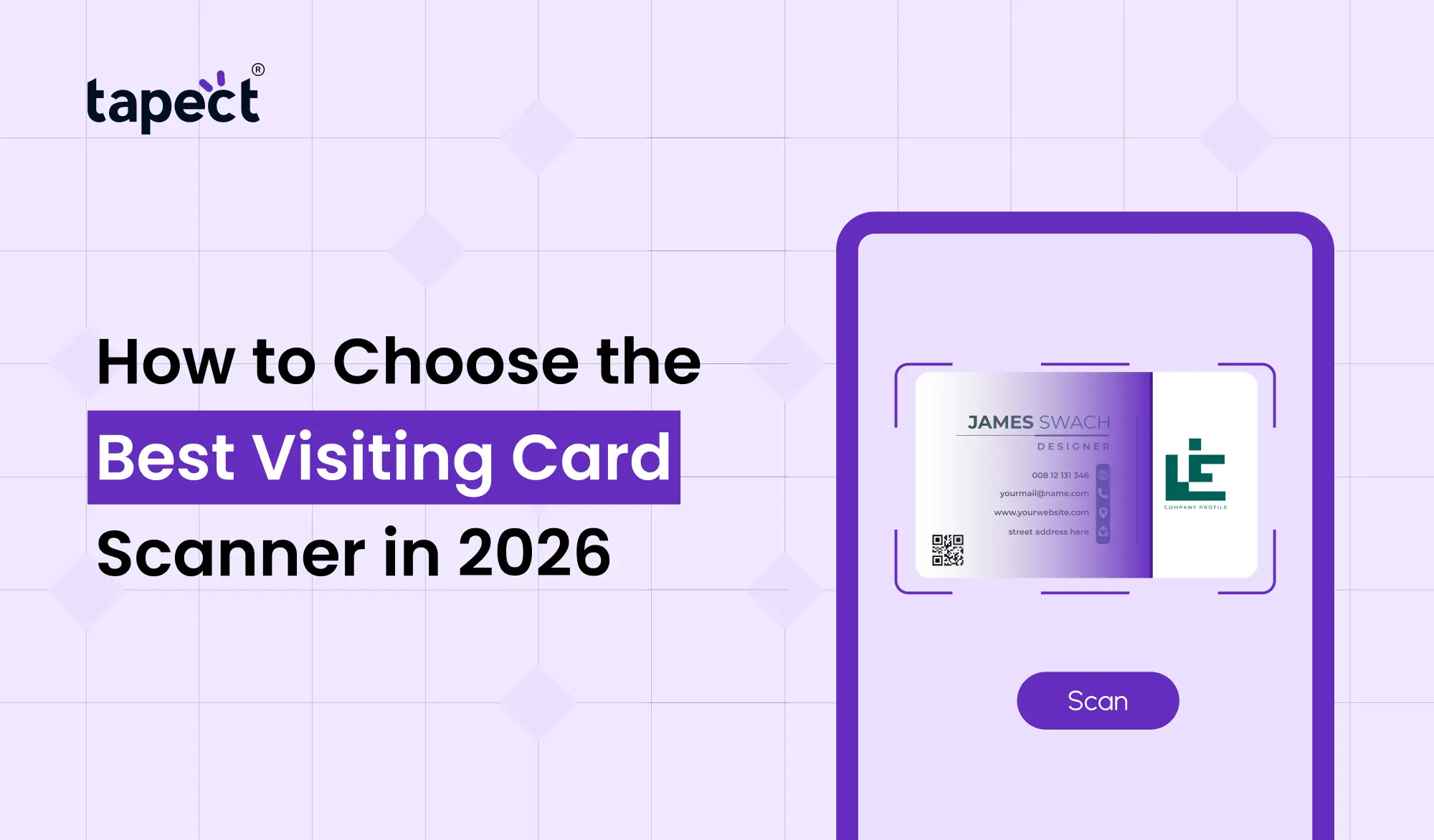
A Visiting Card Scanner is a device that scans the printed business cards and captures the details as the digital contact information.
You simply scan the card with your smartphone or computer, instead of typing in each phone number or email address. The software reads the text and saves it on your contacts.
Many professionals are now using a Business Card Scanner because it saves time, reduces typing mistakes and keeps every contact organised.
Why Every Professional Needs a Visiting Card Scanner
Networking has evolved. There are hundreds of cards exchanged each year.
Without a Visiting Card Scanner those cards frequently go into a drawer and are forgotten.
Here’s why one pros trust today.
Time saving
It takes several minutes to type in each contact.
The Visiting Card Scanner can read all details in seconds.
Minimise Errors
Manual typing is prone to errors.
A scanner accurately captures contact information, reducing spelling and number mistakes.
Keep Your Contacts In Order
All the cards you scan go into your digital contacts so you can easily search for them later.
Simple follow up
Contacts are stored digitally allowing you to quickly call, email or message new leads.
How Does a Visiting Card Scanner Work?
Most modern scanners use OCR (Optical Character Recognition) and AI
Here is how it works:
- Open the visiting card scanner application.
- Snap a picture of the business card.
- The scanner reads the printed words.
- It recognises names, phone numbers, company names, websites and email addresses.
- The data is saved to your phone or CRM.
The process usually takes less than ten seconds.
Features to Look for in the Best Visiting Card Scanner
Scanners are not all created equal.
These are the main features you should look for.
1. High OCR Accuracy
Best Visiting Card Scanner should have a good reading of printed text.
Look for software that has good OCR technology that works well on different fonts and layouts.
2. AI Business Card Scanner Tech
A business card scanner is more than text recognition.
It separates automatically:
- Name
- Job title
- Company
- Phone number
- Website
- Address
This makes editing after scanning easier.
3. Fast Contact Saving
A good Business Card Scanner should let you save contacts with a single tap.
The more efficient the process, the more valuable it is at networking events.
4. Backup in Cloud
Select a scanner that will save your digital contacts securely online.
Your contacts are safe, even if you lose your phone.
5. Integration with CRM
The sales teams should integrate the Visiting Card Scanner with CRM platforms.
Which means no more double entering leads.
6. Multi-Language Support
If you attend international events, your scanner should pick up multiple languages.
7. Scan offline
Some scanners can scan contact info without an internet connection.
This is handy when travelling.
Types of Visiting Card Scanners
Today, we have a lot of choices.
Mobile Apps
A visiting card scanner app works by using your phone’s camera.
This is the most common option because it is simple and portable.
Best for:
- Freelancers
- Students
- Small businesses
Desktop Software.
Desktop scanners are suitable for offices that process a high volume of business cards per day.
Best suited for:
- Sales teams
- Corporate offices
- Customer support
AI-Powered Solutions
An AI-powered business card scanner that learns and improves with each scan.
It also auto organises your contacts.
How to Scan a Visiting Card Correctly
Many people ask about how to scan a visiting card to get the best results.
Just follow these simple steps.
Keep the light good
Don’t sit in the dark.
Card flat placement
A flat surface helps scanning accuracy.
Capture Complete Card
See that all the corners are seen.
No More Blurry Photos
Keep your phone steady.
Save for later review
ALWAYS double check the information you pull.
These simple tips will help your Visiting Card Scanner work more accurately.
Digital Business Card vs Visiting Card Scanner
Many professionals liken a digital business card to a scanner.
They have different purposes.
You can share your own information with a digital business card.
A Visiting Card Scanner allows you to gather information from other people.
The two together form a complete network system.
Can NFC Cards Replace Visiting Card Scanners?
An nfc card is a way for people to share their contact information by tapping a compatible smartphone.
NFC technology is becoming more and more popular, but many professionals still prefer to use traditional printed cards.
That’s why a Visiting Card Scanner is still relevant.
Best is to have both a nfc card and scanner at the same time.
Common Mistakes to Avoid
Many users don’t achieve the best results due to simple mistakes.
Steer clear of these.
Bad Lighting
OCR accuracy is degraded by dark photos.
Bad Camera Quality
A good camera on your phone.
Bypassing Verification
Always double-check what you have scanned.
Selecting Free Apps Without Features
Some free scanners don’t catch important details.
Get a good Business Card Scanner with good reviews.
Who Should Use a Visiting Card Scanner?
Every professional can benefit from using one.
Particularly useful for:
- Sales professionals
- Business owners
- Marketing teams
- Real estate agents
- Consultants
- HR recruiters
- Event organizers
- Startup founders
- Insurance advisors
- Students attending career fairs
If you meet new people often, a Visiting Card Scanner will be useful.
Why Businesses Are Switching to Digital Contact Management
Companies no longer want business cards in stacks of paper.
They want digital, searchable contacts that employees can reach at any time.
A Visiting Card Scanner makes this possible by transforming printed cards into well-organised digital records.
This improves team work, saves time and prevents valuable leads from being lost.
Why Tapect Makes Networking Smarter
You should be able to deal with contacts easily and quickly.
That is why Tapect offers intelligent digital networking solutions to today’s professionals.
Digital Business Card, nfc card or Visiting Card Scanner? Tapect helps you share, collect and organise contact information in one modern ecosystem.
Build stronger business relationships with faster and smarter contact sharing instead of carrying a stack of paper cards.
FAQs
1. What is the best Visiting Card Scanner for 2026?
The best Visiting Card Scanner is the one that has accurate OCR, AI-powered scanning, cloud backup, and CRM integration.
2. Is it possible to use visiting card scanner app without internet?
Many modern visiting card scanner app solutions have offline scanning and sync later on when connected.
3. AI accuracy for business card scanner?
An AI business card scanner is typically more accurate than traditional OCR as it recognises names, emails and phone numbers more intelligently.
4. How to scan contact info from a printed card?
Simply launch your scanner app, snap a photo of the card, review the extracted details and store them as digital contacts.
5. Digital Business Cards vs. Paper Business Cards – Which is More Effective?
A digital business card speeds up the sharing process but a lot of professionals still exchange printed cards. The best networking experience is when you use both.
Conclusion
A Visiting Card Scanner is a must-have tool for professionals in 2026. It saves time and reduces manual work, helping you organise all your new connections into searchable digital contacts.
When choosing a scanner, consider OCR accuracy, AI features, cloud storage, CRM support and ease of use. If you also have a digital business card or a nfc card then you have a complete networking solution that works in any business situation.
The right Visiting Card Scanner doesn’t just store your contacts, it helps you build stronger relationships and turn every meeting into a new business opportunity.
Want to Improve Your Networking?
Stop losing valuable business contacts and start managing them smart with Tapect.”
Whether you need a digital business card, a nfc card or a smarter way to organise your digital contacts, Tapect gives you everything you need to network faster and grow your business with confidence.
Join Tapect today and step into the new era of professional networking.
 26 Sept 2026
 business