Every email you send is a chance to make a great first impression. Whether you’re responding to a client, reaching out to a new customer, or following up after a meeting, your email says something about your business. A clean professional signature reinforces that message even more.
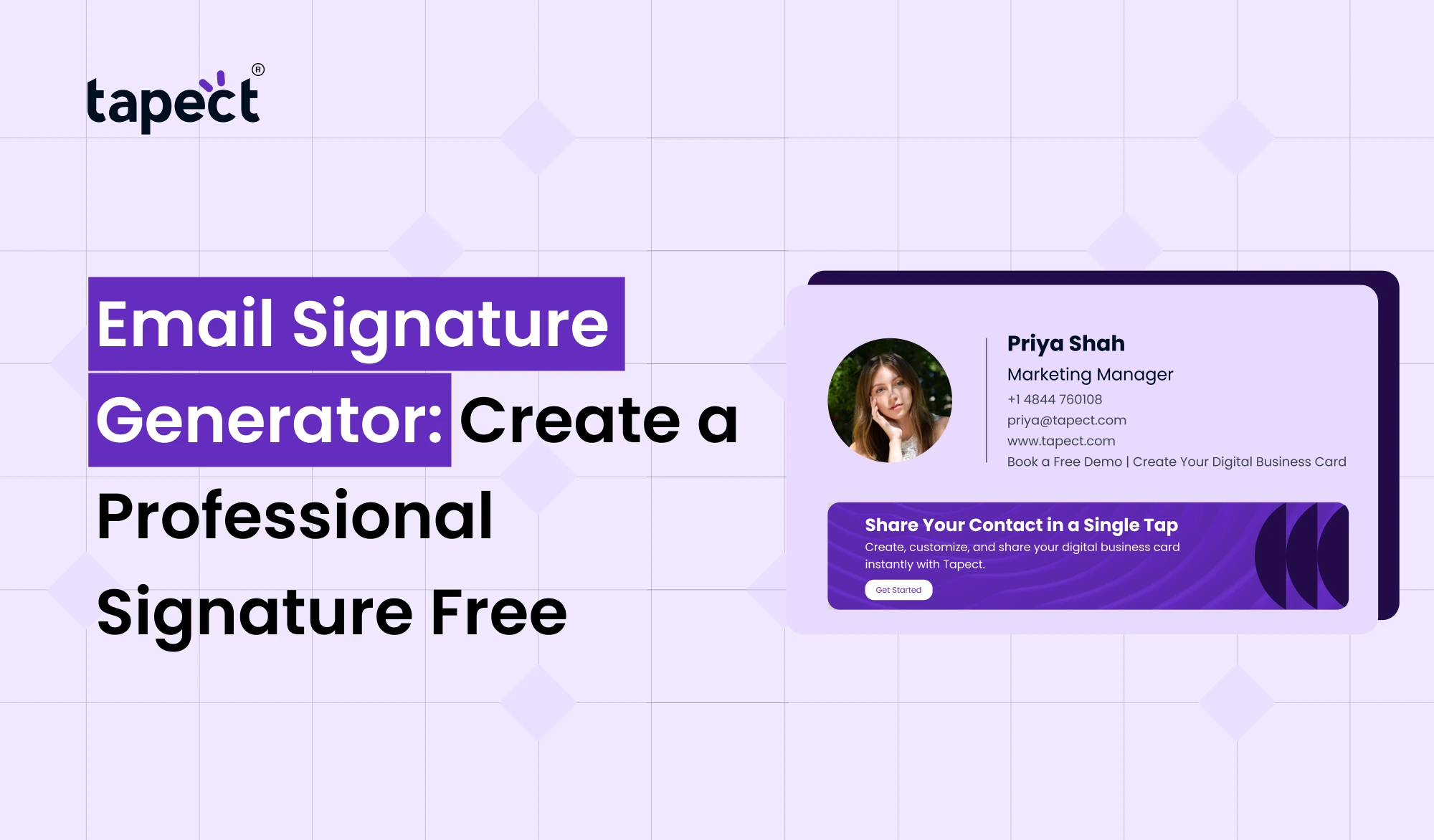
An email signature generator allows you to create a professional signature without having any design skills or coding knowledge. In minutes you can create a signature with your name, title, company, phone number, website, social media links and even your logo.
If you want to better your business emails and you’re looking for something simple to use, an email signature generator is one of the easiest tools out there.
In this guide, you will discover the importance of email signatures, how to create one, what to include and how Tapect helps you build a professional brand with every email you send.
What Is an Email Signature Generator?
An email signature generator is an online tool that helps you create a professional signature for your email. Rather than typing your contact details manually at the bottom of each message, the tool creates a signature you can plug into Gmail, Outlook, Apple Mail and other email services.
A good email signature maker will let you:
- Your contact information
- Add your company logo
- Add social media links
- Add website links
- Use your brand colours
- Create a clean professional layout.
Best of all, many of the tools are also a free email signature generator as well so it’s easy for anyone to get started.
Why Every Professional Needs an Email Signature
Every email is within your personal brand. An email without a signature can feel incomplete.
A professional email signature allows you to:
Build Trust
Emails with complete business information tend to be more trusted.
Make it Easy to Get in Touch
Readers can search for you, call you, visit your website or connect on LinkedIn.
Promote Your Business
Your signature is a mini marketing banner on every email.
Maintain Brand Consistency
A professional email signature provides the same business identity for each employee.
Benefits of Using an Email Signature Generator
It takes time to make a signature. An email signature generator makes everything so easy.
Some benefits here.
Saves Time
Create your signature in minutes .
Professional Design
No design experience required.
Mobile Friendly
Your signature looks great on phones and computers.
Rapid Updates
Want to change your phone number or website? Update it one time.
Improved Branding
Every email is a support for your company image.
What to Put in a Professional Email Signature
Make your email signature simple and useful.
Here are the details:
- Full name
- Job title
- Company name
- Phone number
- Email address
- Website
- Company logo
- Social media links
- Call-to-action button
Do not add too much information. A clean design is always better.
How to Create an Email Signature Free
You can easily create your own signature.
Step 1: Select an email signature generator
Choose a reliable free email signature generator such as Tapect.
Step 2: Enter Your Details
Enter your name, company name, contact info and website.
Step 3: Upload Your Logo
Your logo is what lets people know your business.
Step 4: Choose Colours & Fonts
Keep it consistent with your brand.
Step 5: Preview Your Signature
check spacing, links, images before saving
Step 6: Copy & Paste Into Your Email
paste your new signature into Gmail, Outlook or any other email
Why Businesses Choose Tapect
At Tapect we believe business networking should be easy.
Create modern email signatures with our email signature generator that fit your brand.
With Tapect you can:
- Make a professional signature in minutes
- Add company brand
- Add social links that can be clicked
- Link your digital business card
- Easily share contact information
- Keep branding consistent across your team
Whether you are a freelancer, a startup or a large business, Tapect makes email branding easy.
Connect Your Digital Business Card
Professionals today do more than just e-mail.
Today many include a digital business card in their e-mail signature.
Click the link for instant access to:
- Contact details
- Our Work Company Website
- Social profiles
- Links to meetings
- Business address
This makes networking a whole lot easier.
Pair Your Email Signature with an NFC Business Card
A good way to build your brand is to combine your email signature with an NFC business card.
Tap and share contact information with your NFC business card.
Your email signature and NFC business card together offer a seamless networking experience.
Benefits include
- Quicker contact sharing
- Improved customer experience
- Picture of modern business
- More chances to generate leads
- Professional Email Signatures
Best Practices for a Professional Email Signature
Just follow these easy tips.
Keep It Brief
Don’t load your signature.
One Logo
Too many pictures look messy.
Add Clickable Links
Make it simple for people to reach your website.
Choose professional fonts
Simple fonts are easier to read.
Test before you use
Verify your signature on desktop and on mobile.
Common Mistakes to Avoid
These are mistakes many people make.
- Too many colours
- With large images
- Extended quotations
- Providing extra information
- Neglecting to check links
A clean signature always does a better job.
Who Should Use an Email Signature Generator?
An email signature generator can be used by almost anyone.
It’s good for:
- Business owners
- Sales team’s
- Self-employed
- Consultancy for marketing agencies
- Real estate brokers
- Medical professionals
- Education Entrepreneurs
- Corporate workers
A professional, slick email signature is an asset to all professionals.
Why Email Signatures Help Marketing
Most businesses focus on social media and websites.
Few realise that every email can promote their business.
A professional email signature will include:
- Drive traffic to your website
- Develop social following
- Suggest products
- Share blog posts
- Create leads
- Build rapport
Those little clicks add up to valuable business opportunities over hundreds of emails.
Frequently Asked Questions
Are email signature generators free?
Yes. Tapect is among the platforms that provide a free email signature generator with basic features.
you can use the same signature in Gmail and Outlook?
Yes. The majority of signatures are compatible with Gmail, Outlook, Apple Mail, Yahoo Mail and other email services.
Why use an email signature generator?
An email signature maker can help you create professional email signatures faster than building one from scratch.
Can I add my digital business card?
Yes. You can add your digital business card link to your email signature for easy sharing.
Can I use an NFC business card in email signatures?
“Yeah. Many professionals use both in tandem to improve networking and make sharing contact details easier.
Call to Action
Create Your Professional Email Signature with Tapect Now
Every email is an opportunity for your business to grow.
Don’t settle for plain text emails when they can be such a powerful branding tool.
Build a beautiful, professional signature in just a few minutes with Tapect’s Email Signature Generator. Make every email work harder for your business by adding your logo, contact details, website, social media and even your digital business card.
Get started with Tapect today and craft your free professional email signature that builds trust, strengthens your brand and helps you win more customers.
Conclusion
More than a sign-off: A professional email signature. “It builds trust. It builds your brand. It gives people an easy way to reach out to you.”
An email signature generator helps you get a polished, consistent look for all your emails and saves you time. Add it to a digital business card and an NFC business card and you have a complete networking solution that’s online and offline.
Need to improve your business communication? Use Tapect’s email signature generator and make a professional email signature for free today.

 18 Sept 2026
 business